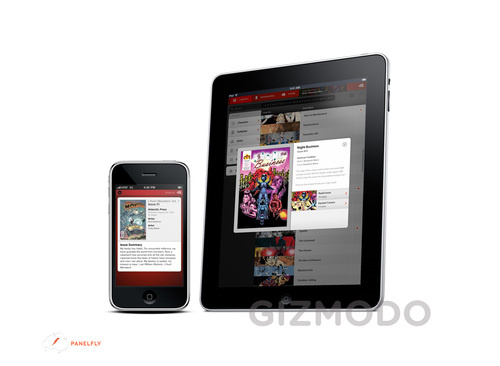
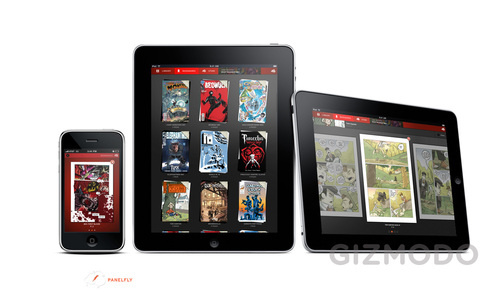
Today Apple announced its latest technological advancement, the Apple iPad. Before I jump to my initial reactions let’s break down all the announcements from the keynote event led by Apple CEO Steve Jobs.
The specs: The iPad features a 9.7 inch (1024×768 VGA) LED-backlit glossy fully capacitive multi-touch display with ISP technology (allowing for a wide 178° viewing angle); it’s powered by Apple’s custom-designed 1GHz Apple A4 chip (it’s a system-on-a-chip, packing the processor, graphics, I/O, and memory controller); it also includes a built-in accelerometer and ambient light sensor, AGPS, a digital compass, WiFi 802.11n, Bluetooth 2.1, and 3G (more on that later). It will ship with 16GB, 32GB, and 64GB solid state drives. Input and output includes a 3.5mm stereo headphone jack, a 30-pin dock connector, a microphone, built-in speakers, and a SIM card tray. It supports the usual video, mail attachment, language, and accessibility extensions. It packs a built-in rechargable lithium-polymer battery that lasts up to ten hours with usage and supports over a month of standby life. It’s also environmentally friendly. It has a very minimalist design; the external controls include the on/off (or sleep/wake) button at the top, mute and volume up/down switches to the right, and the home button at the bottom of the face. It’s dimensions are 9.56×7.47, 0.5 inches thin, and it weighs 1.5 pounds.
The software: Although it was not specified, the iPad runs an updated and iPad-optimized version of the iPhone OS software, presumably version 3.2. When you press the home button you enter an all-touch experience that is extremely similar to what you find on an iPhone or iPod touch today. After you get passed the lock screen, you are brought to your customizable home screen. Jobs noted that users will have the option to change their background images with preloaded screens or their pictures. The iPad will ship with the following apps: mobile Safari, Mail, Photos, Calendar, Contacts, Notes, YouTube, iPod, Video, and Maps (powered by Google). All of these apps are similar to their iPhone/iPod touch counterparts; they have simply been modified and enhanced by Apple to perform on a larger touch-based device. Two noteworthy enhancements include menu popovers and split-view workspaces that really take advantage of the larger display. And thanks to the built-in accelerometer, all apps support landscape and portrait modes. Side note: If you own a Mac and use iPhoto, the iPad will recognize this and further organize your photos into events, faces, and places categories. Most apps support an “almost life-size” virtual QWERTY keyboard that pops up when it’s needed.
The iPad comes with modified but familiar iTunes and Apps Stores. It will run “almost all” of the current 400,000 apps that exist in the App Store today. It runs the apps unmodified in two ways: you have the option to use them in a tiny format (so you don’t lose pixel quality) or you can tap a “x2” button that expands and scales the app full screen by automatically doubling the amount of pixels. Apple was quick to note that an updated version of the iPhone SDK (available today) will give developers the tools to modify and enhance their apps for the iPad. This will allow devs to take advantage of the larger screen and more powerful internals the same way Apple did with their apps. The keynote featured modified apps from Gameloft (Nova), EA (Need for Speed: Shift), MLB.com At Bat, The New York Times, and a paint app with Photoshop-like capabilities called Brushes.
Apple introduced a few new apps themselves. iBooks is Apple’s new e-reader app that serves as a place to read your collection of books and a portal to Apple’s brand new iBookstore. Here you can browse, preview, and purchase books from HarperCollins, Penguin, Simon & Schuster, Macmillian, and Hachette Book Group. Apples notes that they welcome all book and textbook publishers to join this new outlet for readers. Pricing details were not enclosed, but a demo revealed a number of books costing $12.99 and $14.99. The eBooks support the popular ePub format and are a visual treat. Once you purchase a book it is placed on your Bookshelf. Simply tap a book’s cover to start reading. You can change the font, font size, and search the text for keywords. The sleek UI includes tap or swipe gestures for page turning. Apple also intro’d a new version of iWork, built from the ground up for the iPad. iWork’s Keynote, Pages, and Numbers can be used to create slideshows, documents, and spreadsheets, respectively, right on the iPad. They will be sold separately at $9.99 each in the App Store.

Syncing the iPad to iTunes with a PC or Mac is done just like an iPhone or iPod does it. You can sync photos, music, movies, TV shows, contacts, calendars, bookmarks, and apps to it via the included 30-pin connector to USB cable.
Internet access: Apple is giving the user two options here. You can buy the iPad with built-in WiFi or you can opt to purchase an iPad that packs both WiFi and 3G service. The 3G service will be provided by AT&T with two different plans: (1) up to 250MB of data per month for $14.99; (2) unlimited data for $29.99. AT&T also throws in free use of designated WiFi hotspots. The AT&T plans are prepaid with no contract, so you are free to cancel a plan at any time. You also have the leisure of activating the 3G service on the iPad without going to a store or calling a company. It was noted that international deals should be sorted out by June, all iPad 3G models will come unlocked, and they use “new GSM micro SIM cards.”
Pricing and availability: There will be a total of eight different iPad models on the market. The first group of three are WiFi only and include 16GB, 32GB, and 64GB capacities priced at $499, $599, and $699, respectively. The second group of three are WiFi +3G and include the same capacities, each with a $129 price increase (so $629, $729, $829). The WiFi models will be available for purchase in about 60 days (late March) and the WiFi + 3G models will come soon after in about 90 days (sometime in April).

Accessories: Apple unveiled four accessories for the iPad. The first is a standard charging dock that doubles as a digital picture frame. The second is a keyboard dock ($69); it charges the device and also includes a full-sized physical QWERTY keyboard that attaches to the iPad via the 30-pin connector. The third is an Apple designed black case ($39) that can also be used as a stand for watching video. The fourth is a camera connection kit ($29) that allows you to import photos to the iPad via your camera’s USB cable or directly from an SD card.
What’s missing: Multitasking, camera(s), Flash video support, and HDMI out, for starters. We’ve come to accept that the iPhone and iPod touch cannot do multitasking, but there is no reason that the iPad cannot support at least two applications running at the same time. The powerful 1GHz chip can beautifully render HD video, load up and present pictures extremely quickly, and run graphics and power intensive games. For a processor that’s described as “a screamer,” the lack of multitasking capabilities is a real shame. How about a camera? Though rumors pointed to front-facing and standard webcam implementation, there should at least be one backfacing camera installed for video chat. And don’t tell me the the processor can’t handle that. The lack of Flash video support in mobile Safari is a real bummer; forget about watching Hulu videos on it. (This is Apple’s decision; Adobe is able and willing to share Flash software.) The inclusion of HDMI out would have made perfect sense. The device can play HD videos downloaded from iTunes; why not give the user the ability to extend their viewing experience to the TV? What of the newspaper/magazine digital revolution? I expected Apple to make a big push with partnerships with Time and The Wall Street Journal, formulate subscription-based models, and so forth. I guess things will start small with the intro of updated apps and this will eventually lead to more significant changes. Lastly there’s the decision to go with AT&T for data, again. The latest round of rumors were really pushing for an Apple-Verizon Wireless partnership for the iPhone and the tablet. Guess we’ll have to wait on that, too.
And that brings me to my initial reactions. Rumors of an Apple tablet have been swirling for years, nearly for a decade, in fact. All of us highly anticipated and theorized its pending existence as the never-ending rumors continued to pile up over the years. I imagined the mysterious Apple tablet to revolutionize the portable computer industry just as Apple forever changed the landscape of the mobile phone arena with the iPhone. Having watched today’s keynote in its entirety I was left surprisingly underwhelmed by the announcement of the iPad, though I do see a bright future for it. Continue reading Apple introduces the iPad; does it live up to the hype? →