This is the Digital Graffiti Wall at the Olympic Village. Watch artist Chairman Ting do his thing on Tangible Interaction’s eight-foot tall touch-based digital wall.
Category Archives: Technology
A breakthrough in prosthetics..or something else?
UK-based BeBionic has gone ahead and created “the next generation of fully articulated myo-electric hands.”
Bebionic hands feature naturally compliant grip patterns combining innovative technology with life-like appearance. Functions of the hand such as speed, grip force and grip patterns may be custom programmed to suit individual user requirements through smart software and wireless technology. Lighter than existing products it will be available to the market at an affordable price.
In other words, expect J-Day to come sooner than you think. Watch the grip patterns in the video above.
Halo: Reach behind-the-scene documentary
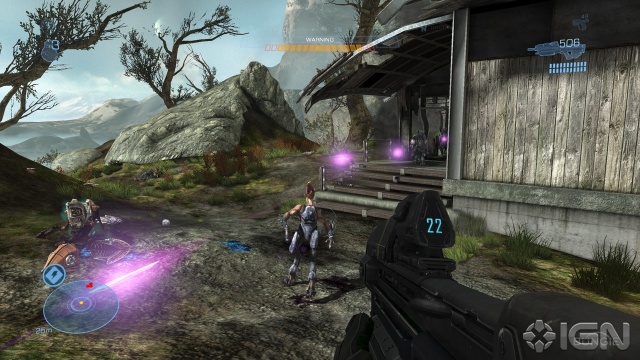
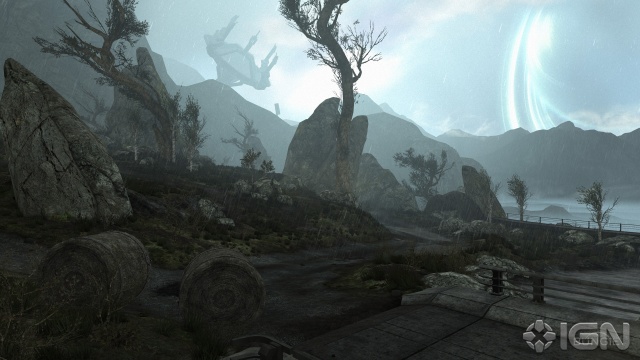
Take a peek into the reconstructed Halo Universe. Halo production leaders discuss how Halo: Reach ties back to our very first glipse of the vast world Bungie created in Halo: Combat Evolved (“that sense of wonder and exploration”) and why they decided to rebuild it all from the ground up. “This is the definitive Halo made by the people who created Halo.” Aaaand I’m pumped. Check out a handful of new screenshots and artwork below.




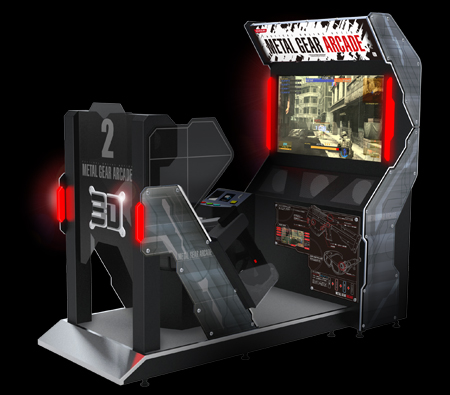
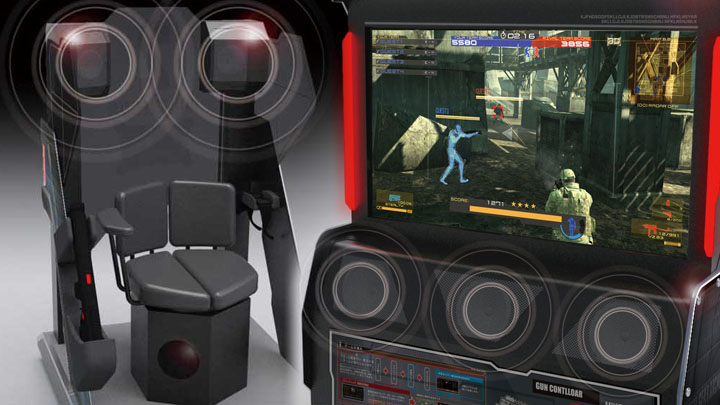
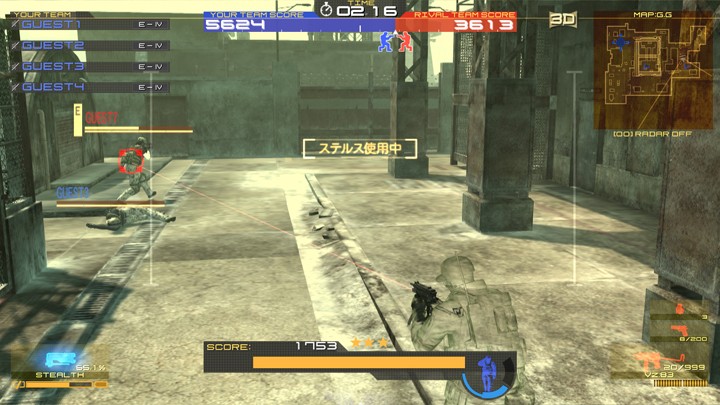
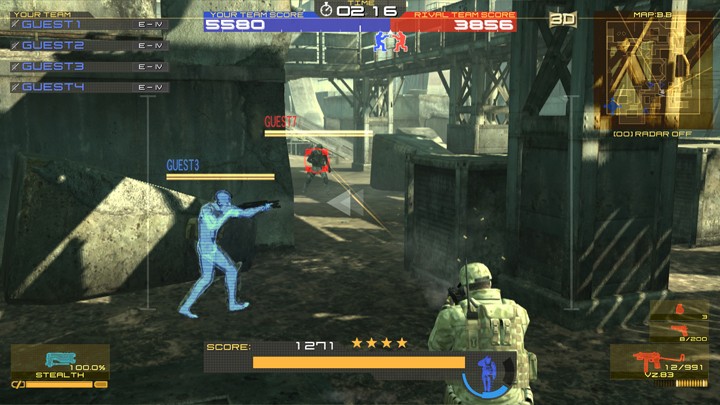
Solid Snake to infiltrate arcade machines, 3D head-tracking style
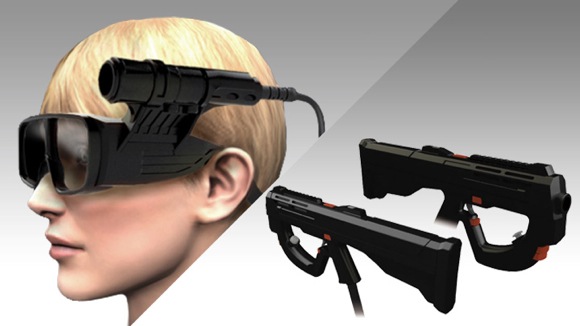
Konami has brought the Metal Gear experience to an arcade cabinent with Metal Gear Arcade. Arcade is based on Metal Gear Online and the gameplay features “Integral Vision.” The included headmount enables a 3D effect and supports head-tracking movement (where you look, the on-screen character looks). The arcade cabinent also includes 5.1 surround sound, a built-in mic for voice chat, and physical gun controllers to help immerse you even further into the game. Metal Gear Arcade debuted this week at the AUO Expo in Japan; there’s no word as to when it will hit the market. Check out the trailer here and screenshots in the gallery below.
Microsoft unveils Windows Phone 7 Series

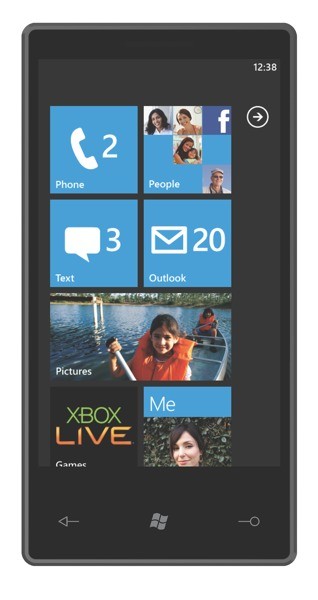
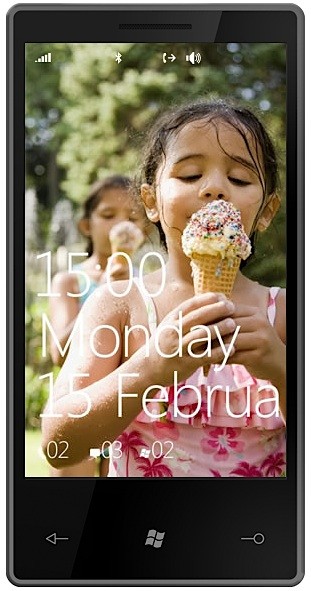
Forget everything you know about Microsoft’s dated Windows Mobile OS. This week at World Mobile Congress 2010 in Barcelona Microsoft unveiled the latest version of their mobile OS. It has a new name, Windows Phone 7 Series (that’s a mouthful!), and more importantly it has a new look. When I say “new” look I mean it; Windows Phone 7 Series (WP7S) features a brand spankin’ new user interface that entirely scraps Windows Mobile and does not look back. Think of it as iPhone OS or WebOS new. Such a vast overhaul of a staple service is an unexpected but necessary move by Microsoft; it really was the only option Microsoft had to choose in order to stay relevant in today’s highly competitive mobile space.
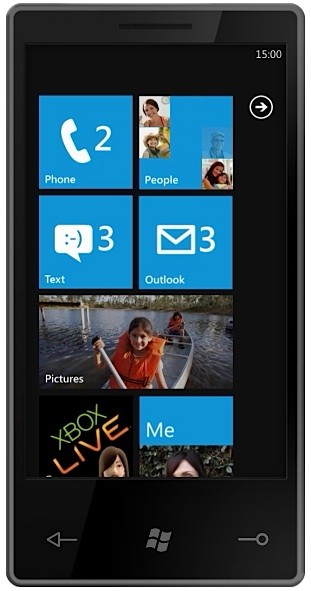
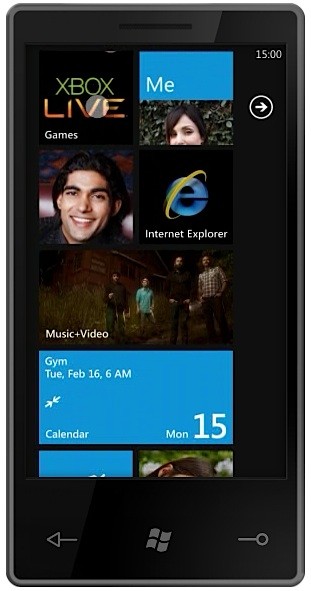
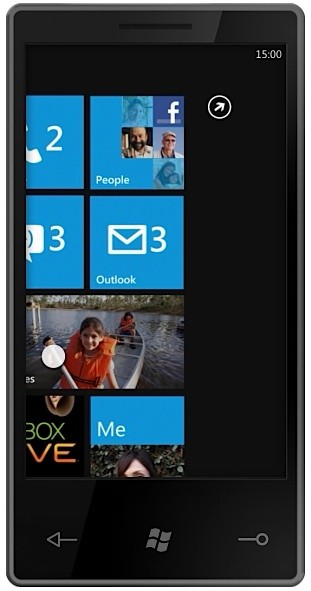
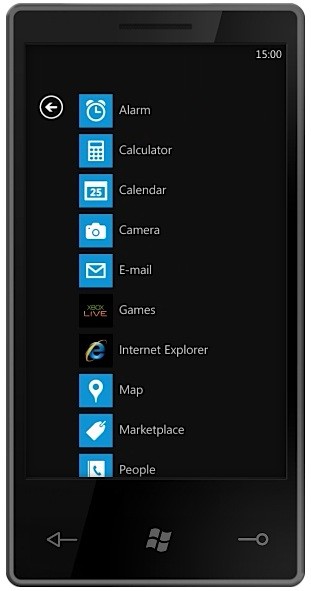
The software and user interface changes that define WP7S is where I will begin. There are no Start and drop-down menus, check boxes, and cluttering windows that adversely affected Windows Mobile users of the past. WP7S provides a fresh and clean experience, introducing organized and constantly updating “tiles” and “hubs.” Microsoft calls tiles “super icons” and they live on the home screen. The tiles are movable and user-configurable and animate when new updates are present. You can populate the home screen with an infinite number of tiles that can lead to apps, websites, contacts, photo galleries, and hubs.
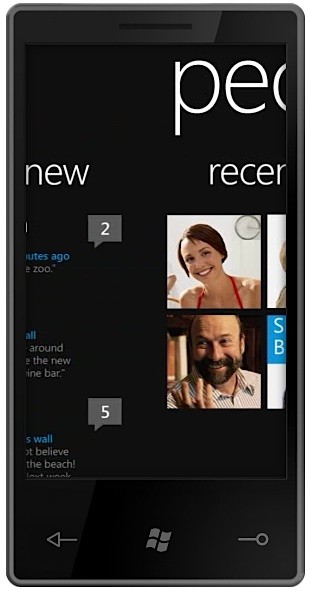
Microsoft touts a hub as being an “app that makes sense of your apps.” In other words, a hub is a place that can aggregate specific information, providing you designated places for information you seek. When you click on a hub you enter a horizontal-scrolling interface and you can “pivot” left and right to access additional screens within the hub. The following hubs have been revealed by Microsoft: people, pictures, games, music + video, marketplace, and Office.

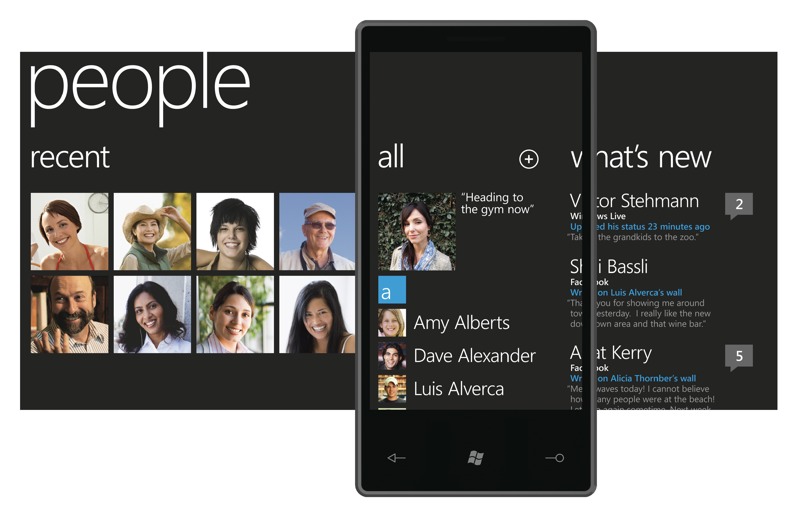
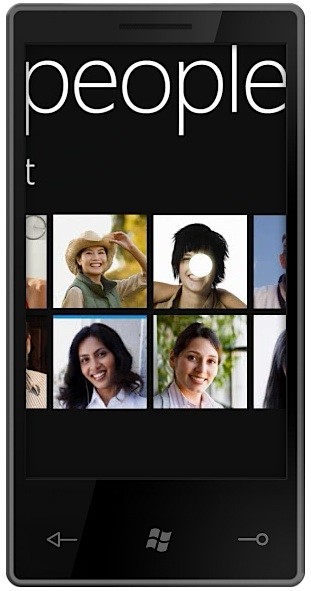
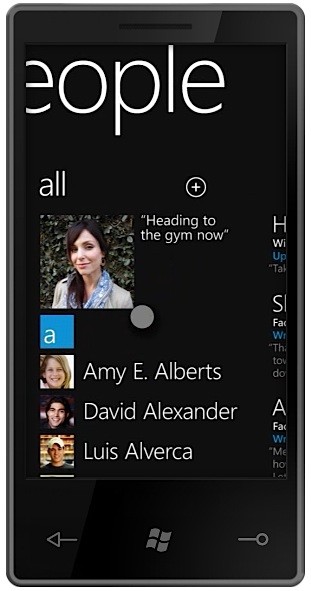
The people hub brings together contacts from various email accounts and social networks like Gmail, Exchange, Windows Live, and Twitter, aggregating tons of information from your contacts including status updates, images, and more into a single list. The people hub breaks down into the following categories: Recent, All, What’s New. The aggregation not only takes place in the What’s New feed, it also lives in contact cards. So for example, you can click a contact name in the Recent or All sections, view the contact’s basic information such as cell number and email address, andyou can, say, comment on their Facebook status. You also have the option to “pin” a contact to your home screen, turning it into a live tile for easy accessibility.

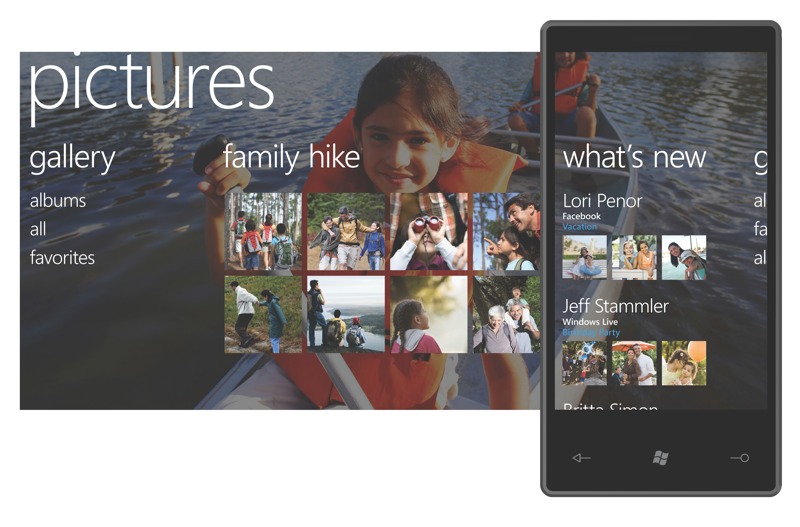
The pictures hub brings together pictures from your own (local) personal collection, social networks, and other cloud-based collections from sites like Facebook. The pictures hub breaks down into the following categories: Gallery (organized into albums, all, and favorites sections), latest synced or snapped pictures, What’s New. The What’s New feed aggregates the latest pictures taken and posted by your contacts. (See the pattern here?) When viewing your own pictures, you have the option to upload them to Facebook (and other sites); you can also label favorites and create new albums within the pictures hub.

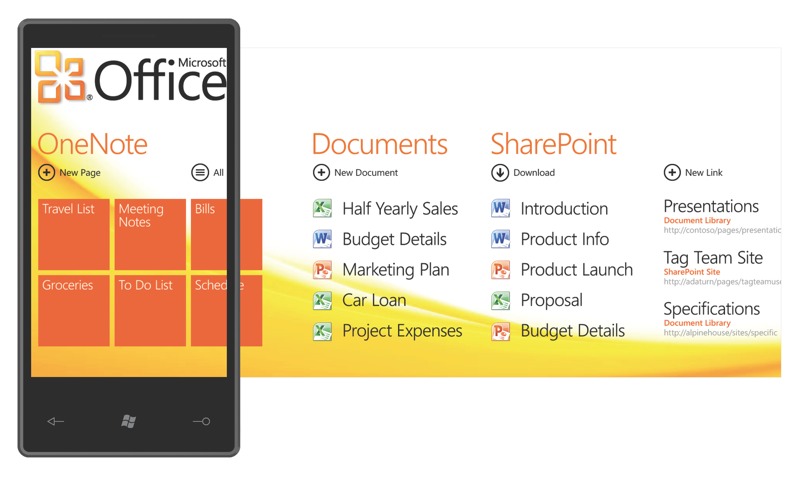
The Office hub is the “productivity” hub. Office for WP7S emphasizes OneNote and SharePoint. The Office hub breaks down into the following categories: OneNote, Documents, SharePoint. OneNote is a place where you can, well, take notes. You can create new “pages” for things like grocery lists, meeting notes, and to do lists. You can create notes by typing, taking a picture, or using your voice. These pages/notes can then be synced back and forth to your PC. The Documents category is the place where all your documents (Word, Excel, PowerPoint, etc.) synced from your PC are saved. SharePoint allows you to share documents on a company SharePoint server for document collaboration. The Office hub will work hand-in-hand with Office 2010.

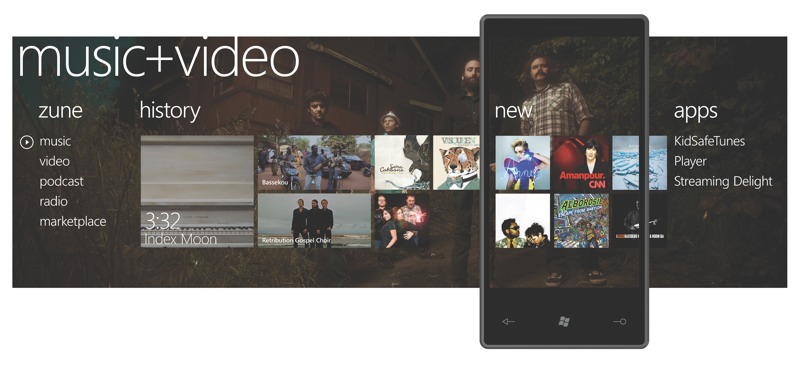
The music + video hub brings the Zune HD experience to WP7S devices. In fact, Microsoft is proud to say that “Every WP7S phone will be a Zune.” The music + video hub breaks down into the following categories: Zune (music, video, podcast, radio, marketplace), History, New, Apps. What’s most prominent here is that Microsoft will be partnering with third-party developers to provide different ways to listen to music. Pandora was name dropped, so you can expect to see music streaming services gain access to the music + video hub.

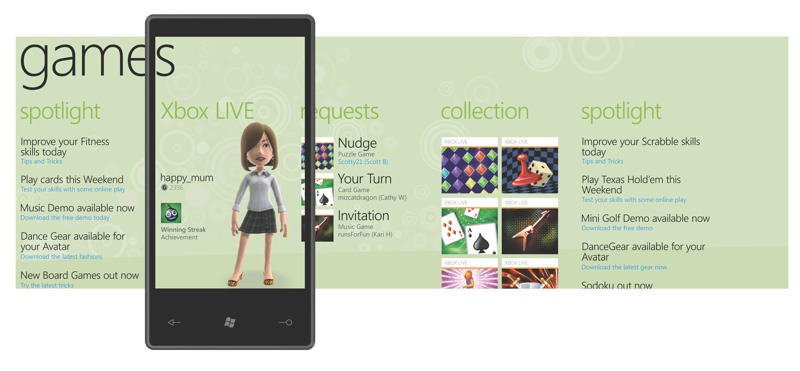
The games hub features Xbox Live! It breaks down into the following categories: Spotlight provides new games information; Xbox Live shows you your live avatar, gamertag, gamerscore, and profile picture; Requests inform you that someone is “nudging” you, letting you know it’s your turn in a game, and lists game invites; Collection is the area where you can build a list of Xbox Live-supported games that support achievements. These games will have interactive components that talk to your Xbox console, the PC, and other WP7S devices. Additional information about what type of games we’re talking about here was not disclosed.

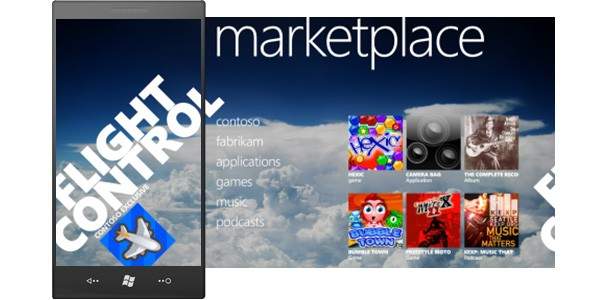
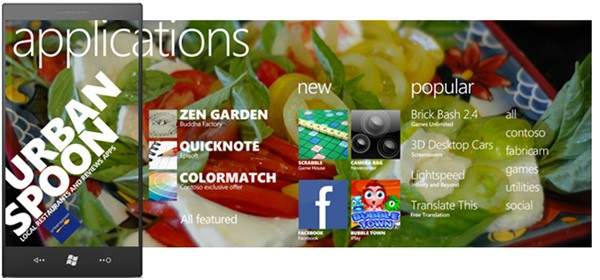
The marketplace hub was not demoed at the launch event but since then unofficial pictures have surfaced that reveal its basic organization. Microsoft promises that more information about apps, app development, and the marketplace will be revealed at this year’s MIX10 event next month.
With hubs out of the way, the remainder of the tiles on the home screen include Phone, SMS, Email, Calendar, Internet Explorer, and Bing Search/Bing Maps. Microsoft is really pushing its Bing search services on WP7S devices. Users will be able to search specific keywords to pull up local news, information, maps, and directions. Easy and straightforward.
Microsoft plans on releasing WP7S during the Holiday 2010 window and they have many hardware and carrier partners lined up. They include Dell, Garmin-Asus, HTC, HP, LG, Samsung, Sony Ericsson, and Toshiba; carrier support comes from AT&T, Deutsche Telekom AG, Orange, SFR, Sprint, Telecom Italia, Telefónica, Telstra, T-Mobile USA, Verizon Wireless and Vodafone. Let’s just say there will be a plethora of WP7S devices later this year. (Side note: Unlike stylus-wielding devices of the past, WP7S is focused purely on touch input and requires manufacturers to include at most only three face buttons–Back, Start, and Search. Other hardware-specifics like required internal specs were not mentioned.)
It all comes down to this: Can Microsoft pull themselves out of the wreckage that was Windows Mobile and regain market (and mind) share in a highly competitive environment that Apple and Google have quickly taken over? With Windows Phone 7 Series, Microsoft clearly defines that they finally understand that the mobile phone is very different from a PC. In fact, during the launch event Microsoft corporate VP of Windows Phone Program Management Joe Belfiore kept reiterating, “The phone is just not a PC.” With this knowledge, they built a brand new, visually beautiful mobile OS from the ground up, leaving out all complexities and incorporating much simplicity. On a PC it feel natural to have various windows open to access Facebook, contacts, and Flickr. Dealing with this mess on a small mobile device does not make sense, so Microsoft came up with an extremely intuitive way to aggregate all this information into live tiles and interactive hubs, making it very easy to see and respond to your friends and family. Many questions remain; for instance, we still don’t know much about the marketplace and app development, and overall developer input. From the looks of it Microsoft will put devs front and center stage, giving them access to create smart apps that will supplement the 7 Series experience. If they learned anything from Apple and the iPhone, app existence and support is crucial for a mobile OS to succeed in today’s cell phone industry. But with a company whose CEO is famed for screaming “Developers, Developers, Developers,” I have no doubt Microsoft will come out victorious as a worthy competitive force in the mobile space.
Check out the gallery below for additional UI shots. Look after the break for a bunch WP7S-related videos; they include a quick features tour, a 20 minute demo, and the streamed launch event. You’ll also find the official press release there, too.
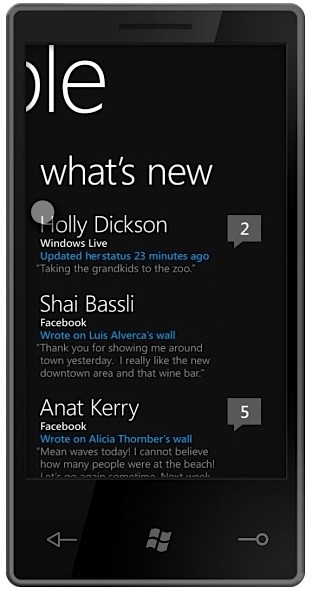
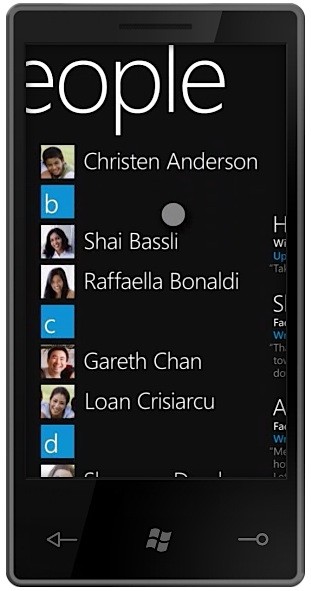
If the future of video gaming is augmented reality, count me in!
Imagine a future where video games transition from the TV and PC to your physical surrounds via a virtual reality headset with goggles. Pretty wild. (And FYI–this is not a concept video for true implementation; it’s actually from a fictional Israeli TV show. Nonetheless, who knows what the future holds.)
[Via NowhereElse; Gizmodo]
The Cubestormer can solve a Rubik’s Cube in under 12 seconds
Made entirely of Lego Mindstorm kits, The Cubestormer is a robot that can solve a random Rubik’s Cube in under 12 seconds. Under 12 seconds, people! Just watching it work makes me that much more worried for Judgement Day.
[Via Engadget]
Noteput music table teaches you with tangible notes
Created by Jürgen Graef & Jonas Heuer.
“Noteput” is an interactive music table with tangible notes, that combines all three senses of hearing, sight and touch to make learning the classical notation of music for children and pupils more easy and interesting.
Note that the Notput is not touch-sensitive; it does not feature multitouch interaction. It uses a built-in camera system to pick up unique markers that are stamped on the large musical notes. The camera system recognizes each note and its specific location on the staff.
Verizon ‘bites’ back at AT&T with new map spot
And just when you thought the Verizon Wireless and AT&T ad war was cooling down…Verizon is back with more! Check out this latest spot that rips off the current vampire craze. Twi-hards will surely get a kick out of it.
[Via Engadget]
Pink Wiimote makes for the perfect Valentine’s Day gift

Just in time for Valentine’s Day Nintendo is now shipping pink and light blue-colored Wiimotes. It comes bundled with the Wii MotionPlus attachment. Priced at $54.99 it’ll make any gamer chick ecstatic on this holy day of love.
See Avatar in 4D (in Korea only!)

In Korea, 3D just doesn’t cut it. By adding an extra dimension to the epic Avatar 4D movieplexes “use more than 30 effects during the 3D film’s 162 minute run, including moving seats, smells of explosives, sprinkling water, laser lights and wind.” If you’ve experienced Shrek 4D at Disney then you probably have an idea of what Avatar in 4D would be like. In fact, Tom Oh of 20th Century Fox Korea refers to Avatar in 4D as a “ride” and calls the Korean 4D plex “the first in the world that fully offers five-sense experiences with a movie title.” Avatar in IMAX 3D was definitely enough of a trip for me. I feel like the addition of moving seats and shots of water to the face would just distract me (not further immerse me) from Pandora and its spectacular inhabitants. What say you?
[Via Variety]
Google responds to user feedback, makes Buzz a bit more private
![[new_Buzz_startup.png]](http://1.bp.blogspot.com/_JE4qNpFW6Yk/S3c5K4C8M0I/AAAAAAAAAeI/0rlaWcLLGrY/s1600/new_Buzz_startup.png)
As soon as the announcement and release of Google Buzz hit the masses, users quickly recognized a “security flaw” in the service. Google shares the final diagnosis like this: “In particular there’s been concern from some people who thought their contacts were being made public without their knowledge (in particular the lists of people they follow, and the people following them). In addition, others felt they had too little control over who could follow them and were upset that they lacked the ability to block people who didn’t yet have public profiles from following them.” So what have they done to combat contact privacy issues?
1. More visible option to not show followers/people you follow on your public profile
2. Ability to block anyone who starts following you
3. More clarity on which of your followers/people you follow can appear on your public profile
In addition to these changes, Google has also revamped the “start-up experience,” the initial ‘Welcome to Google Buzz’ screen. An auto-suggest model replaces the auto-follow model, allowing the user to pick and choose who they want to follow instead of Buzz automatically adding their contacts and chat buddies to their follow list. Also, “If you don’t want to share the lists of people who are following you and people you are following publicly on your profile, you can opt out at any time from the [new and improved] edit profile page.” Some other changes include: “Buzz will no longer connect your public Picasa Web Albums and Google Reader shared items automatically” and now there’s a Buzz tab in GMail Settings where “you’ll be able to hide Buzz from Gmail or disable it completely.” All these changes in its first week, it’s quite impressive; Google is definitely taking to heart loud user feedback. And all of this seems to be resulting in a better Buzz experience so far.