Category Archives: Technology

ESPN may stream live sporting events to an Xbox 360 near you

According to the NY Times, Disney is in talks with Microsoft to bring ESPN to Xbox Live.  Sure, Live subscribers already have access to the large Netflix library to rent the latest movies and TV shows, but streaming live sporting events takes things to a whole new level.  ESPN on Xbox Live would be set up in a similar fashion to the ESPN 360 service that’s been widely available from a number of ISPs.  The Times reports that it would be based on a per-subscriber fee and include access to live sporting events and interactive games labeled with the ESPN brand.  Hulu on the PC, Netflix and ESPN on Xbox Live; this tidbit of news gives us yet another reason to cut the cord that is cable.

[Via NY Times; Gizmodo]

Voice Band app turns your voice into a myriad of instruments (freakin’ awesome!)

From WaveMachineLabs comes a new innovative app for the iPhone called Voice Band.  Simply put, the app turns your voice into an instrument in real time.  Instruments include 2 guitars, a bass, sax, 2 synths, drums, and a mic.  Basically you make sounds with your voice and the app converts and records these sounds into instrument sounds, allowing you to layer them on top of each other to create a final product that may actually sound like an intricate, well thought out song.  In mic mode you can even top it all off with your own vocals; don’t worry, a built-in auto pitch helps you stay on key.  You also have the option to play your iPod library in the background and “play along with your favorite music.”  Songs can be saved and emailed to friends within the app.  Voice Band is available in the App Store today for $2.99.  It works with all iPhones and the 2nd gen iPod touch; you must have OS 3.0 or later installed.  One more stipulation–a pair of headphones (with a built-in mic) is required for iPod touch and original iPhone users.  See it in action in the video above.  Definitely one of the coolest apps I’ve come by in a while.

[Via Gizmodo]

Digital guitar doesn’t need strings

The Misa Digital Guitar is basically a MIDI controller hidden inside what appears to be a standard guitar.  It’s no so standard in that it doesn’t have any strings; instead it contains 144 note buttons and a large touch screen control pad.  Since it’s an open source Linux-powered MIDI controller at heart, it can play a variety of instrument packs you have installed on your computer.  Let the digital future of shredding commence!

[Via Engadget]

Student creates music controller with Arduino & an accelerometer

Parsons student Ryan Raffa crafted a do-it-yourself music controller with an ADXL 335 accelerometer and an Arduino board that communicates serially with Max MSP.  In simpler terms he created a small device that has five embedded tracks and a sixth button that applies a delay on those tracks; pushing the buttons plays the various tracks and moving the device around slows down and speeds up the beat thanks to the built-in accelerometer.  (An accelerometer is the device installed in iPhones and other gadgets that allows users to swap from vertical to landscape views just by changing the orientation of the device.)  Check out Ryan’s final product in the video above.  I think it’s safe to say he received an “A” for his final class project.

[Via Engadget]

HP’s ‘wall of touch’ prototype does not require touch

HP recently showed off its “wall of touch” concept to The Wall Street Journal.  HP labels it a “large digital sign” that allows users to interact with it.  Interestingly HP gives the user two options for said interaction: you can touch it as you normally would with, say, a Microsoft Surface table, or you can simply point to specific locations on the wall.  With the aid of integrated cameras and a magnetic strip the wall can detect when a user approaches and intentially interacts with it with hand gestures.  For now HP is selling this technology to companies who plan on using it in large public spaces.  In fact, Continental Airlines has one of the first walls installed in their Houston airport.  HP does leave the door open and hints that it may turn into a “mainstream product” if there’s enough interest and demand for it.  It would cost anywhere from “a couple thousand dollars” to $100,000, depending upon the built-in technologies (HD video cameras, etc.).  Be sure to check out a demo of HP’s “wall of touch” in the video above.

[Via Wall Street Journal; Engadget]

Kinetic sculpture reacts to its environment with light and sound

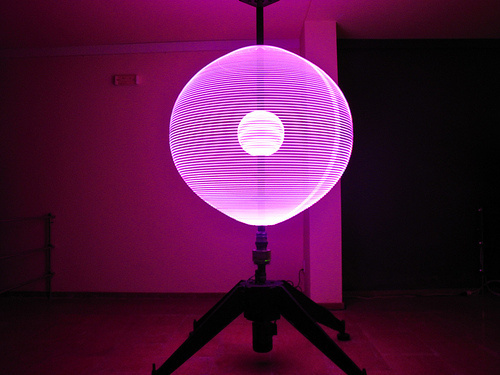
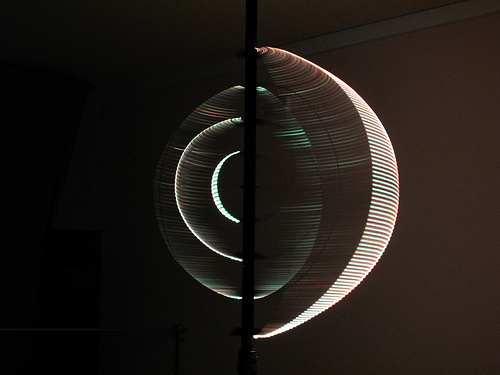
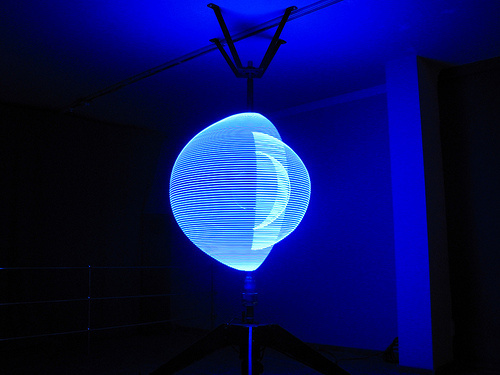
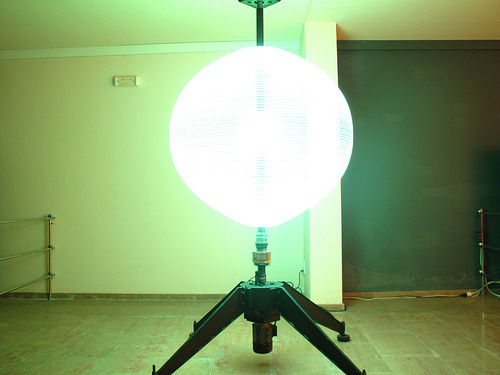
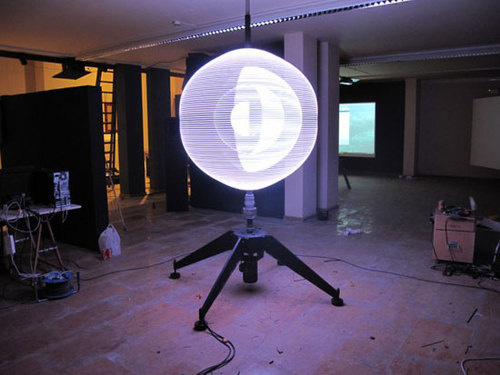
Particle, designed by artist Alex Posada, is a kinetic sculpture that “responds to its environment translating movements into color and sound.”  The sculpture is composed of a stand that’s mounted with several rings sprinkled in LED lights.  The lights rotate around a central axis when it senses nearby motion.  What’s so interesting is that “its movements cannot be predetermined” since its rotations occur randomly depending upon a passersby’s influence upon it.  A surround sound system is synchronized with the flashing LED lights.  Strange and bizzare, but I like it.  Additional images below and a video of it in action after the break.

[Via DesignBoom; Gizmodo]

Continue reading Kinetic sculpture reacts to its environment with light and sound

MIT discovers a way to “print” your meals

MIT students Marcelo Coelho and Amit Zoran have devised a way to prepare meals with an advanced 3D printer machine.  The “Cornucopia” printer and its included canisters promise “control over the origin, quality, and nutritional value of every meal, with no packaging or excess food waste.”  Read on to learn about how the process works:

Cornucopias’ printing process begins with an array of food canisters filled with the “cook’s” foods of choice. After a meal selection has been made using the device’s multi-touch translucent screen, users are able to see their meal being assembled while simultaneously manipulating real-time parameters, such as calories or carbohydrate content. Each ingredient is then piped into a mixer and then very precisely extruded, allowing for very exact and elaborate combinations of food.

Once each ingredient has been dropped, the food is then heated or cooled by Cornucopia’s chamber or via the heating and cooling tubes located on the printing head. In fact, the ability to hyper-localize heating and create rapid temperature changes also allows for the creation of meals with flavors and textures that would be impossible to replicate with present-day cooking methods.

So, is this the future of food preparation?  It’s highly customizable, simpe to use, and it reduces waste.  As long as the end result is in fact “edible” and tasty it passes my standards.  Though I have a feeling the Cornucopia will remain a concept for some time.

[Via Inhabitat; Engadget]

Lenovo shows off Skylight & Hybrid innovations

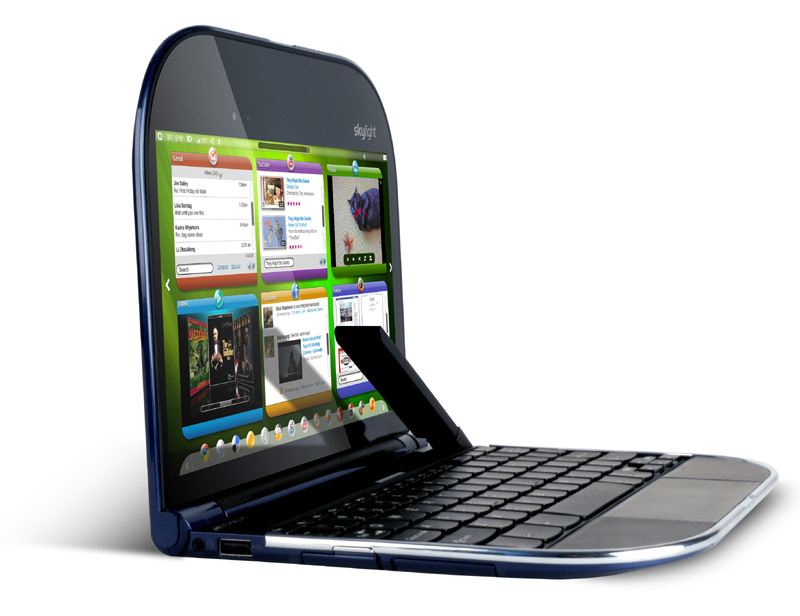
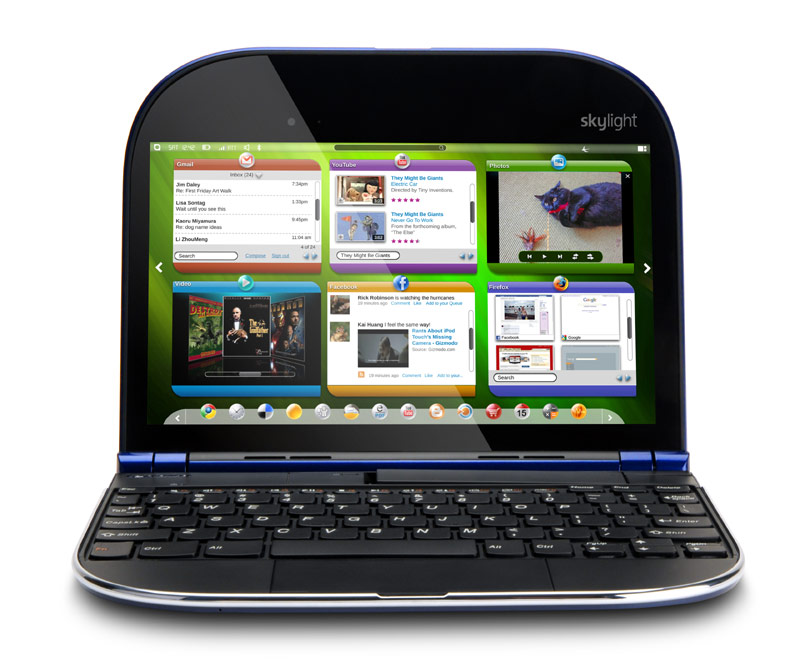
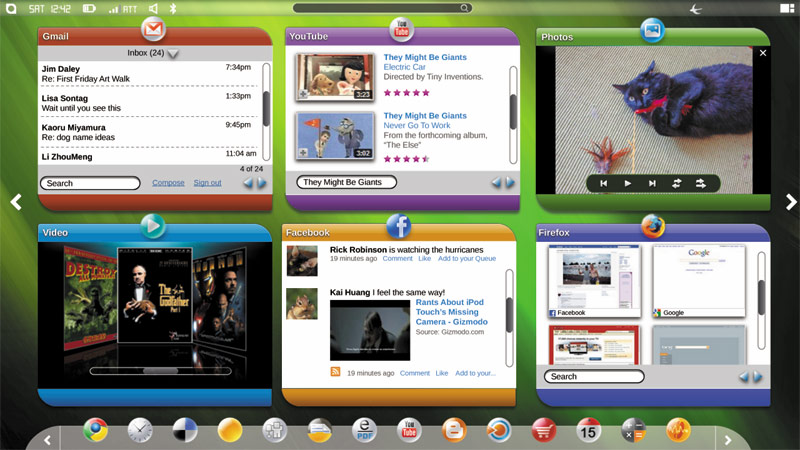
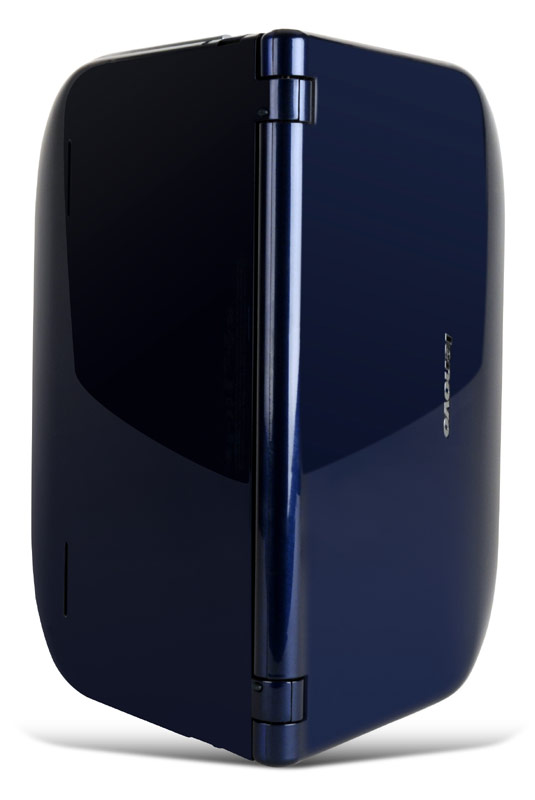
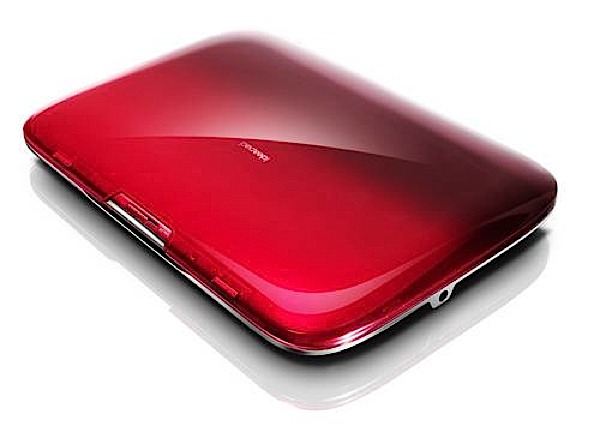
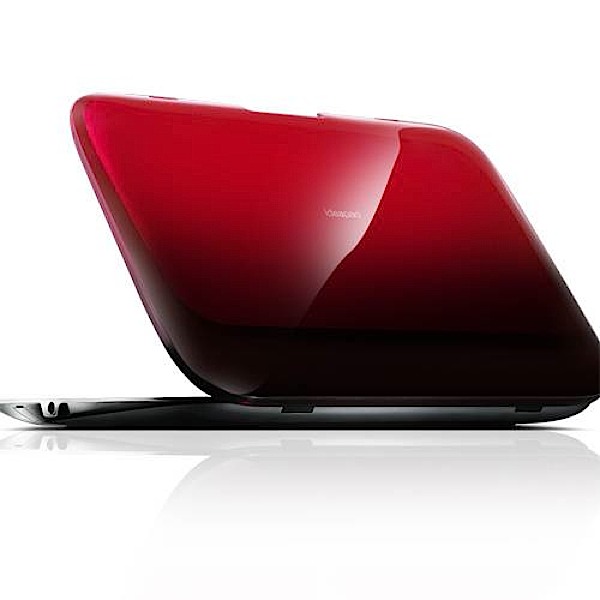
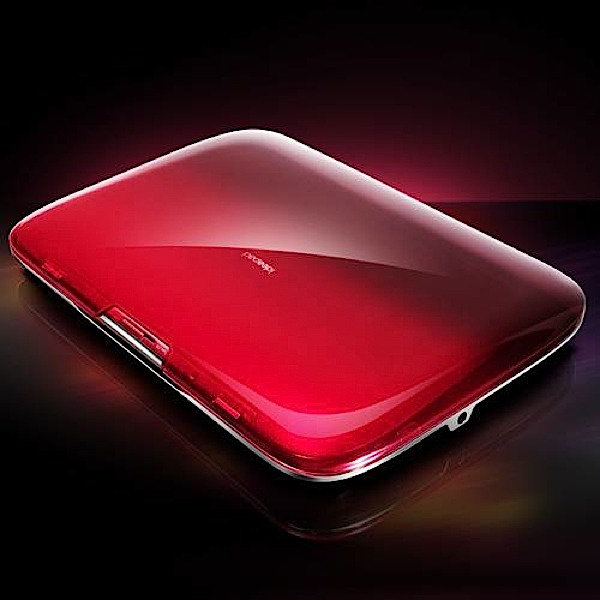
The Lenovo Skylight is being billed as a “smartbook,” positioning itself in the yet to be exploited niche between a netbook and a laptop.  The internals are the most intriguing, so let’s start there.  It’s the first ARM-based smartbook based on Qualcomm’s 1GHz Snapdragon processor and it packs a 10.1 inch (1,280 x 720) display, 20GB of Flash storage, 2GB of cloud storage, an 8GB miniSD card, a 3.1 megapixel webcam, WiFi, and two USB ports.  It also features an AT&T WWAN module, allowing you to connect to AT&T’s 3G service for internet access on the go.  Keep in mind you must purchase an AT&T DataConnect plan in order to enable this feature.  The impressive internal battery lasts up to ten hours on one charge.  The Skylight has a very sleek, minimal design; it weighs under two pounds and it’s about the same thickness as a standard smartphone.  When you open the no-frills clamshell lid you find the HD display, a full-sized keyboard, and an integrated USB stick.  There’s a designated slot where the included USB stick can be stored when it’s not in use.  On the software end, the Skylight runs a customized version of Linux that is based around “live web gadgets.”  These gadgets include customizable windows for Facebook, Twitter, Gmail, and YouTube that are constantly updating in front of you.  You maybe changing your Facebook status as your live Twitter feed and Gmail account updates themselveswith a YouTube video running in the background.  There’s no need to continually log in or refresh.  And don’t fret–there’s a standard web browser to surf the Internet the way you’re used to doing it.  The OS comes with over 18 pre-installed web gadgets including Amazon MP3 and Roxio CinemaNow, to purchase and download music and movies, respectively.  The Skylight will be available for purchase this April for $499 at Lenovo, AT&T, and AT&T stores.  There’s no word as to whether or not AT&T will sell it at a subsidized price if you were to purchase their two-year Data Connect plan at time of purchase.  Look after the break for a Lenovo product tour video.

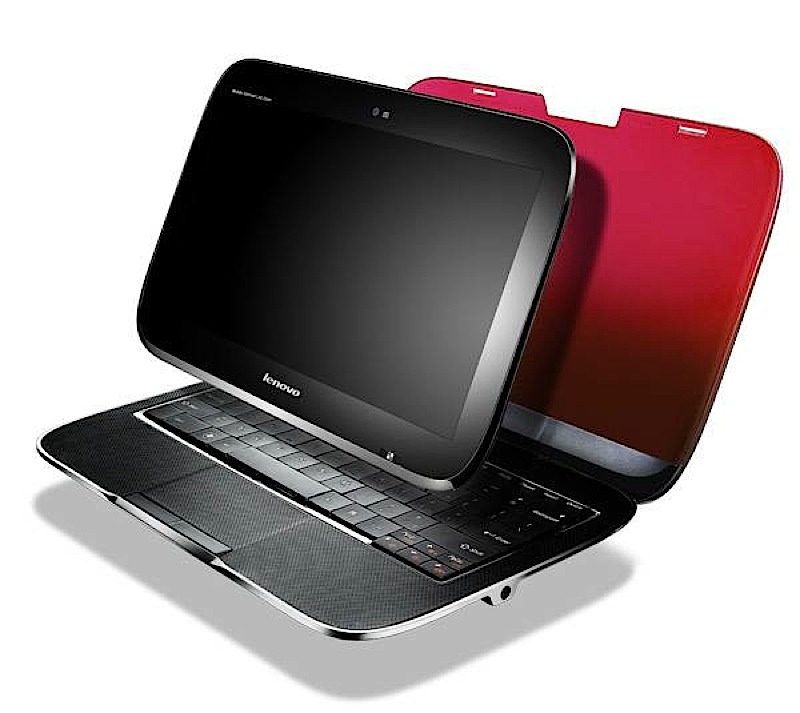
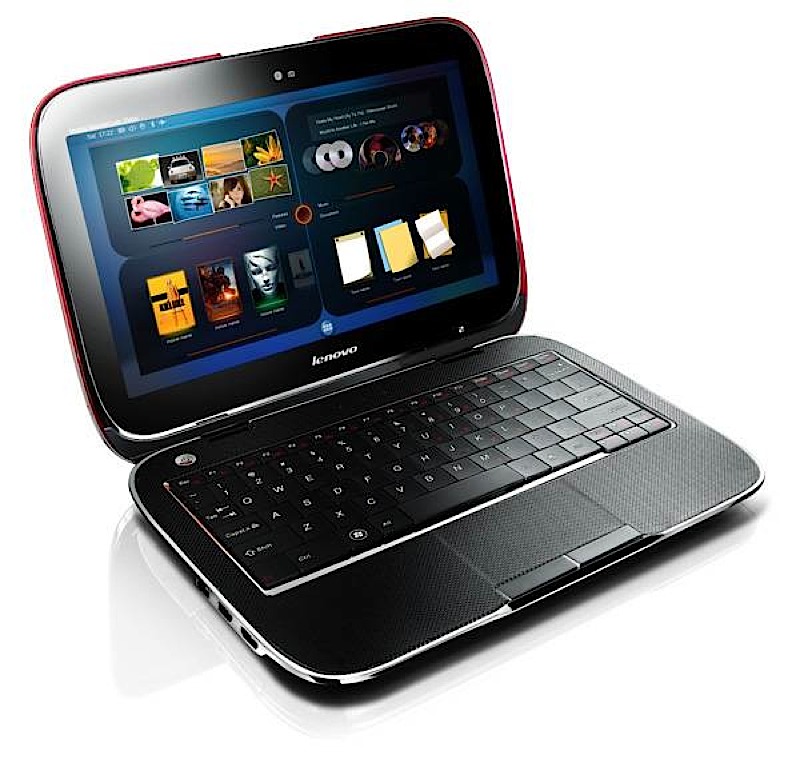
Next up is the Lenovo IdeaPad U1 Hybrid.  Lenovo is marketing it as the industry’s “first hybrid notebook” giving users the ability to switch from a normal laptop setup to a slate tablet.  Allow me to explain.  The Hybrid contains two PC form factors in a single device.  What’s interesting here is that each form factor has its own processor, operating system, and storage.  At first glance, the Hybrid is a 3.8 pound traditional clamshell laptop an 11.6 inch LED (1366 x 768) screen, a full-sized keyboard, runs Windows 7, and is powered by a CULV Intel Core 2 Duo processor.  You guessed it–the second form factor is the detachabledisplay.  The display doubles as a 1.6 pound multitouch slate tablet with its own Snapdragon processor and customized “Skylight operating system” as found in the Skylight smartbook.  Other specs include up to 4GB of RAM (512MB in tablet mode), two USB ports, eSATA, VGA, HDMI,  4-in-1 memory card reader, and a 1.3 megapixel webcam.  The laptop can be equipped with a 128GB solid-state drive, with 16GB allotted to the tablet.  Like the Skylight it also includes WiFi + 3G Internet connectivity.  The battery can support up to five hours of 3G web browsing and six hours when 3G is switched off and in tablet mode.  Also neat is that the two form factors are always synchronized; for example, if you are browsing the Internet in laptop mode and detach the display your content seamlessly transfers to the Skylight OS without interuption.  The two also share “battery power, 3G wireless, data and documents.”  The Skylight software features a “Me Centric” user interface with a four or six section screen display option allowing you to easily access websites, calenders, and other apps while in landscape or portrait mode.  Lenovo plans to release the IdeaPad U1 Hybrid on June 1 for $999.  Again, no word on a 3G carrier subsidy price.

Normally I do not report on every PC/laptop/netbook release that comes my way.  I deemed it poignant to share Lenovo’s smartbook and laptop/tablet hybrid machines because they radiate innovation.  The Skylight has a distinctly small, light, and no-frills design and packs impressive internal specs and battery life.  It’s customized operating system is unique in that it’s optimized for the web experience from top to bottom.  The IdeaPad U1 Hybrid is a fresh concept that I’m frankly surprised to see actually coming to the market.  Though it poses as a sleek and lightweight notebook, its detachable multitouch screen that runs the Skylight OS is very intriguing.  Such a wild idea may result in the long sought solution to helping the slate tablet find its niche in PC market.  No matter how these new entrants in the young smartbook and new hybrid categories sell once they’re released I have a strong feeling their unique form factors and intentions will reverberate throughout the industry as effective product designs.

[Via Engadget, here & here; LaptopMag]


Continue reading Lenovo shows off Skylight & Hybrid innovations

Doomsday Clock stands at 6 minutes to midnight

The Doomsday Clock was manifested in 1947 by the Bulletin of the Atomic Scientists at the University of Chicago.  It is a symbolic clock that represents our proximity to global disaster posed by the threats of global nuclear war, biotechnology, and climate change.  Scientists move the minute hand closer and farther away from midnight sporadically when global events deem it necessary.

The initial setting of the Doomsday Clock was set at 11:53PM in 1947.  Just two years later it was moved to 3 minutes to midnight during the onset of the Cold War, when the Soviet Union began tests on the first atomic bomb.  The closet it ever inched towards midnight was in 1953, during the height of the Cold War, when it was brought to 2 minutes to midnight.  Since its inception that is the closest its been to midnight and 1991’s  11:43PM setting was the farthest from midnight it’s been.  That year saw the US and Soviet Union sign the Strategic Arms Reduction Treaty.

Since 2007 the clock remained at 5 minutes to midnight.  However, with the recent “worldwide cooperation to reduce nuclear arsenals and limit effect of climate change,” the clock has been set back one minute to 11:54PM in 2010, giving all of us reason for a sigh of relief.  The Bulletin of Atomic Sciences on the recent change:

It is 6 minutes to midnight. We are poised to bend the arc of history toward a world free of nuclear weapons. For the first time since atomic bombs were dropped in 1945, leaders of nuclear weapons states are cooperating to vastly reduce their arsenals and secure all nuclear bomb-making material. And for the first time ever, industrialized and developing countries alike are pledging to limit climate-changing gas emissions that could render our planet nearly uninhabitable. These unprecedented steps are signs of a growing political will to tackle the two gravest threats to civilization — the terror of nuclear weapons and runaway climate change.

[Via Gizmodo; Wiki]

Break-dancing robot will make you do a double take

Meet Japan’s Maino Go break-dancing robot sent from the future to entertain us.  The scientists who built this robot actually consulted professional dancers to add the realism you see in its moves.  Step aside, Tickle Me Elmo; this break-dancing robot is the new hot robo-toy in town.  Jump after the break for a second video.

[Via Engadget; TechDigestTV]

Continue reading Break-dancing robot will make you do a double take