Category Archives: Technology

Face Recognition Door Lock makes checking into work a snap

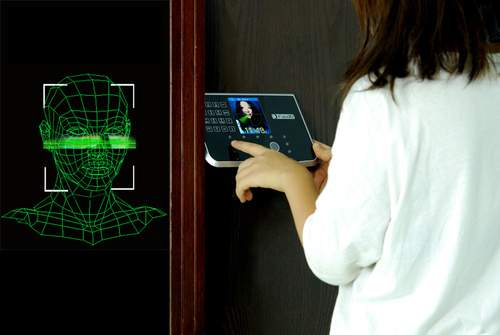
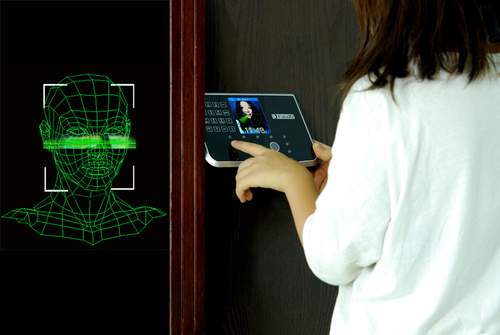
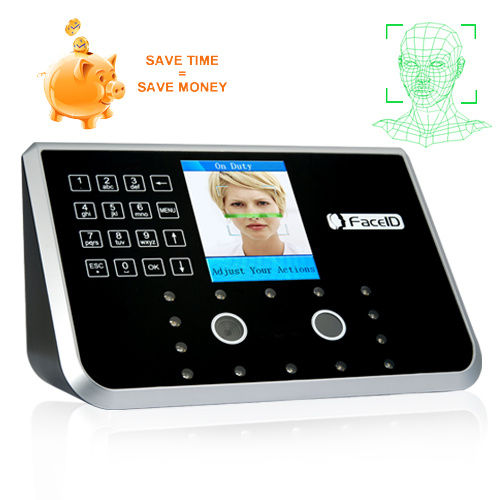
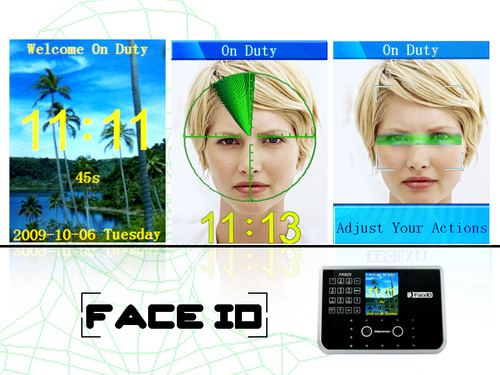
Face recognition versus punch cards.  I wonder which one I would choose.  The former, duh!  The Face Recognition Door Lock was designed with purpose to keep track of company employees coming and leaving the job place.

It “features dual cameras (creating a 3D image that prevents false matches using a simple 2D photograph) , night vision, a 3.5 inch TFT display screen, touch keypad, USB and Ethernet port for TCP/IP connections, the ability to register up to 500 faces, and a verification process that supposedly takes less than a second.”  With the ability to store up to 150,000 attendance records of employees, I better start seeing this implemented in companies across the country.  Those damn punch cards never work right.  Here’s hoping facial recognition does.

[Via Gizmodo]

Plaza del Torico sprinkled in LED lights

The Plaza del Torico, located in Teruel, Spain, has undergone a recent change in looks.  Over 1,230 LED lamps have been embedded in the pavement of the plaza.  The large scale system has been configured so that colors and patterns can sequentially change.  And that’s that; Teruel, Spain is now on my list of places to visit in the near future.

[Via Gizmodo]

Woah woah it’s magic…you know.

This impressive piece of machinery is called–get this–“Automated Manipulation of Spherical Objects in Three Dimensions Using a Gimbaled Air Jet.”  Yeah, I’m going to call it Air Jet for short.  Hope it doesn’t mind.

Anyway, isn’t it insanely cool?  It was developed at the University of Illinois by Aaron Becker, Robert Sandheinrich, and professor Timothy Bretl.  Gizmodo points out that “the air-stream can lift any spherical and non-spherical object up to 188 grams and 97mm in radius.”  As you can see in the video, this means it can lift anything from a lightweight ping pong ball to a apple.  It even peels onions!  According to the students’ research report, this machine does have practical use; it can be used to sort small objects or handle delicate ones.

I think I just found my lifetime beer pong partner.

[Via Gizmodo]

Google: Goggles, favorite places, and real time search

Google’s back with new innovations.  Let’s jump right into it.

Google Goggles: Up until now, if you wanted to search using Google you had two options: typing at Google.com or speaking using a Google mobile app.  Now Google is giving its Android users the ability to search by taking pictures.  Google Goggles takes a picture of an object and then displays additional information on that particular object for you.  For example, if you take a picture of a textbook, Goggles will provide you a summary of the book, places to purchase it, compare prices at various locations, reviews, and so on.  In another example, Goggles can analyze a business card and recognize the contact’s name, phone number, and email address and ask if you’d like to store this information appropriately on your phone.  You can even point Goggles at famous landmarks and paintings and it will display relevant information to you.  Also, for local business information, you are not required to take a picture; using Android’s built-in camera, GPS, and compass, it uses the augmented reality concept to display (say) restaurant information live to your phone’s screen as you simply point it in front of the destination.  It all seems like magic, right?  What if you point it at objects like plants or animals?  Google is quick to say that Goggle does not have the power to recognize everything.  For example, it cannot analyze food, cars, plants, or animals…yet!  Google claims they are “only scratching the surface of the visual search technology.”

Favorite Places:  Google has decided to help us make decisions when we leave our homes to shop, eat, and hang out in our towns, all across America.  Google is sending out over 100,000 window decals to local businesses in all 50 states that happen to be  popular search entries on Google and Google Maps.  The window decals each display a unique bar code called a QR code.  Here’s an example of favorite places in action: You are walking around town and you stumble upon two restaurants and you can’t decide which one to choose for dinner.  Simply whip out your phone, aim the camera at the QR code in the window, and viola–your phone will display results from Google that pertain to that specific restaurant.  Results include reviews, ratings, and more.  You can also mark a destination as a favorite so you can visit it again in the future.  Soon you’ll be able to add your own review to the mix after your meal to give fellow locals a hand when they need to make similar decisions.  So what do you need to make all this happen?  In short, you need a phone with a camera that can read QR codes.  To read a QR code, check out the following  apps: QuickMark (iPhone); Barcode Scanner (Android); for other phones like Blackberry and Palm, try searching “QR reader” in the app store to find one.  “This launch is part of our overall effort — online and offline — to provide you with the best local business results whenever you’re trying to figure out where to go…”  Google is still giving out window decals to local businesses.  Want one?  Go to Google’s Local Business Center and learn how to become one of Google’s Favorite Places.

Real time search:  This next addition brings “a dynamic stream of real-time content from across the web” to Google.  After you make a search in Google you will see pane of constantly updated news and information from other people on the Internet.  This stream of information comes from places like Twitter, FriendFeed, and news and blog posts that relate to your search keyword.  “Our real-time search enables you to discover breaking news the moment it’s happening, even if it’s not the popular news of the day, and even if you didn’t know about it beforehand.”  Here’s a couple examples: (1) You search the keyword “Pirate Radio film.”  As usual, Google will provide links to theaters, Wikipedia and IMDB information, and so on.  What’s new is a information pane located above all that; this window contains a constantly updated stream of the freshest information about the movie.  For example, you may find a number of Tweets that relay people’s reaction to the movie, or you may stumble upon a recent full length review of the movie by a film blog.  (2) You search the keyword “traffic on 101.”  In the pane you will find the most up-to-date traffic information about that particular highway.  For example, there might be Tweet with attached Twitpics visually showing the bumper-to-bumper traffic or news reports on accidents or alternative routes.  “Our real-time search features are based on more than a dozen new search technologies that enable us to monitor more than a billion documents and process hundreds of millions of real-time changes each day.”  Some of Google’s partners include Facebook, MySpace, FriendFeed, Jaiku and Identi.ca, and Twitter.  Google will also be implementing a “Hot Topics” panel akin to Twitter’s Trending Topics that will display the most popular stories people are talking about.  Real time search implementation is rolling out over the next few weeks.

In other Google news: (1) Google is coming out with a language translator that allows users to speak English into their cell phones and receive an instantaneous translation into Spanish.  Expect this tech to hit phones sometime next year.  (2) Google Chrome beta is now available for Mac users.  PC and Linux users, there are now over 300 extensions available for your versions of Google Chrome (Mac compatibility is coming).

Good to see Google innovating.  Keep it coming…

[Via GoogleBlog, here, here, & here]

From Crunchpad to Joojoo, Internet tablet finally finds a home

To make a short story even shorter… Michael Arrington, the head of the blog TechCrunch, back in 2008 promised to develop an Internet tablet for the masses that would carry a very light price tag of $200.  On November 30 of this year, Arrington shared a post on his blog titled “The End of the Crunchpad” where he stated that the “entire project self destructed over nothing more than greed, jealousy and miscommunication” with Chandra Rathakrishnan, the CEO of Fusion Garage, the company who was helping form the device.

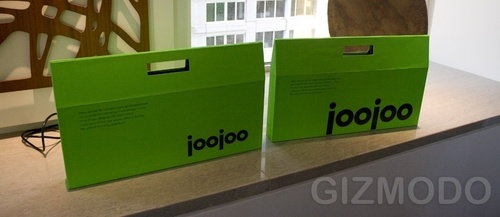
Flash forward to today and what we have is news that Crunchpad Joojoo Internet tablet will be releasing this month under the Fusion Garage brand with Rathakrishnan at the helm of the project.  In fact, at a recent press event where he demoed the device, Rathakrishnan stated that “TechCrunch didn’t contribute a single line of code.”  Interesting, huh?  He went on to say “There was never any agreement of any kind between the two companies.  This was nothing more than a potential acquisition that didn’t occur.  Michael sat back while we took all the risk.  The suggestion that Michael or TechCrunch owns anything is simply ludicrous.”  And with that, Rathakrishnan revealed details of Joojoo (which he explains is an African term for “magical device”).

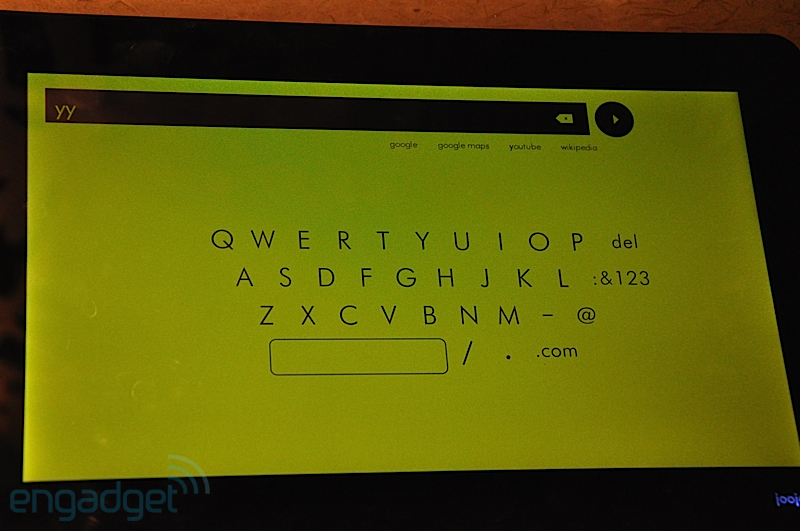
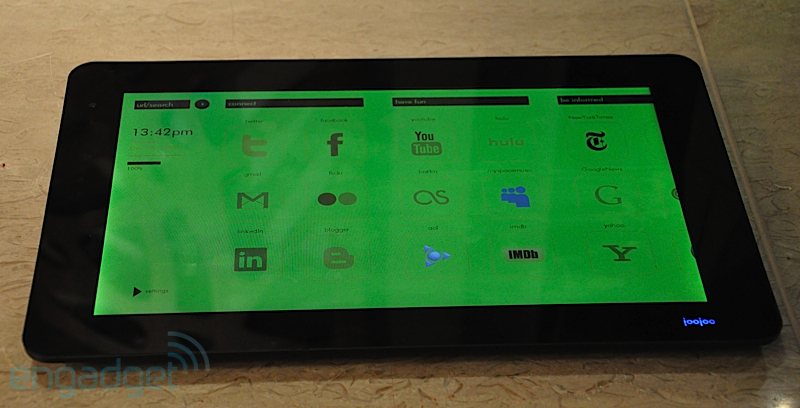
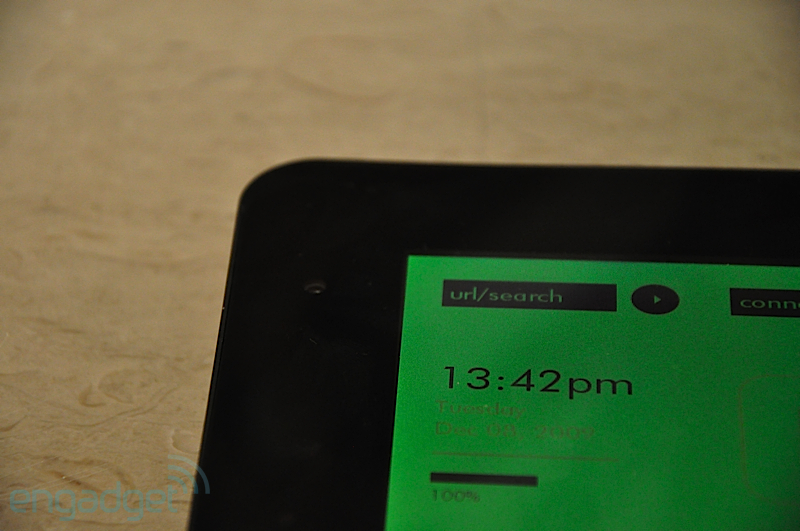
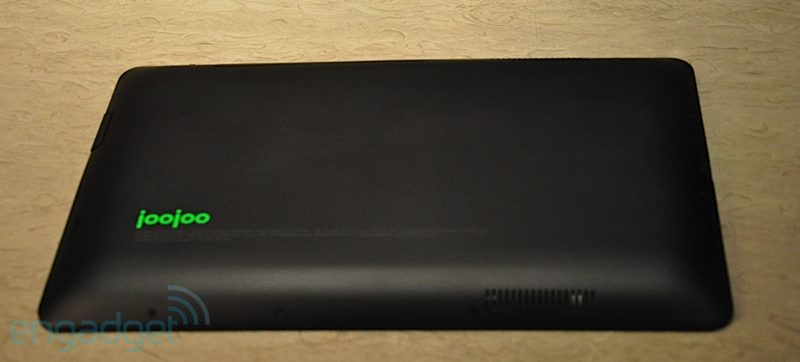
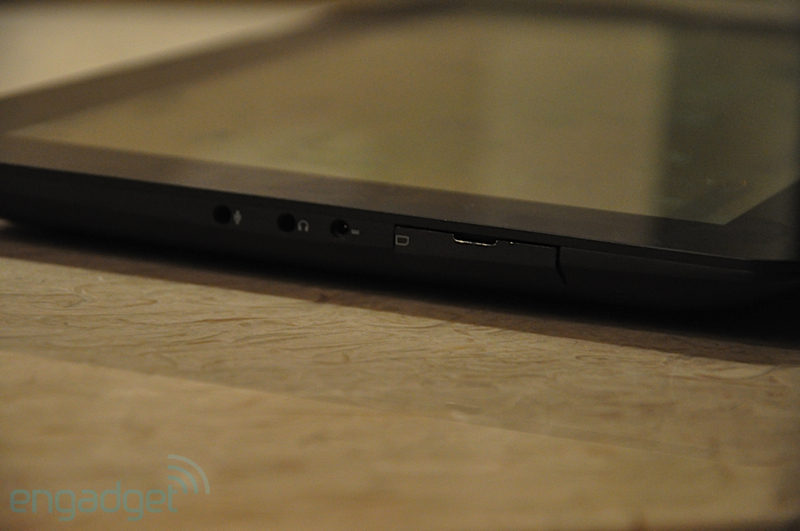
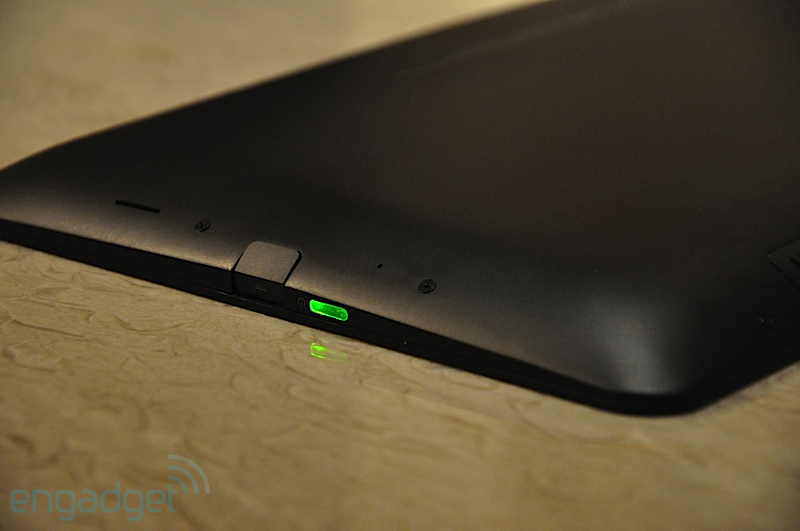
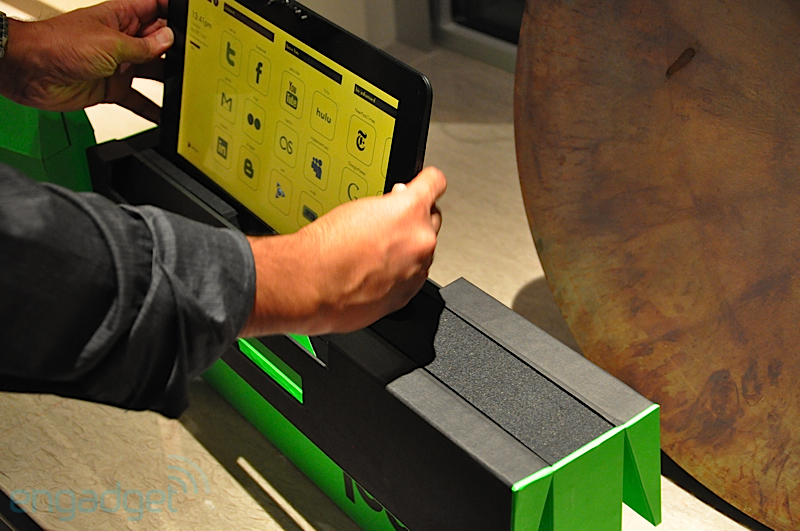
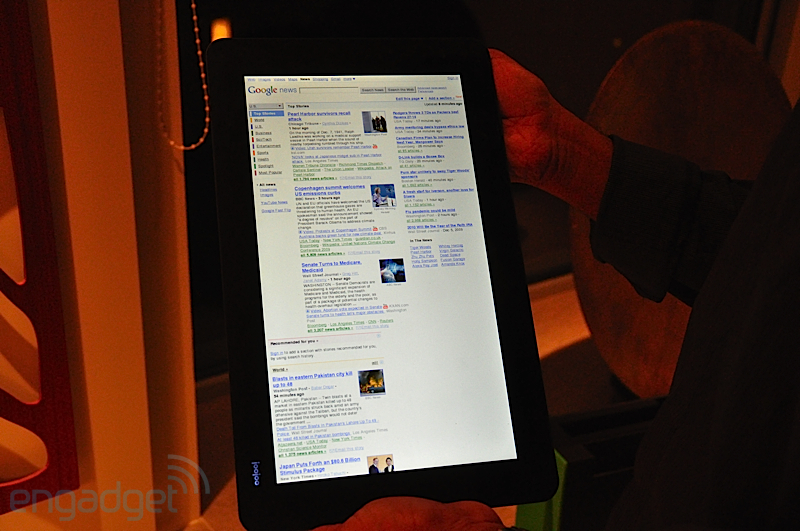
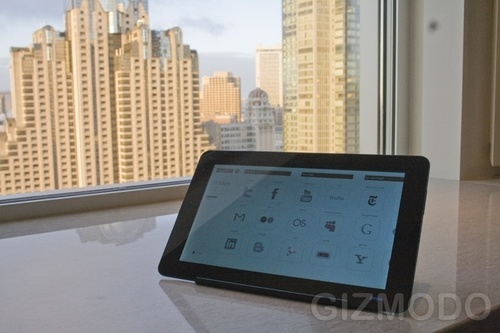
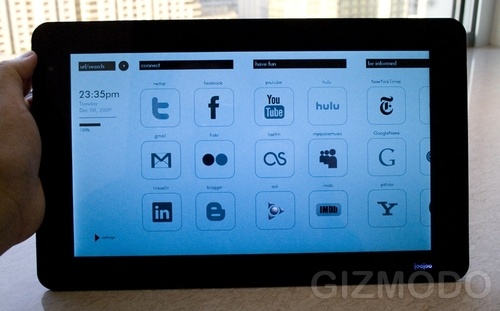
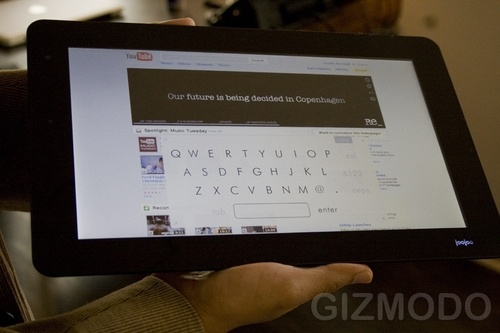
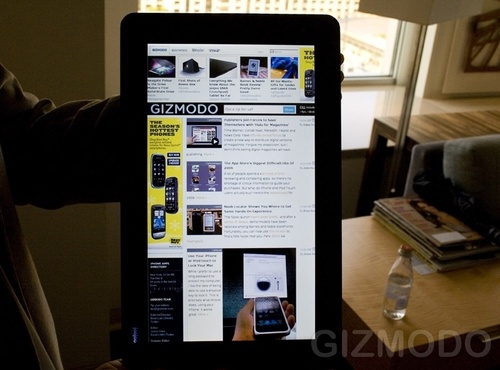
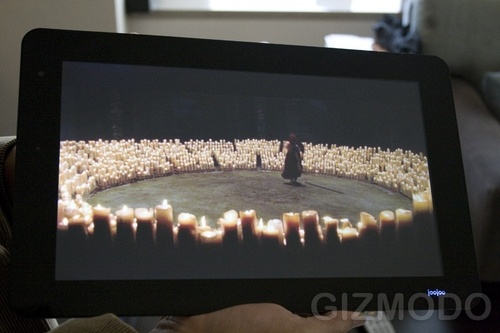
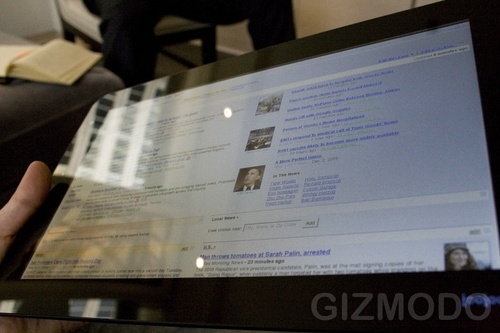
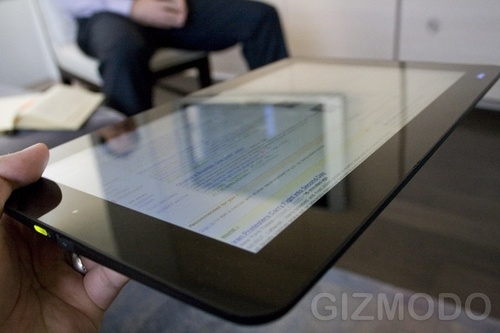
Some could say it looks like an “over-sized iPhone” because on the surface it’s just one big screen, no buttons.  Here’s a rundown of the specs (thanks Gizmodo): “A screen-only tablet that measures 12-inches [1366 x 768], has a [all glass] capacitive touchscreen, runs its own operating system (that’s basically just a browser) and boots in 9 seconds. It will also have a 5 hour battery life, run Wi-Fi only (no 3G) and come in only one color, with 4GB internal storage.”  It runs its own operating system that’s basically just a browser, huh?  Seems very Google Chrome OS-y to me.  In fact, like Chrome OS (and since it only runs a browser-like interface), Joojoo can only run web-based applications.  Ports: one USB 2.0, one power input, and audio/headset jacks.  External peripherals like a keyboard, mouse, or headset will be supported via USB port or Bluetooth.  And it sports a one megapixel webcam on the front for video-conferencing.

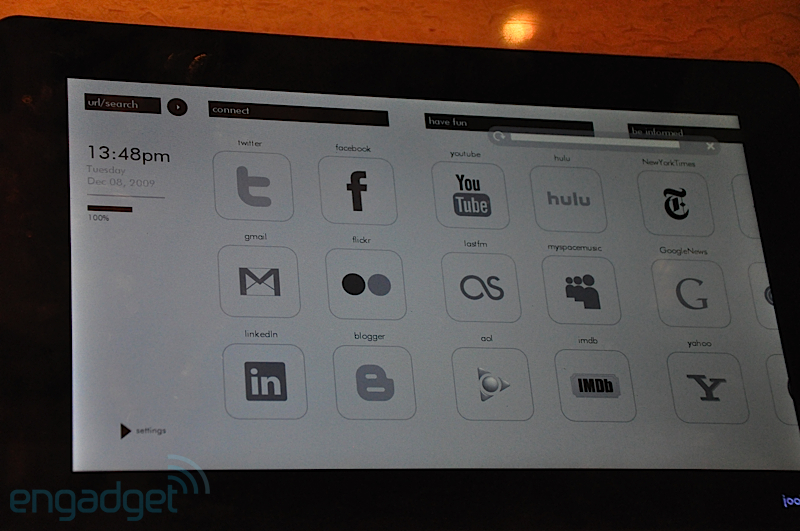
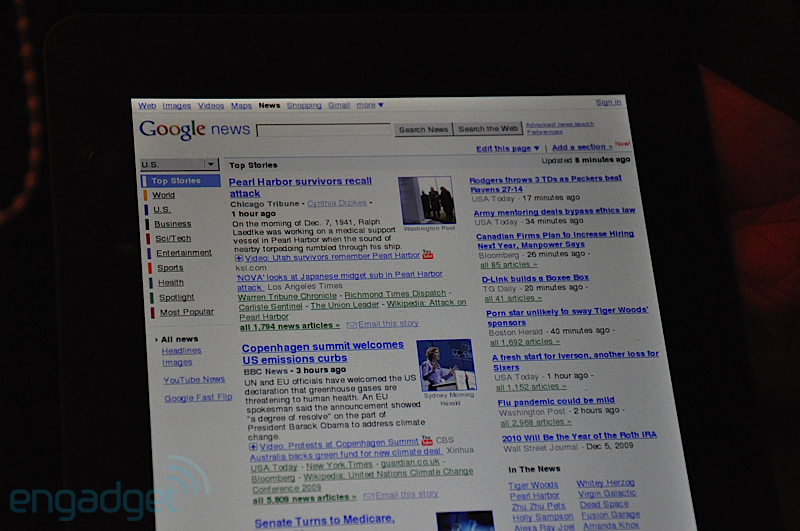
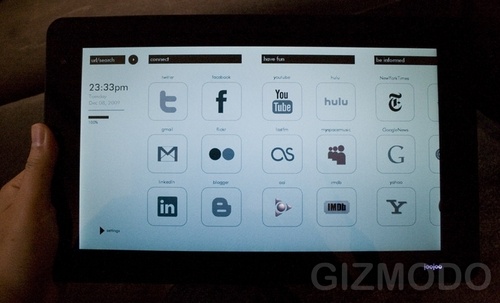
The home screen of Joojoo is a series of large icons for the web apps.  For example, there’s large icons representing Facebook, Twitter, Hulu, YouTube, and Gmail.  After giving it a test-run, Engadget reports that has smooth 1080p playback and the Webkit-based browser includes Silverlight and Flash support.  The multitouch screen supports scrolling and pinching, though the latter does not zoom, it brings you back to the homepage.  Though the home screen of the demo device lacked notifications, Rathakrishnan promises it will be included in the final unit.

With all kinds of legal action hanging in the balance between Fusion Garage and Arrington, Rathakrishnan stills plans on taking preorders of the Joojoo on December 11 (that’s tomorrow!).  It will go on sale for a dream-shattering $500.  Rathakrishnan on Arrington’s dream of a $200 device of this nature: “There are dreams, and then there are hallucinations.”

All in all, the saga of the Crunchpad-turned-Joojoo has been an interesting ride and I’m glad that some sort of device is making its way out of the rubble.  If/when you arrive, Joojoo, enjoy your place in the Internet tablet realm because we all know that Apple has something up their sleeves.

Check out Engadget and Gizmodo’s hands-on pictures of the Joojoo in the galleries below.  Also, after the break is a video of Giz’s hands-on.

[Via Engadget, here & here; Gizmodo, here & here]


Continue reading From Crunchpad to Joojoo, Internet tablet finally finds a home

RIP Imeem; you belong to MySpace now

Imeem.com, one of my favorite destinations to stream music, is no longer an entity.  It has been purchased by social network giant MySpace.  According to CNET News, MySpace “will be “working as quickly as possible” to migrate “aspects of” Imeem to MySpace Music.”  Phase one is complete; www.imeem.com already directs you to MySpace Music and the Imeem app for iPhone will become inoperable once MySpace sends out an update.

With Apple acquiring LaLa and MySpace buying Imeem, it seems like there’s starting to be a major crackdown on all free music streaming portals.  Hold on for dear life, Pandora; I don’t know what I’d do without you.

[Via CNET]

Major magazine publishers push for a joint digital revolution

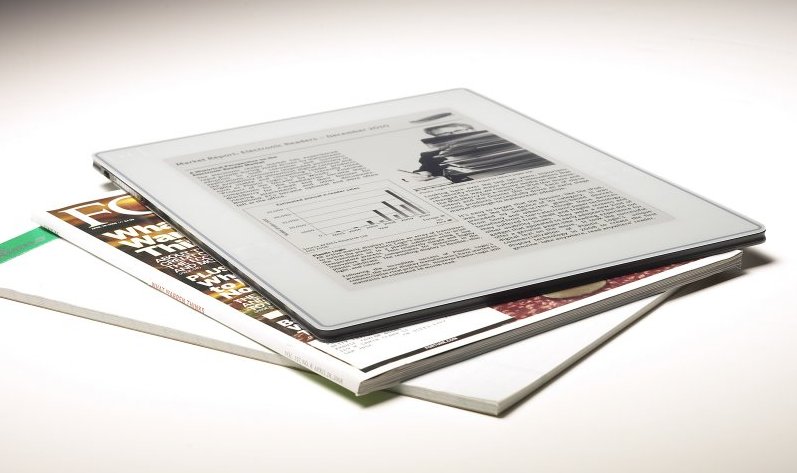
Publishers Condé Nast, Hearst, Meredith, News Corporation, and Time Inc. have come together to paint the future of digital distribution for their products.  Their plan is to create technologies that will allow for the distribution of content to go beyond traditional magazines and print media and foray into digital formats ready for laptops, smartphones, and e-book readers.  The DRM-free content will be fully customizable for various screen sizes and multiple operating systems.  Here’s an excerpt from the official press release (which is displayed in full after the break).

The goal of this digital initiative is fourfold, to create: a highly featured common reading application capable of rendering the distinctive look and feel of each publication; a robust publishing platform optimized for multiple devices, operating systems and screen sizes; a consumer storefront offering an extensive selection of reading options; and a rich array of innovative advertising opportunities.

Though there is no name, release date, or further details surrounding this impressive joint venture, I have a feeling our glimpse into Time Inc.’s Wonder Factory device is a hint of what’s to come.

[Via Engadget]

Continue reading Major magazine publishers push for a joint digital revolution

Ustream finally gets the go-ahead for its Live Broadcasting app

Ustream has had its Viewing Application available for iPhone users to download for some time now.  Unfortunately, Apple restricted this app from allowing Ustream users to broadcast live video from it to other iPhone Ustreamers and to web browsers on PCs.  Today Apple has finally lifted this restriction and is allowing these capabilities to flourish on both iPhone 3GS and iPhone 3G (which, of course, do not have a video-supported camera).  The new Live Broadcaster Application allows users to stream live video from their iPhone over 3G or WiFi to other iPhones and to anyone with a browser directed to Ustream’s website.  Also, note that the application features a “local” record mode that seemingly allows iPhone 3G owners to record and store 320 x 240 video and upload it to YouTube, Facebook, etc.  In other words, it turns your iPhone 3G into a video camera–huzzah!  The app is available for free right now.

Note: I’ve tested the app and the live broadcast on the computer is very laggy.  If you happen to give it a try, share your experience with it in the comments below.

[Via Engadget; Gizmodo]

PS3 update brings PSP mini support, data transfer abilities

PS3 minis by PlayStation.Blog.Europe.

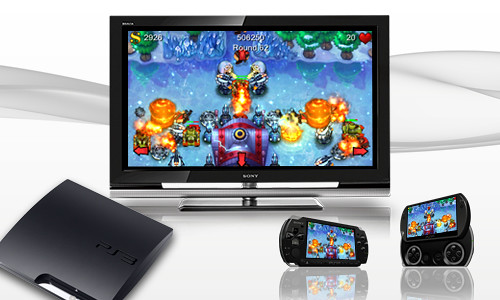
True, the PS3 just received a firmware update that brought Facebook integration, among other things.  Impending update 3.15 brings more capability and functionality to the user.  It brings a PSP minis emulator to the PS3; this will allow you to bring over and play the PSP minis you’ve purchased on your PSP to the PS3.  (PSP minis are bite-sized downloadable games for the PSP.)  Keep in mind, if you purchase a PSP mini game on your PSP you will be able to download it and play it on your PS3 for free.  Also included in the update is a data transfer utility that allows you to transfer all your saved data from one PS3 to another.  Right on!

[Via Engadget; PlaystationBlog]

Microsoft Office 2010 box art

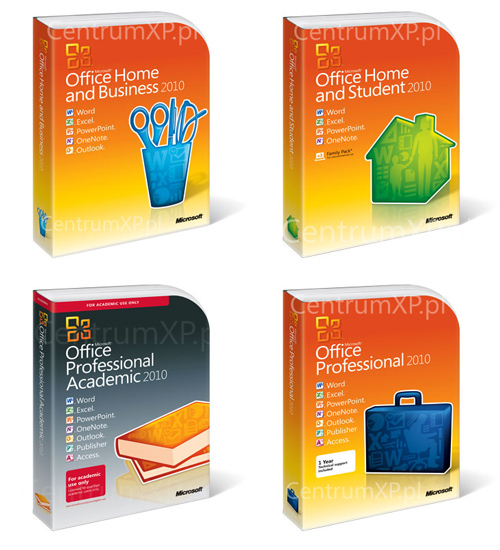
With the Microsoft Office 2010 beta out and about, the box art managed leak itself out into the public.  Remember, Office 2010 will release in the following verisons: Starter, Home and Student, Home and Business, Standard, Professional and Professional Plus.  Couldn’t make just one flavor, could you Microsoft?  Office 2010 is expected to release this June.

[Via Gizmodo; Hexus]

Surface recognizes the third dimension

Microsoft Surface learns a new trick with the Lumino Project.  Surface has always been able to recognize physical objects when they are placed down.  With the newly constructed (and still being tested) Lumino blocks, Surface can recognize when a number of blocks are stacked on top of each other, and these various three dimensional orientations can correspond with different outcomes.  Watch the video above to see examples.  Though these examples may seem juvenile at the moment (re: checkers), the researchers can see this kind of technology being implemented in the future by architects and engineers.

[Via Gizmodo]

Creepy clock design

This clock features an LCD face that plays a 12-hour loop of an old guy telling the time by painstakingly erasing and re-recording each minute as it goes by with nothing but an eraser and a marker.  At the moment I’m kinda second guessing that there really is a man trapped behind the clock telling the time for us..

This video was taken at Design Miami during Art Basel Miami Beach 2009.

[Via Gizmodo]