Just like “No Signal” before it, “Mirror Scare” is a collection movie scenes that pinpoints a particular movie cliche; this time it’s the famous “there’s someone in the mirror” gag.
[Via Likecool]
Just like “No Signal” before it, “Mirror Scare” is a collection movie scenes that pinpoints a particular movie cliche; this time it’s the famous “there’s someone in the mirror” gag.
[Via Likecool]
Enjoy this brand new trailer for Toy Story 3 in HD. When comparing the content of this trailer to the other movies the most notable difference for me is the way the humans look; Andy looks so much more lifelike. TS3 hits theatres June 18, 2010 in standard and IMAX 3D flavors.
[Via MySpace]

Google’s latest foray into the social networking business has everyone atwitter; so what’s all the buzz about? Google Buzz is a new way to share updates with friends. It goes beyond the standard “status update” from Facebook and breaks free from a 140-character tweet from Twitter, allowing you to quickly and easily share content across the Internet. Buzz is built into Gmail. If you have a Gmail account you are already set up for the service; your current list of contacts and people you chat with the most automatically become your followers. That last word strikes a familiar chord, doesn’t it? Buzz is very similar to Twitter; you follow people, people follow you, you post updates, and so on. What makes it different (and so much more expansive) is that there’s no character limit and the means of interaction with others is much more fluid. It fosters greater interaction with the ability to share links, photos, and video. YouTube videos can be embedded right into posts, along with pictures that can be viewed in full size and resolution. Besides sharing your own information, you will be alerted about new posts from followers and their group of followers; Buzz recommends posts from people you’re not directly following to promote a growing community of new friends and acquaintances. @-responses are supported, allowing you to specifically address a friend’s post. You also have the option to connect Buzz to other accounts like Picasa, Flickr, Google Reader, and Twitter and spread your posts, pictures, and breaking news that way. And don’t worry–you have the option to keep things private among friends or public with the Buzz community.
Google Buzz should be fully integrated into everyone’s Gmail account by now. You’ll notice a new small tab located under the Inbox tab labeled Buzz. Now what if you’re away from the computer and still want to buzz about stuff? Google’s created Buzz for mobile and it’s got some intruiging features. What’s unique about posting on your phone is that Buzz uses location-based services to pinpoint exactly where you are when you post something, allowing your followers to find you on a map. Tagged locations do away with long/lat numbers and display the actual names of places instead. There are four ways to access Google Buzz on your cell phone. (1) On an iPhone or Android phone go to buzz.google.com to access a Buzz web app; it has two views: “‘Following’ view shows buzz from the people you follow, just like Google Buzz in your Gmail; ‘Nearby’ view shows public buzz that has been tagged with a location near you, and might be from people you don’t follow. From Nearby view, you can also select a specific place from the list of nearby places and view posts attached to that place.” (2) Buzz on Google Maps for mobile, available only on Android phones, adds a new Buzz layer to the Maps application and “allows you to see buzz near you or anywhere on the map. You can post public buzz directly from the layer, and even attach a photo from your phone.” (3) Buzz Shortcut from Google.com allows any cell phone with a browser to access Buzz. (4) The Google Voice application, available on Android phones in the quick search widget and on iPhones in the Google Mobile App, “allows you to post buzz without typing anything. Just say ‘post buzz,’ followed by whatever you’d like to post.”
Is Google Buzz going to be a success? Will it catch on with the masses a la Facebook and Twitter? Buzz surely has the potential to replace Twitter as a social networking tool. At its core, Buzz is all about “start[ing] conversations about the things you find interesting” and it does it pretty well already. I agree with Mashable when they say “if Google Wave is the future, Google Buzz is the present.” The Google Wave beta made heads tilt in confusion, and Google thinks Buzz is an appropriate stepping stone to it. Buzz goes beyond email and IM but it does not overstep its boundaries (aka the craziness that is Wave). Thing is, Buzz does not feel like a transition service because it comes off as Twitter on steroids–something we’re used to, just beefier. Buzz is already making noise; today Facebook and AOL have joined forces to allow IM users to chat with Facebook friends over the AIM client. And Twitter should be scared, too; their 140-character limit and lack of expanding services may start to wear thin with Buzz lurking around the corner. A potential issue for some may arise in the fact that Buzz requires Gmail sign up but to these naysayers I say so what? Gmail is the best Internet email client out there anyway; now’s a better time than ever to jump on the bandwagon and join the Gmail community. Because that’s what it’s becoming thanks to Buzz–one giant place to share the things you find interesting with others.
Google Buzz in Gmail, for mobile, and the launch event can be found in video form after the break, you know, if you’re into that stuff.

DAMN. This year’s Sports Illustrated Swimsuit Issue cover model is g-g-gorgeous. Her name’s Brooklyn Decker, she’s 22, and this is her fifth appearence in a Swimsuit Issue.
Check out a handful of pics from the photoshoot in the gallery below, and take a gander at the behind-the-scenes video. Click here for more pictures and video.
[Via SI]





Watch as actor Brian Cox teaches 2 1/2 year old Theo a couple lines from Hamlet. His young astute British accent is so freakin cute.
[Via BoingBoing]

Google is a search engine. Google is a browser. Google is a cell phone OS. Google is an ultra high-speed broadband network. Google is planning on launching a fiber-based 1 gigabit broadband network to homes and businesses across America at “competitive prices.” Why are they doing this, you ask?
Next generation apps: We want to see what developers and users can do with ultra high-speeds, whether it’s creating new bandwidth-intensive “killer apps” and services, or other uses we can’t yet imagine. New deployment techniques: We’ll test new ways to build fiber networks, and to help inform and support deployments elsewhere, we’ll share key lessons learned with the world. Openness and choice: We’ll operate an “open access” network, giving users the choice of multiple service providers. And consistent with our past advocacy, we’ll manage our network in an open, non-discriminatory and transparent way.
In other words, this is an elaborate experiment for Google, to test the waters and see what happens when more people have access to blazingly fast Internet speeds. They are in the game to “help make Internet access better and faster for everyone.” The plan will be offered to “at least 50,000 and potentially up to 500,000 people” in the coming months. If you’re interested in becoming a candidate, watch the preview video after the break and visit Google’s Fiber for Communities page.
[Via GoogleBlog]
Continue reading Google to offer ultra high-speed broadband network across the U.S.
In anticipation of the Winter Olympic Games in Vancouver, Team Google brings us to Whistler Mountain with Street View. Just like you’d map out how to find a restaurant on Google Maps using Street View to precisely pick out the location, now you can search and explore the icy mountains where this month’s Winter Olympics will take place. Explore the mountains or “get inside the games” with a constantly updating menu system that features Olympic events, medals, venues, and news. Google’s got you covered.
[Via GoogleBlog]
Barton Smith, a talented industrial designer, has come up with an operating system of his own called Locus OS. Besides the OS being visually stunning and welcoming, its menu system and user interface are highly intuitive and are ahead of its time. Smith describes his concept OS with the following points: “Location-based operating system; multiple widget desktops designed around a location or activity (ie. kitchen, office, car);automatically switches between desktops with GPS and wi-fi mapping; and simplified collections menu allows browsing via function rather than application.” Simply put, it’s an OS that prominentlyfeatures Mac OS X-like “spaces” or panels that distinguish and organize work and play on a PC. The menu system is very reminiscent of Zune HD and Windows Media Center. Smith conceptualized Locus OS back in 2008, well before the design of iPhone 3.0, WebOS, and Android fully surfaced, he notes. Why the Microsoft branding? “It was originally going to be for the Microsoft next Gen computer comp from 2008.” In other words, it remains a concept to this day. Can we get a wealthy venture capitalist on this, STAT?!
Designer Keiichi Matsudafor, who is about to receive his Masters in Architecture, shares his vision of a future that includes virtual overlays that may one day help us with everyday tasks.
The latter half of the 20th century saw the built environment merged with media space, and architecture taking on new roles related to branding, image and consumerism. Augmented reality may recontextualise the functions of consumerism and architecture, and change in the way in which we operate within it.
Scary, is it not?

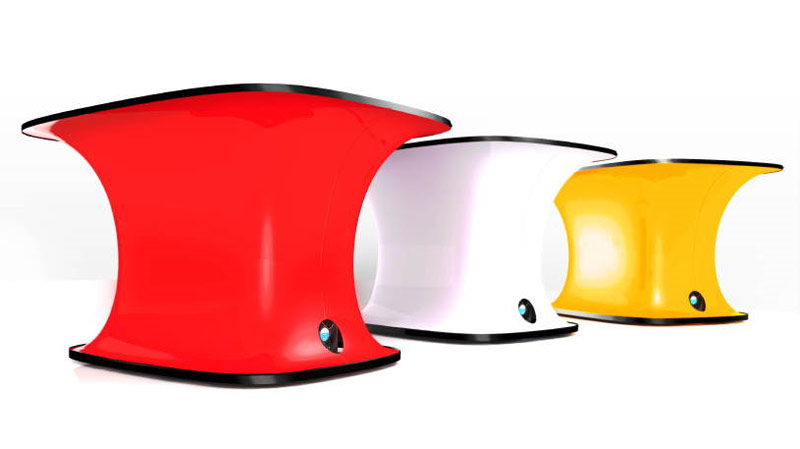
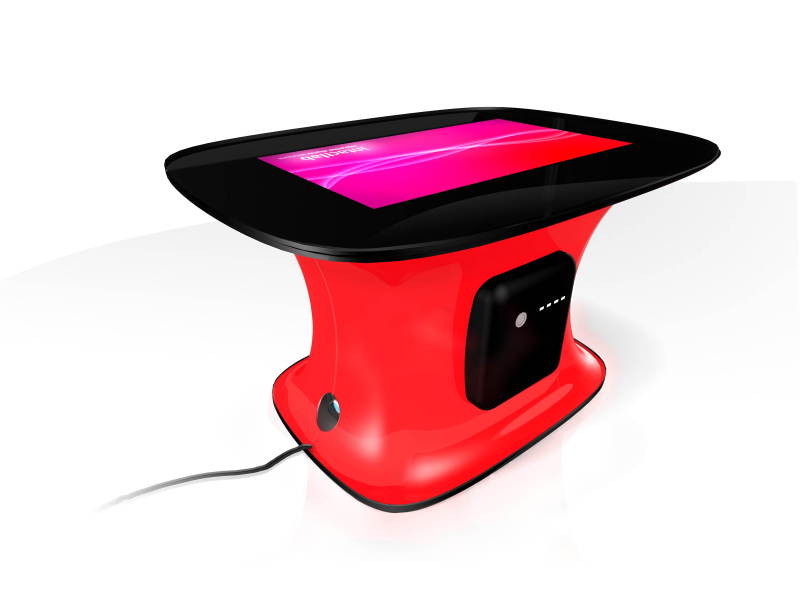
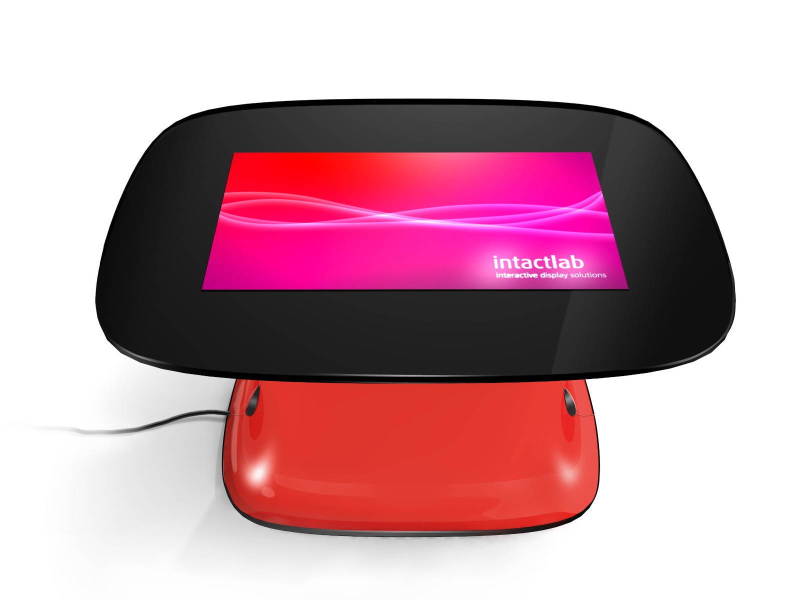
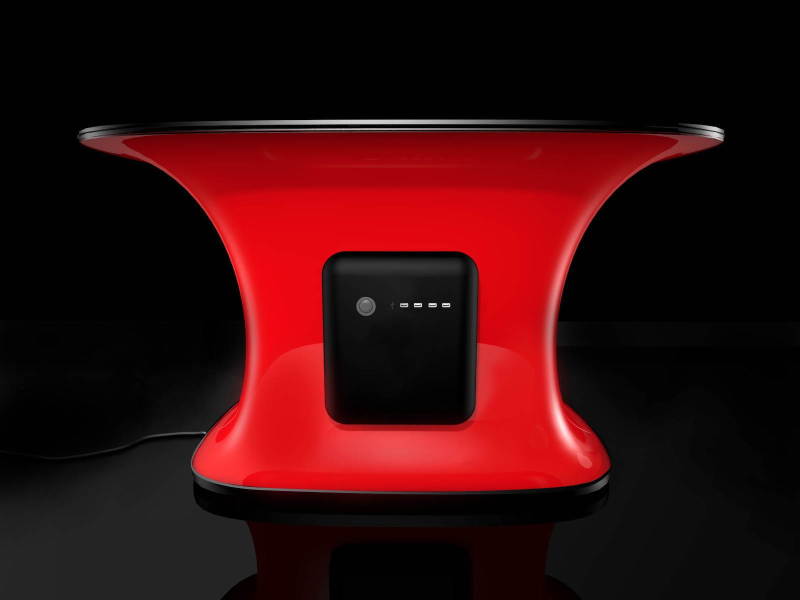
We’ve seen multitouch surface tables before, but never have we seen them quite as stylish and visually attractive as the Touchy Remix from Intactlab. Being heralded as “the marriage of precision engineering and quality design” the Touchy Remix was designed to support and enhance collaboration with surface computing. Its minimalistic and curvy shape attracts people to sit around it, unlike the boxy Microsoft Surface-esque tables that come off as uninviting. It’s made from a fiberglass shell built around an aluminum chassis. Though its design is most prominent, I’ll share some internal notes with you: it features a 40″ WXGA (720p HD) internal projection screen and runs custom software from Intactlab that comes preloaded onto an integrated Mac mini; there’s four USB ports and a dock for an iPod. See additional pictures below and a demo video of it in use after the break.
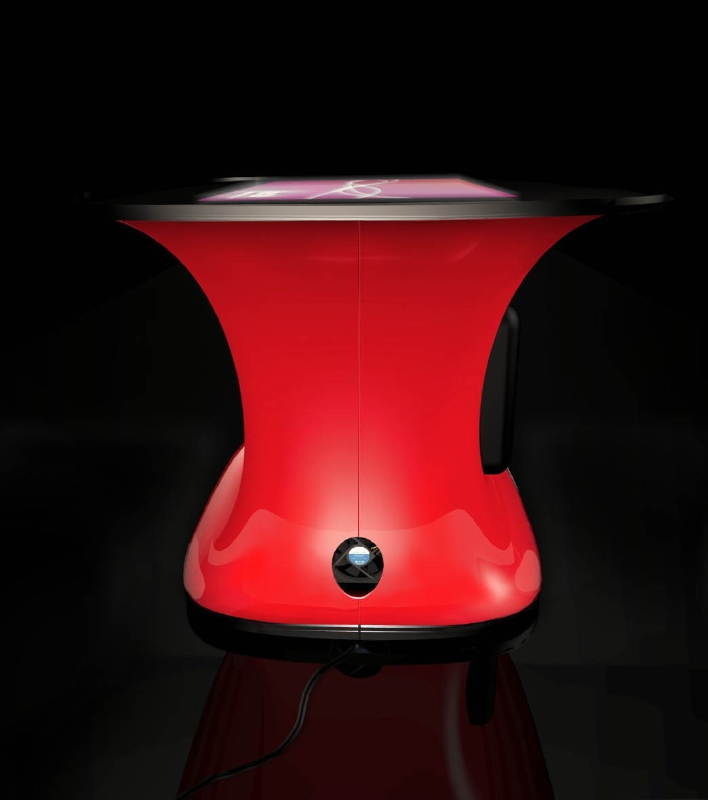
Continue reading Touchy Remix brings style to the multitouch surface
Overall I found this year’s collection of Super Bowl commercials to be stale. Super Bowl commercials are supposed to be top notch, big budget, and make you fall over laughing by surprise. In fact, there are some people out there who watch the Bowl just for the commercials. The smorgasbord of reusable ads from GoDaddy and the beer companies simply didn’t cut it this year. Anyhow, I’ve collected this year’s favorite ads and pasted them below. At least Megan Fox was featured in one of them!
Motorola, featuring the Motorola Devour with MOTOBLUR w/ Megan Fox
Bud Light, autotune with T-Pain
Look after the break for more Super Bowl commercials, including those from Vizio, Bud Light, Snickers, Doritos, Audi, Coke, FLO TV, Cars.com, Intel, and Google. Continue reading Super Bowl XLIV commercials
Quite possibily the cutest rocker baby I have ever seen. OK he’s the cutest. And the skull pacifier is the cherry on top, really.
[Thanks, Steve D.]