Xbox 360 to get USB mass storage support this spring [Updated]

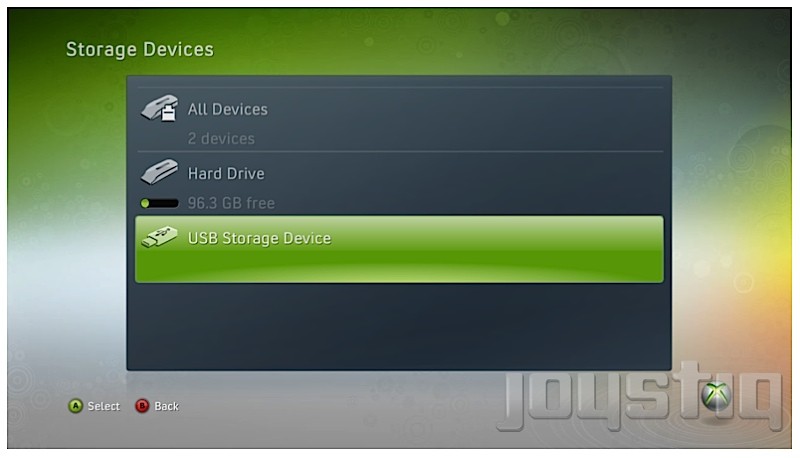
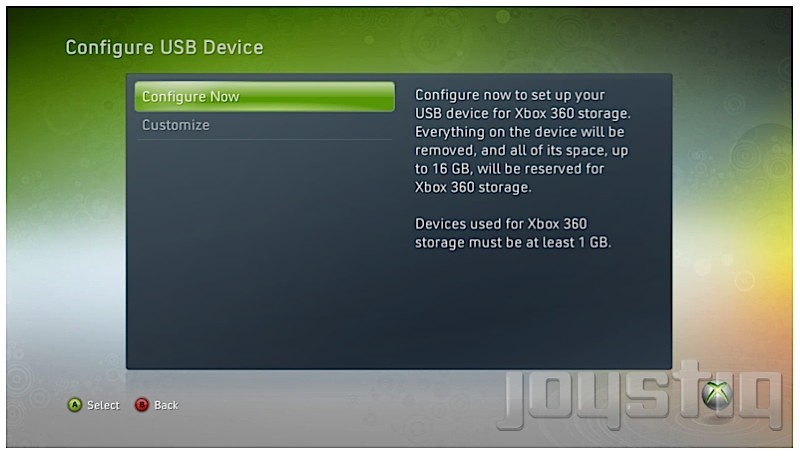
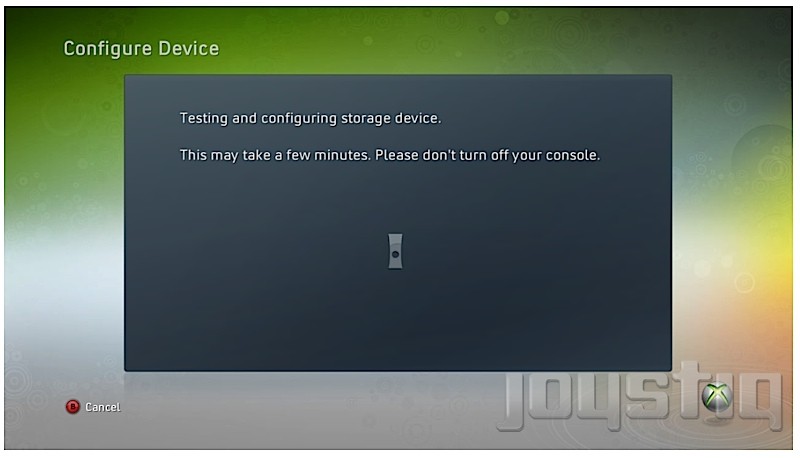
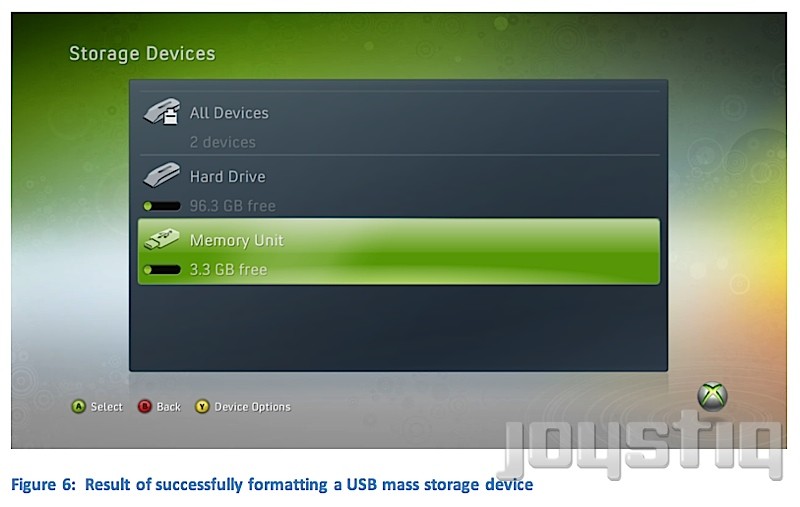
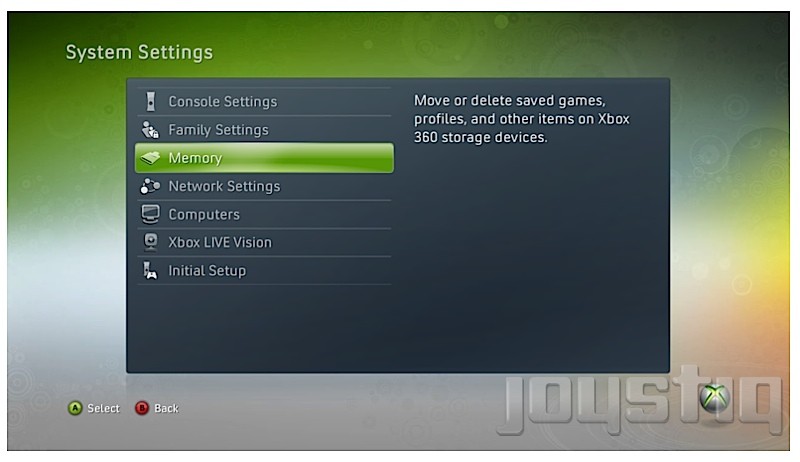
The fine folks at Joystiq have corroborated with two outside sources, confirming that “USB Mass Storage Device Support on Xbox 360” is coming this spring via a firmware update.  The update will allow Xbox 360 users to transfer Xbox Live Arcade games, Xbox Live Indie games, Games on Demand, DLC, and game updates to an external storage device.  According to the leaked Microsoft documentation, the external device must be at least 1GB in size with space for a 512 MB system partition.  After you insert the storage device into the 360,  a prompt will give you two options: “configure now,” which completely wipes the device and caps 16GB of space for game file content and “customize,” which readies the device for game files and allows you to keep non-game files on it such as music.  So what can we deduce from all this?  It looks like the Xbox team is willing to pull out of the Memory Unit (MU) business and finally allow its customers to use their own external storage devices, an ability PS3 users have had since that console’s introduction in 2006.  Also, with recent chatter that a slimmer Xbox 360 is in the works, the design team may opt to remove the MU slots entirely.  Sure, 16GB of external space (or 32GB if you choose to insert two USB devices) isn’t much, but at least it’s a step in the right direction.  Hell, that much space allows for “previously infeasible operations such as installation of a full disc-based title.”  Full games on the go sounds nice, now doesn’t it?  (Disc-in-tray authentication is necessary, of course.)

UPDATE: Microsoft’s Major Nelson has confirmed USB mass storage support is coming to Xbox 360 via a system update on April 6.

[Via Joystiq]
PlayStation Move spot takes a couple jabs at Wii, Project Natal

Sony’s advertisement go-to guy Kevin Butler is back, this time from the future where PlayStation Move is a huge success.  The commercial is filled with mockery against Nintendo’s Wii motion (in)capabilities: “You’ve got the controller and a camera with microphone working together to give you total control over your gaming experience.  Not just like this [he moves his hand side-to-side in 2D space] but this way too [he makes a forward-moving jab in 3D space].  Because real boxers to hit like this [he humorously flails his arms in front of his chest].”  He also makes sure to troll Microsoft’s upcoming, controller-less Project Natal: “PlayStation Move is not only crazy precise, its also got what we in the future call buttons, which turn out to be pretty important to those handful of millions of people who enjoy playing shooters and platformers, or, well, anything that doesn’t involve catching a big red ball.”  Oh, it’s on.

[Via Kotaku]

Nintendo DS2 rumors: Bigger, better screens, accelerometer, Tegra 2 graphics, E3 unveiling

The next iteration of the Nintendo DSi, the DSi XL, has yet to release in the States and already there’s word of an entirely new DS system.  Let’s refer to it as the DS2, shall we?  According to the latest rumors, the DS2 will continue the dual-screen tradition, but this time it will allow for gameplay to occupy a single screen or bleed onto the second screen, serving as one giant display.  The two screens will be bigger and boast a higher resolution.  Unfortunately the letters HD were not included in the mix.  Playing off past rumors, the DS2 will contain an accelerometer and an advanced graphics chip, possibly the NVIDIA Tegra 2.  Based on the hardware dev kit, the DS2’s graphics are comparable to Gamecube and even the Wii.  Lastly many developers have spilled a late 2010 launch window–that’s when they plan on having their DS2 games ready for showtime.  And what does that suggest?  Nintendo will likely reveal the next significant upgrade to the DS hardware line at this year’s E3 in June.  Remember, all of this is unofficial pieces of information being thrown into the rumor mill.  But boy doesn’t it sound tasty?

[Via Kotaku; Gizmodo]

First CoD: MW2 map pack gets detailed, outrageously priced

The first Call of Duty: Modern Warfare 2 downloadable content will come in the form of a map pack.  The “Stimulus Package” will consist of five maps, two of them being old maps, “fan-favorites” from the original Modern Warfare game.  A description of the map pack was posted on the Xbox Live Marketplace (and has since been taken down for unknown reasons):

The best-selling Xbox 360 game of all-time just got bigger, with more epic multiplayer content, first on Xbox LIVE! The Stimulus Package delivers 5 additional action-packed multiplayer maps featuring a variety of locations: “Bailout,” a multi-level apartment complex; “Storm,” an open industrial park littered with heavy machinery; “Salvage,” a snowy junkyard fortified by stacked debris and crushed cars. Two legendary fan-favorites from Call of Duty 4: Modern Warfare return, including “Crash,” [pictured above] a war-torn urban environment; and “Overgrown,” which features a massive dry creek bed.

“Stimulus Package” will land on Xbox Live as a 328MB download on March 30 for a whopping 1,200 Microsoft points (that’s $15!).  It will be made available on the PlayStation Network and PC at an undisclosed date.  Still feeling down about the hefty price tag for three new maps and two old ones, and remembering that popular map packs for World At War only cost $10 when they released?  Share your greif with other gamers by signing this petition.  Hopefully Activision will get wind of it and make things right before the 30th.

[Via Gamespot; Kotaku]

JooJoo tablet updates its UI before launch

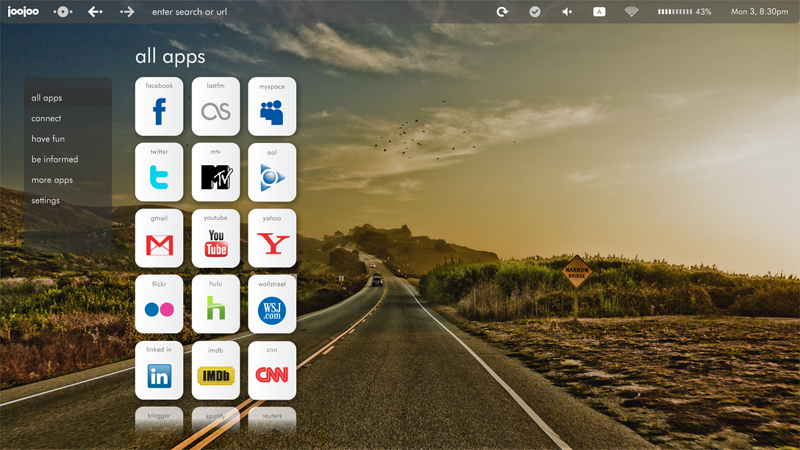
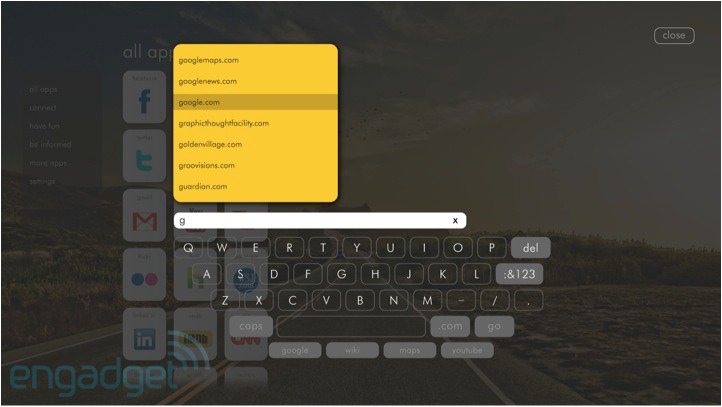
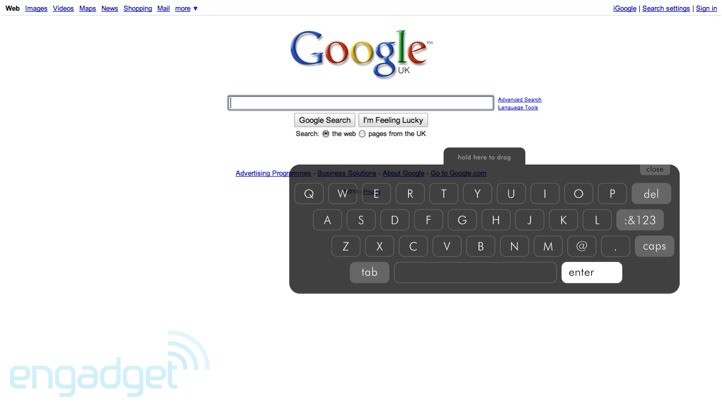
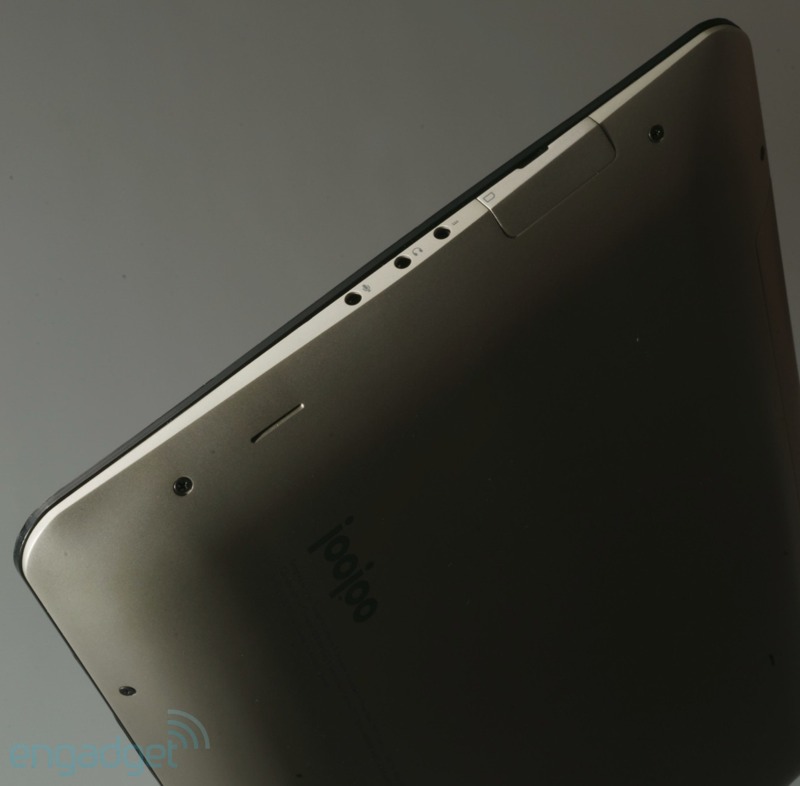
We first got wind of the JooJoo tablet back when Michael Arrington of TechCrunch was calling it the Crunchpad.  Flashforward to present day, and through a heated legal battle, one Chandra Rathakrishnan of Fusion Garage has taken over leadership of the forthcoming device.  When a product delay was announced in February due to capacitive touchscreen issues, Fusion Garage wasted little time to revamp the JooJoo’s user interface.  The most significant change can be found in the home screen (see above).  Instead of being limited to a solid color background, you can now customize it with a high-resolution image of your choice.  Navigation gestures have been updated, too.  The pinch-to-go-back gesture has been replaced with “a vertical swipe that brings down a status bar containing the home button, status indicators, browser navigation controls, and a combination address bar/search field.”  Also, there’s two new ways to scroll: “a two-finger scroll that works like a scroll wheel, and a single finger “pan” that works like a mouse arrow.”  You can choose from two on-screen keyboards–a standard, large keyboard and a smaller one designed for one hand that is less obstrusive.  In previous video demos, Flash video playback was questionable and Fusion Garage was quick to fix that.  Now Flash video plays fine, supporting a standard player, a “custom H.264 HD breakout player” and a wide range of codecs.  One more change, and it has to do with the hardware shell.  Fusion Garage has gone ahead and changed the backplate casing color from black to “champagne” (silver-ish).  Check out the gallery below for a few more images of the new UI and casing from Engadget.

The JooJoo device was our dream tablet coming to life back in December.  With the introduction of the coveted iPad, however, the spotlight has shifted to Camp Apple.  Although the iPad has captured the mindshare of most tablet buyers, the JooJoo still looks like a solid device with an impressive UI and I am looking forward to its release into the wild.  With HP cowering behind the secretive Slate, the iPad and JooJoo will be the first to market with sleek and shiny new tablets, vying for consumer’s hearts.  The JooJoo is available for preorder today at $500, and Fushion Garage expects them to ship within 8-10 weeks.

[Via Engadget; Gizmodo]

HP Slate gets demoed, revels in Adobe Flash & AIR

We caught a first glipse of the HP Slate revealed at CES 2010 by Microsoft CEO Steve Ballmer.  Then we were told about the origins of the Slate in a short HP “special update” video.  Now we’ve got two new videos that shed a bit more light on HP’s iPad contender.  Since the Slate runs Windows 7, it’s not surprise that it will support Flash video.  HP is really going out of their way to show off Flash video and games, boasting a popular feature the popular iPad will likely never support (HTML 5, where are you?).  In the video above we also learn about the Adobe AIR apps the Slate will run, and we also get to see the on-screen keyboard it will display.  HP, these product teases are nice and all, but enough is enough–we want product details, price, a launch window at least!  Look after the break for a 30 second spot featuring the Slate.

[Via Engadget]

Continue reading HP Slate gets demoed, revels in Adobe Flash & AIR

Magazine stand of the future

Imagine this: In the future magazine stands will be interactive on the consumer-end and communicative with your portable tablet computer.  Cynergy’s magazine kiosk concept bring that future to life today.  Using a Microsoft Surface table and proprietary software, Cynergy created a highly intuitive and seemless way to preview and purchase magazines on the go.  As you can see in the video above, it’s as simple as this: You go up to one of these “public” tables and browse a full library of magazines and sort them by category, popularity, etc.  Once you find something you’re interested in, you tap the cover to view its table of contents and preview it.  When you’re ready to buy a digital version of it, you place down your tablet device (that’s running Cynergy’s “custom designed and built” software) onto the table and it’s instantly recognized.  Your name and credit amount pops up on screen.  To take the magazine with you, simply drag and drop the zine’s cover from the Surface to your tablet.  (The visuals during this part are very neat; the zine actually appears to move from the table to the tablet without hiccup).  And now you own the magazine; it’s sitting in your digital (print) media collection on your tablet.  I can totally see something like this being implemented for tablets like the iPad and (future) color screen e-readers.  Look after the break for a second demo.

[Via BusinessInsider; Gizmodo; Engadget]

Continue reading Magazine stand of the future

VIV Magazine’s interactive spread

With the release of the iPad soon upon us, companies are scrambling to show off their latest content made specifically for the iPad and other tablet devices.  Here we have VIV Magazine giving us a sneak peek into how their zine spreads of the future will look like.  In the video above VIV examples how an article about ‘five common sex fears’ would look like on a tablet.  It’s full of stunning visuals and begs for user interactivity. [Looks like they took that video down.  It’s been replaced with the second video.] In the second video above, Alexx Henry Photography explains that VIV is a completely digital magazine, so they’re able to “put motion into print where we weren’t able to before.”  And don’t mix this up with what you see in the movies: “In the end we aren’t making moving pictures.  We’re creating pictures that move.”  Bring on the print media revolution!

[Via AlexxHenry; Gizmodo]

Skyscraper built by robots wards off natural disaster

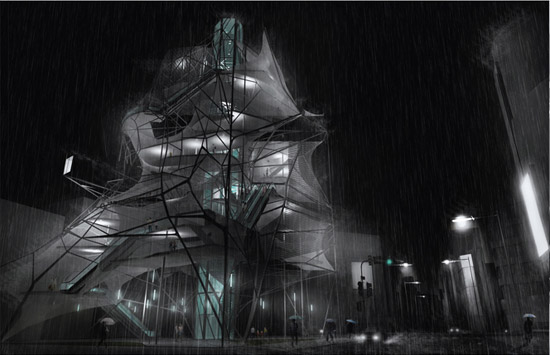
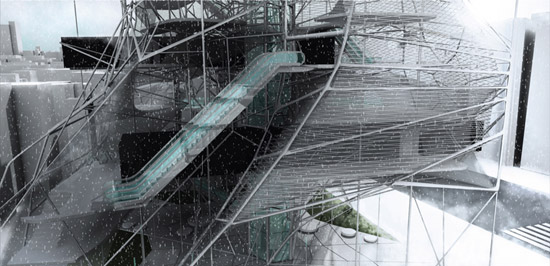
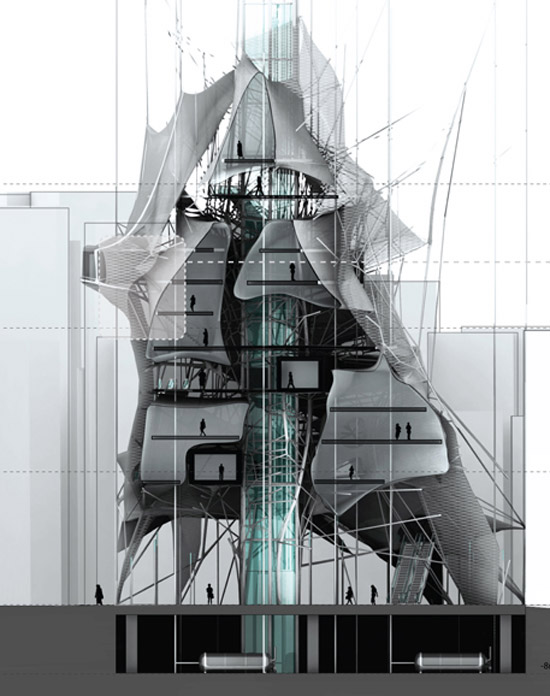
‘Nested’ Skyscraper, designed by American architects Ryohei Koike and Jarod Poenisch.

Projected to be situated in Tokyo, the architects observed that this location is known for its extreme climate changes, densities, earthquakes and flows.  ‘Nested’ skyscraper looks to counteract these extremes with lightness, flexibility and transparency.  Using primarily composite materials and a dual layer fascade composed of ETFE (ethylene tetrafluoroethylene), the entire building can be lightweight and flexible, while the construction process uses far less energy.

Speaking of the construction process…

Building this structure involves a series of robots that stretch over a network of carbon sleeves sprayed with fiber-laced concrete.  A second set of robots wraps the structure with a steel mesh to allow for lateral movements and can increase or decrease its density according to structural and programmatic needs.

And what makes it a “nested” skyscraper?  “The building acts as a series of nests that stretch between and around compressive elements as the vertical circulation wraps around and pierces through the entire project.  Together the materials and volumes create a hybrid relationship between compressive and tension elements, public and private spaces, and static and dynamic forms.”

I would totally live in this concept skyscraper of the future.  Wouldn’t you?

[Via DesignBoom; Gizmodo]

Papercraft Animation in stop motion

AXA_EVOLUTION, created by Tronic Studio for French Insurance company AXA.

The spot highlights the rapid evolution of mankind by showcasing an origami man transforming himself into some of the most important inventions throughout history. Ending with a question mark and a resolve on the AXA logo, the spot informs the public that the future is uncertain…

[Via Likecool; Vimeo]