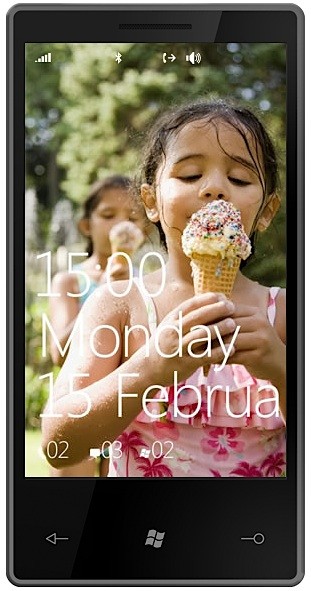
Forget everything you know about Microsoft’s dated Windows Mobile OS. This week at World Mobile Congress 2010 in Barcelona Microsoft unveiled the latest version of their mobile OS. It has a new name, Windows Phone 7 Series (that’s a mouthful!), and more importantly it has a new look. When I say “new” look I mean it; Windows Phone 7 Series (WP7S) features a brand spankin’ new user interface that entirely scraps Windows Mobile and does not look back. Think of it as iPhone OS or WebOS new. Such a vast overhaul of a staple service is an unexpected but necessary move by Microsoft; it really was the only option Microsoft had to choose in order to stay relevant in today’s highly competitive mobile space.
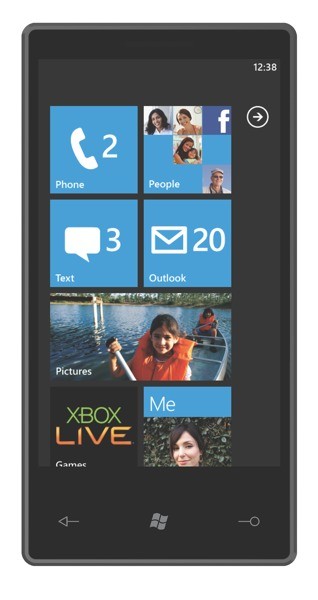
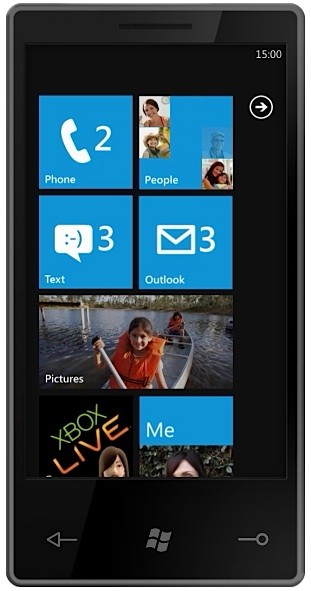
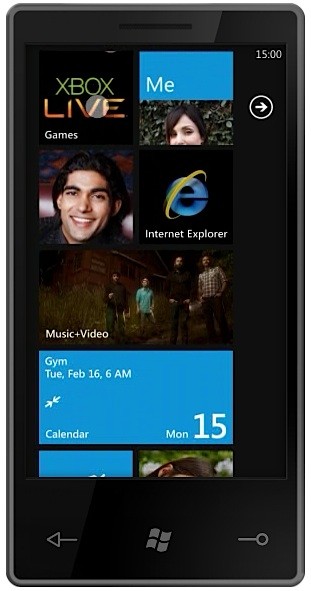
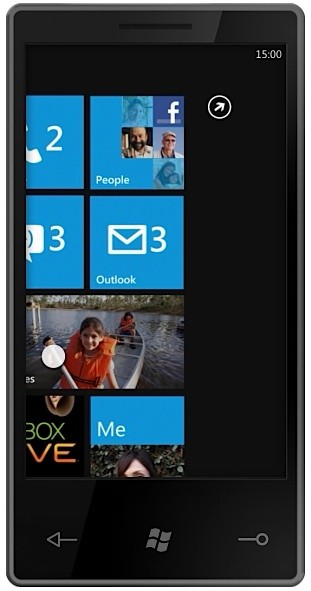
The software and user interface changes that define WP7S is where I will begin. There are no Start and drop-down menus, check boxes, and cluttering windows that adversely affected Windows Mobile users of the past. WP7S provides a fresh and clean experience, introducing organized and constantly updating “tiles” and “hubs.” Microsoft calls tiles “super icons” and they live on the home screen. The tiles are movable and user-configurable and animate when new updates are present. You can populate the home screen with an infinite number of tiles that can lead to apps, websites, contacts, photo galleries, and hubs.
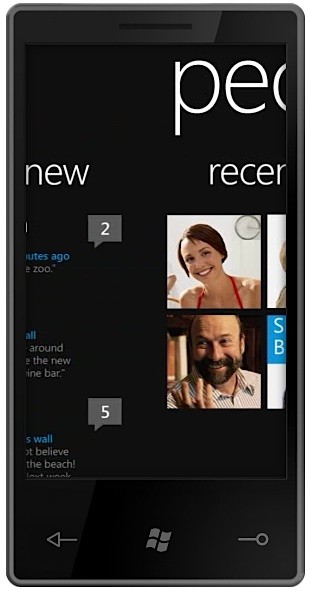
Microsoft touts a hub as being an “app that makes sense of your apps.” In other words, a hub is a place that can aggregate specific information, providing you designated places for information you seek. When you click on a hub you enter a horizontal-scrolling interface and you can “pivot” left and right to access additional screens within the hub. The following hubs have been revealed by Microsoft: people, pictures, games, music + video, marketplace, and Office.

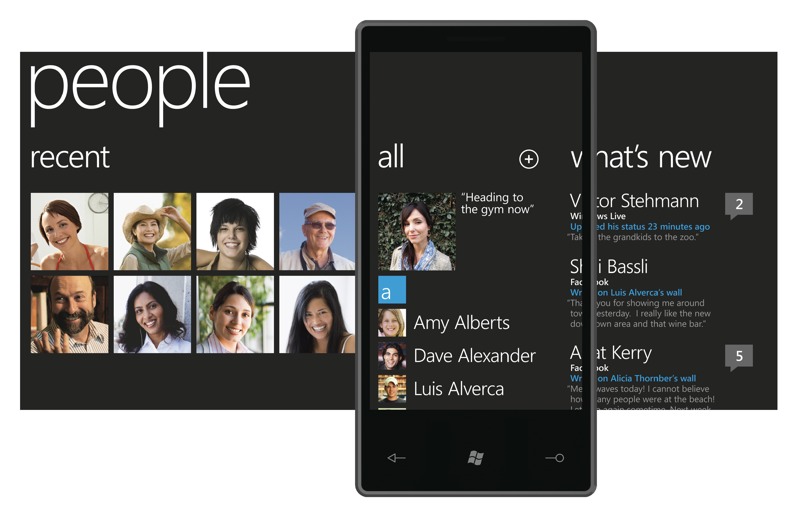
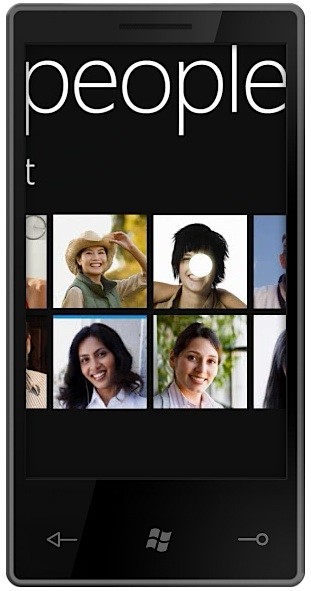
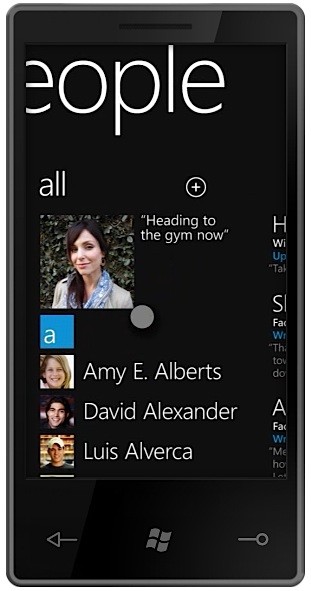
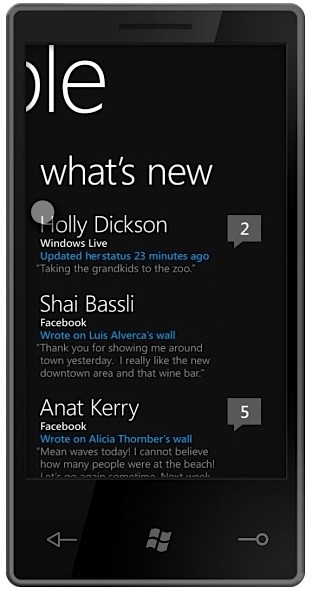
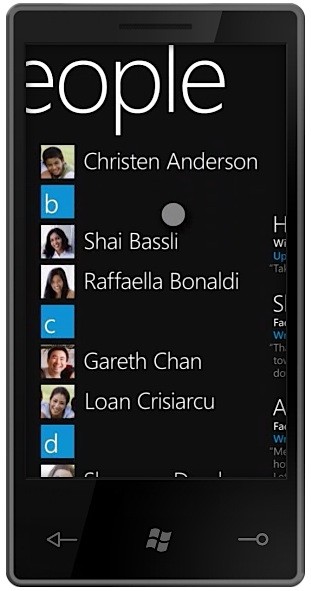
The people hub brings together contacts from various email accounts and social networks like Gmail, Exchange, Windows Live, and Twitter, aggregating tons of information from your contacts including status updates, images, and more into a single list. The people hub breaks down into the following categories: Recent, All, What’s New. The aggregation not only takes place in the What’s New feed, it also lives in contact cards. So for example, you can click a contact name in the Recent or All sections, view the contact’s basic information such as cell number and email address, andyou can, say, comment on their Facebook status. You also have the option to “pin” a contact to your home screen, turning it into a live tile for easy accessibility.

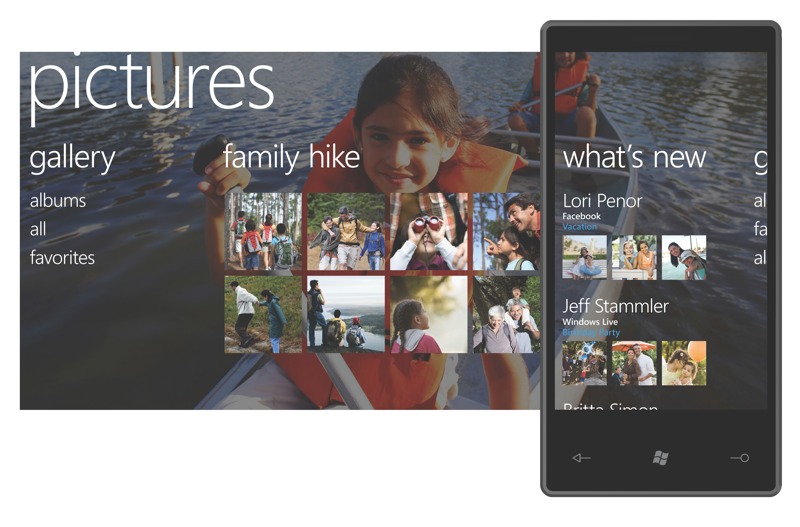
The pictures hub brings together pictures from your own (local) personal collection, social networks, and other cloud-based collections from sites like Facebook. The pictures hub breaks down into the following categories: Gallery (organized into albums, all, and favorites sections), latest synced or snapped pictures, What’s New. The What’s New feed aggregates the latest pictures taken and posted by your contacts. (See the pattern here?) When viewing your own pictures, you have the option to upload them to Facebook (and other sites); you can also label favorites and create new albums within the pictures hub.

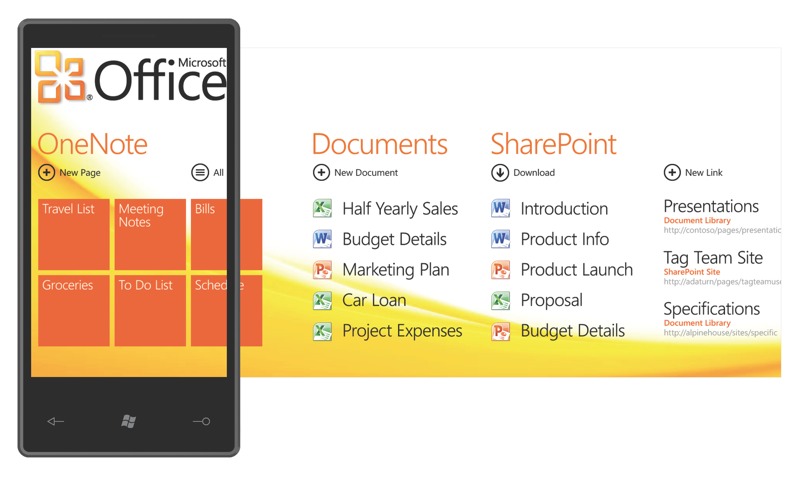
The Office hub is the “productivity” hub. Office for WP7S emphasizes OneNote and SharePoint. The Office hub breaks down into the following categories: OneNote, Documents, SharePoint. OneNote is a place where you can, well, take notes. You can create new “pages” for things like grocery lists, meeting notes, and to do lists. You can create notes by typing, taking a picture, or using your voice. These pages/notes can then be synced back and forth to your PC. The Documents category is the place where all your documents (Word, Excel, PowerPoint, etc.) synced from your PC are saved. SharePoint allows you to share documents on a company SharePoint server for document collaboration. The Office hub will work hand-in-hand with Office 2010.

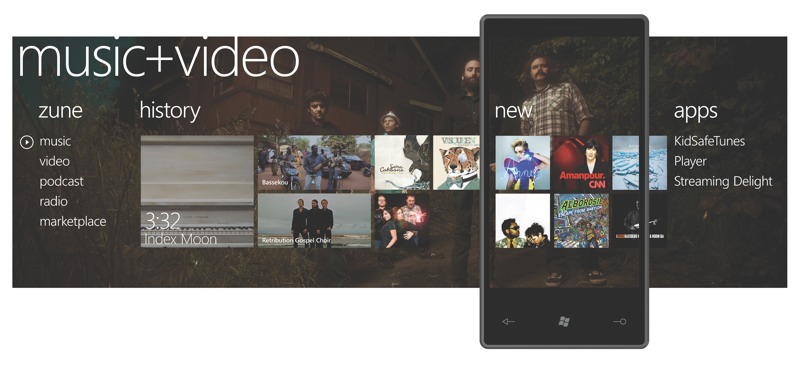
The music + video hub brings the Zune HD experience to WP7S devices. In fact, Microsoft is proud to say that “Every WP7S phone will be a Zune.” The music + video hub breaks down into the following categories: Zune (music, video, podcast, radio, marketplace), History, New, Apps. What’s most prominent here is that Microsoft will be partnering with third-party developers to provide different ways to listen to music. Pandora was name dropped, so you can expect to see music streaming services gain access to the music + video hub.

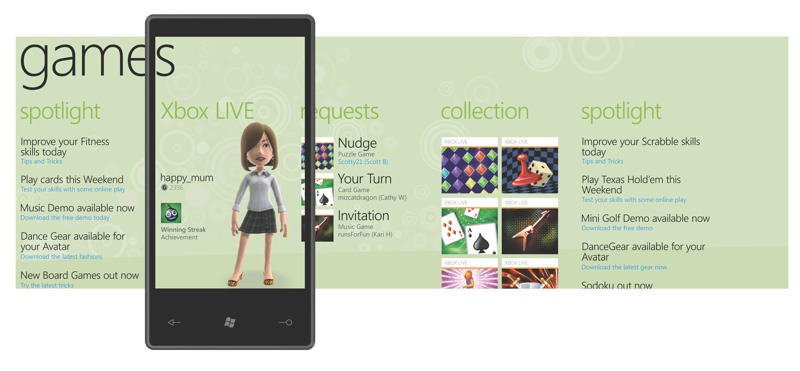
The games hub features Xbox Live! It breaks down into the following categories: Spotlight provides new games information; Xbox Live shows you your live avatar, gamertag, gamerscore, and profile picture; Requests inform you that someone is “nudging” you, letting you know it’s your turn in a game, and lists game invites; Collection is the area where you can build a list of Xbox Live-supported games that support achievements. These games will have interactive components that talk to your Xbox console, the PC, and other WP7S devices. Additional information about what type of games we’re talking about here was not disclosed.

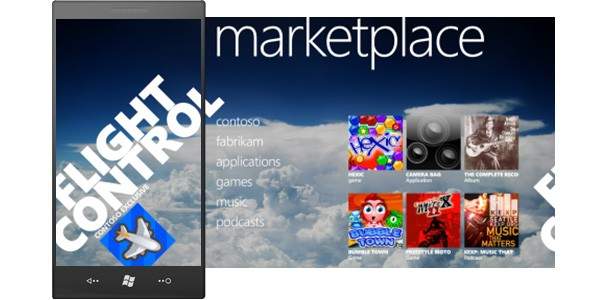
The marketplace hub was not demoed at the launch event but since then unofficial pictures have surfaced that reveal its basic organization. Microsoft promises that more information about apps, app development, and the marketplace will be revealed at this year’s MIX10 event next month.
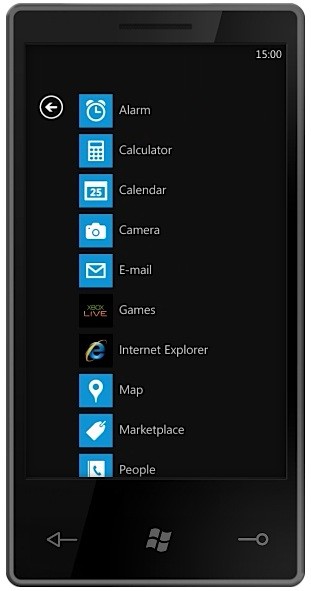
With hubs out of the way, the remainder of the tiles on the home screen include Phone, SMS, Email, Calendar, Internet Explorer, and Bing Search/Bing Maps. Microsoft is really pushing its Bing search services on WP7S devices. Users will be able to search specific keywords to pull up local news, information, maps, and directions. Easy and straightforward.
Microsoft plans on releasing WP7S during the Holiday 2010 window and they have many hardware and carrier partners lined up. They include Dell, Garmin-Asus, HTC, HP, LG, Samsung, Sony Ericsson, and Toshiba; carrier support comes from AT&T, Deutsche Telekom AG, Orange, SFR, Sprint, Telecom Italia, Telefónica, Telstra, T-Mobile USA, Verizon Wireless and Vodafone. Let’s just say there will be a plethora of WP7S devices later this year. (Side note: Unlike stylus-wielding devices of the past, WP7S is focused purely on touch input and requires manufacturers to include at most only three face buttons–Back, Start, and Search. Other hardware-specifics like required internal specs were not mentioned.)
It all comes down to this: Can Microsoft pull themselves out of the wreckage that was Windows Mobile and regain market (and mind) share in a highly competitive environment that Apple and Google have quickly taken over? With Windows Phone 7 Series, Microsoft clearly defines that they finally understand that the mobile phone is very different from a PC. In fact, during the launch event Microsoft corporate VP of Windows Phone Program Management Joe Belfiore kept reiterating, “The phone is just not a PC.” With this knowledge, they built a brand new, visually beautiful mobile OS from the ground up, leaving out all complexities and incorporating much simplicity. On a PC it feel natural to have various windows open to access Facebook, contacts, and Flickr. Dealing with this mess on a small mobile device does not make sense, so Microsoft came up with an extremely intuitive way to aggregate all this information into live tiles and interactive hubs, making it very easy to see and respond to your friends and family. Many questions remain; for instance, we still don’t know much about the marketplace and app development, and overall developer input. From the looks of it Microsoft will put devs front and center stage, giving them access to create smart apps that will supplement the 7 Series experience. If they learned anything from Apple and the iPhone, app existence and support is crucial for a mobile OS to succeed in today’s cell phone industry. But with a company whose CEO is famed for screaming “Developers, Developers, Developers,” I have no doubt Microsoft will come out victorious as a worthy competitive force in the mobile space.
Check out the gallery below for additional UI shots. Look after the break for a bunch WP7S-related videos; they include a quick features tour, a 20 minute demo, and the streamed launch event. You’ll also find the official press release there, too.
Continue reading Microsoft unveils Windows Phone 7 Series →