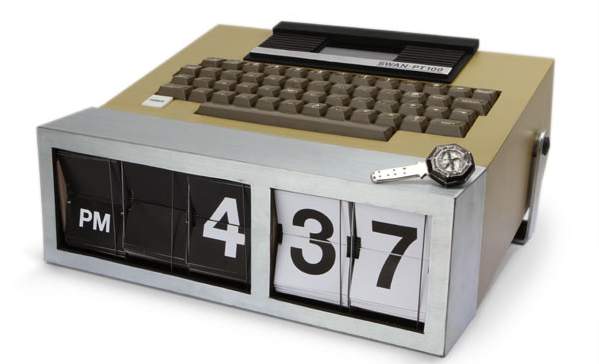
The dudes at the online shop ThinkGeek bring us the Dharma Initiative Alarm Clock. Our Dharma Initiative Alarm Clock is conveniently programmable to go off only once every 24 hours, and at a time convenient to you. But if you don’t get the numbers right before you see the hieroglyphs, there’s no guaranteeing what will happen. All you gotta do is type in the numbers 4 18 15 16 23 42 to stop an electromagnetic cataclysm…er, turn off the alarm. It requires 2 x AAA batteries and comes with a 23-year warranty, “or until your house implodes.” Now that’s some extra motivation to get up in the morning, now ain’t it? Only $49.99. Check out the video below to see it in action.
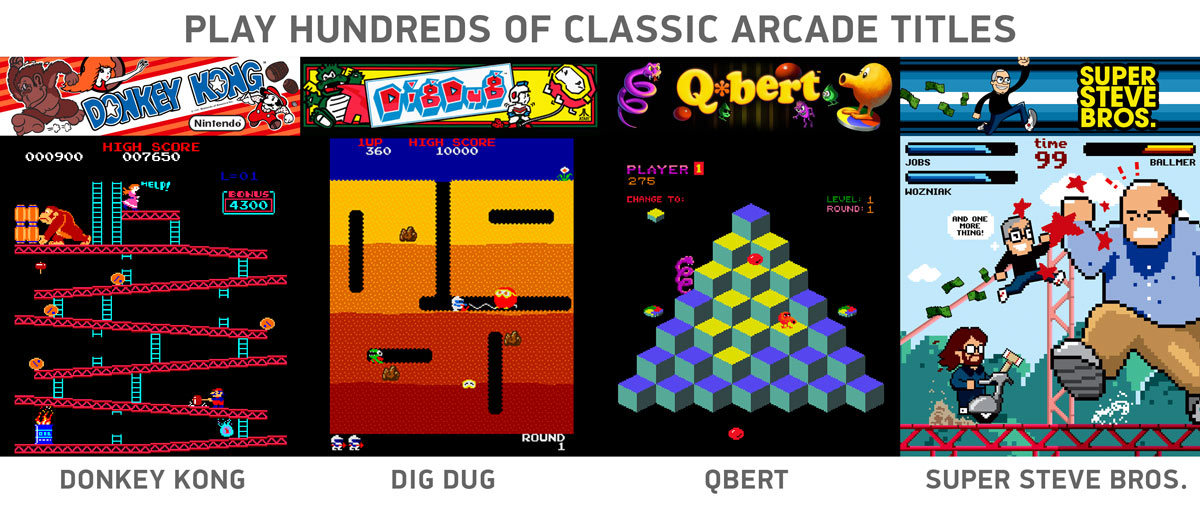
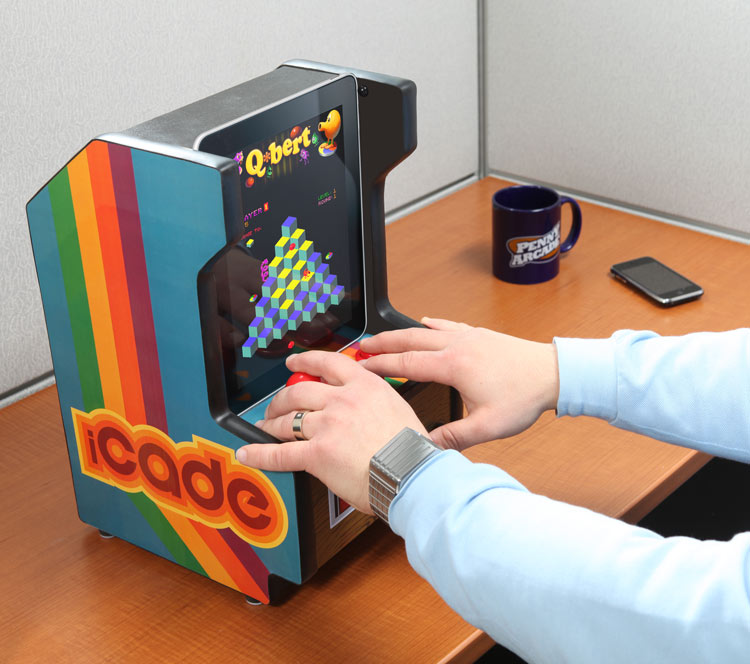
The fellas at ThinkGeek asked themselves, “How cool would it be to slide your iPad into a desktop-sized arcade cabinet and rock it old school with some Pac-Man or Space Invaders?” Enter the iCade, an iPad arcade cabinet. It’s simple, really. Slide your iPad into the built-in docking cradle, plug in the included 10-watt USB power adapter for extra power, and load up a classic arcade game using the iCade app (available in the App Store on iPad launch day). The handcrafted wooden cabinet somehow stuffs 2.1 Dolby speakers and a subwoofer! Look in the gallery below for some game screenshots. Future iPad buyers, get your iCade today for $149.99.
Today Starbucks announced two new cup sizes to debut this fall in the US and Canada.
Plenta™ (128 fl oz) and Micra™ (2 fl oz) cups arrive in Starbucks stores this Fall. Derived from Italian word for plentiful or small, the Plenta™ delivers coffee lovers record amounts of the world’s finest coffee beverages while the Micra™ delivers a quick and satisfying morsel of goodness.
Starbucks recommends “several subsequent uses” for the cups: “…options [for the Plenta] include popcorn receptacle, rain hat, perennial planter, lampshade or yoga block. The Micra also serves as a convenient milk dish for kittens, soft boiled egg cup or paper clip holder.”
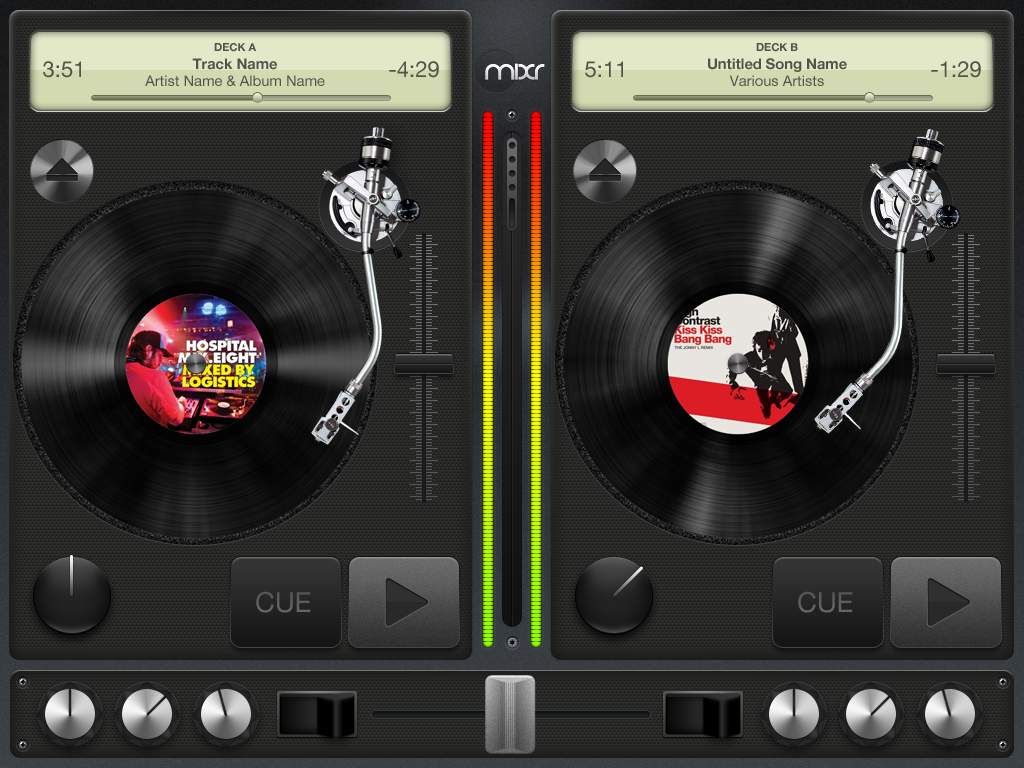
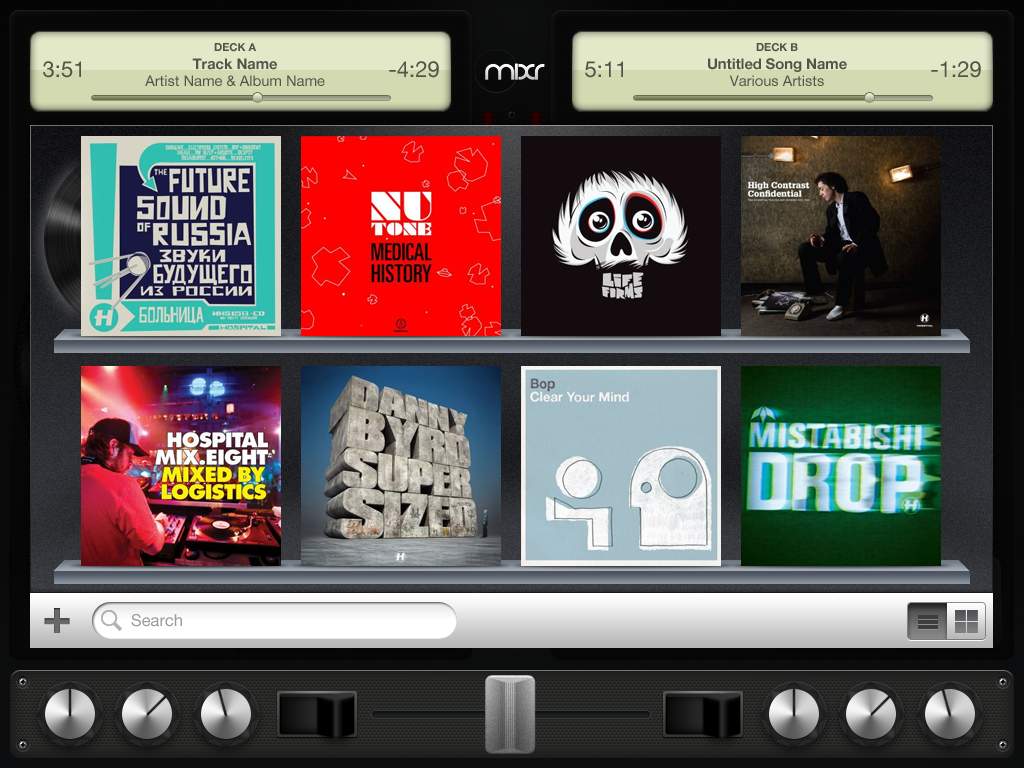
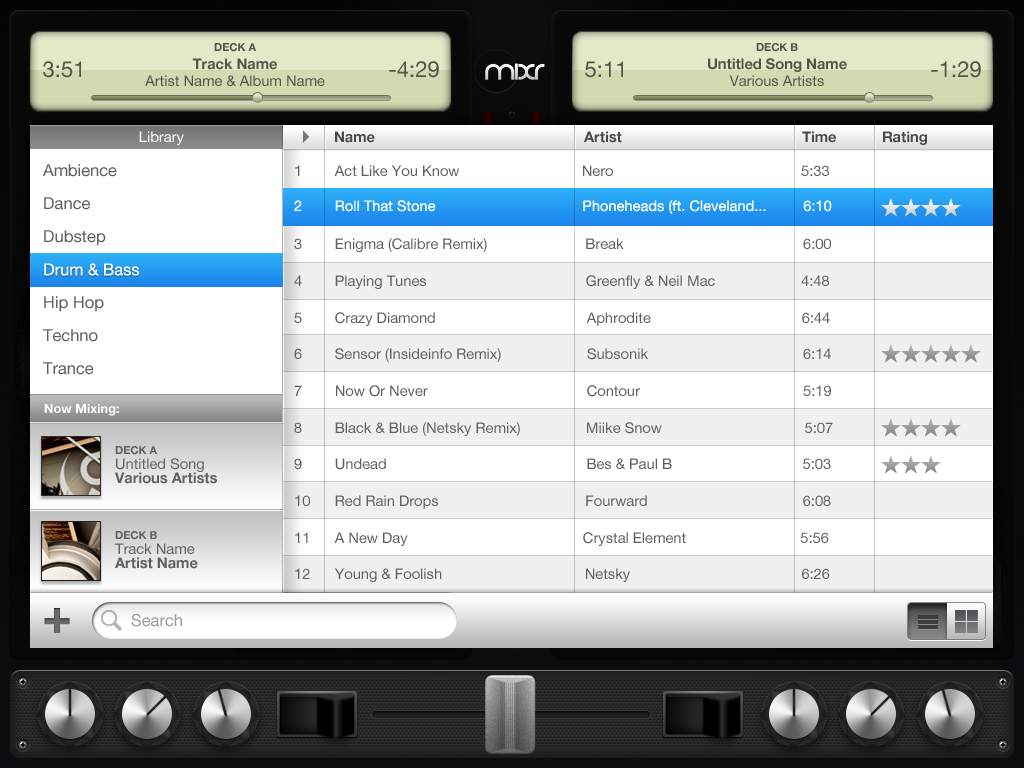
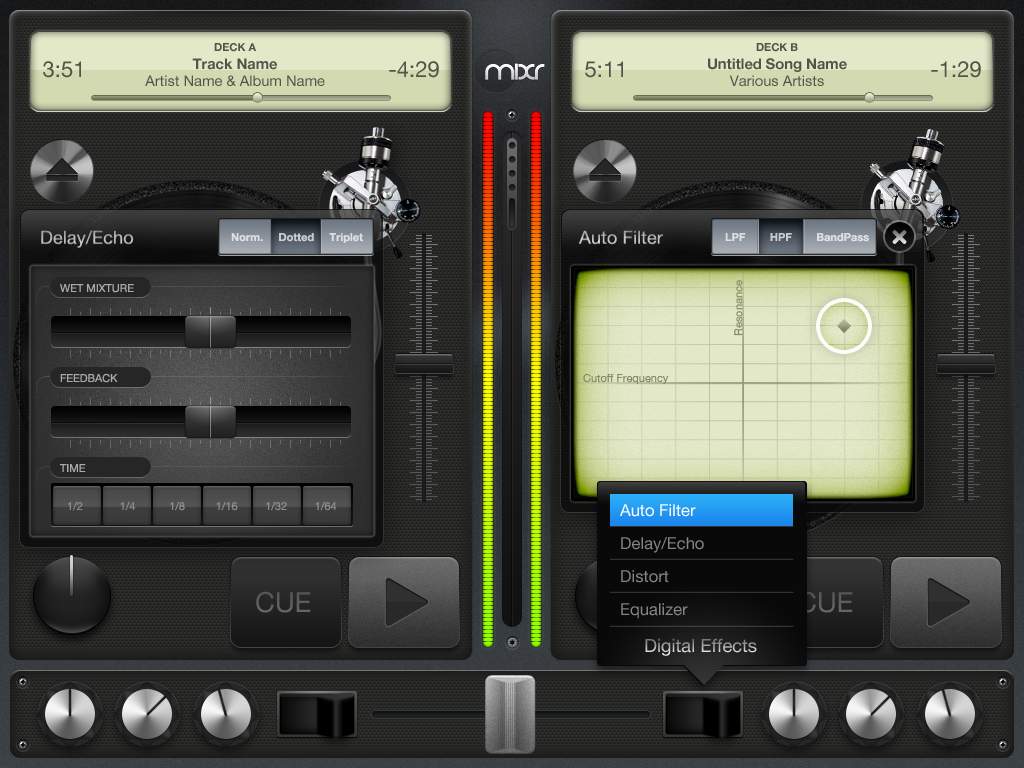
Mixr will be one of the first professional DJ applications for the iPad. The iPad’s large multitouch 9-inch screen will be able to accomodate two fully featured turntables with options for “cross-fading, equalizing, cue, drag & drop tracks, and full effects such as delays and auto filter.” You can create your own libraries, digital DJ crates, and even record your own mixes using tracks from your iTunes music library. As fun and exciting this all sounds, there’s an overarching theme here to be considered: apps like Mixr are just the beginning for the iPad. Thanks to the large screen and intuitive touch controls, the App Store will start to flood with brand new apps made specifically to take advantage of the tablet’s features, inside and out. If you thought the App Store launch on the iPhone was buzz-worthy, you ain’t seen nothin’ yet.
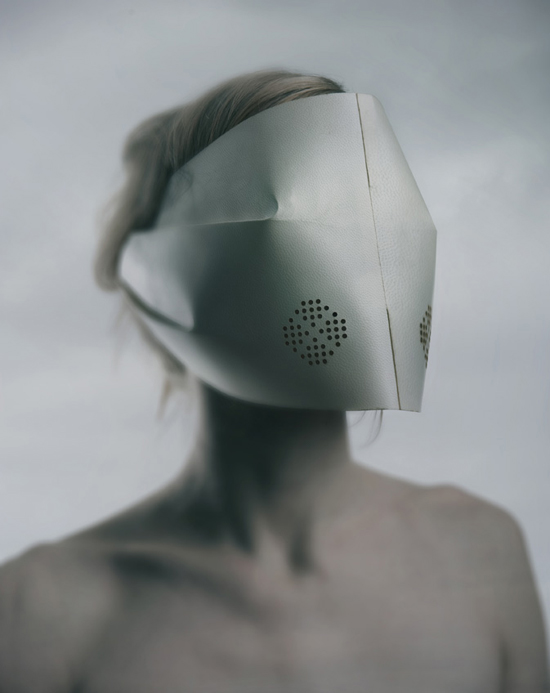
Icelander Sruli Recht has created a collection of surgical masks for the modern, disease-filled world. The masks are made from folded laser cut parchment and feature an air purifying design with replaceable N95 filters. What differentiates the various masks are options that include light filters, sound reduction ear covers, and full or half face sizes. Beyond creepy…but I like ’em.
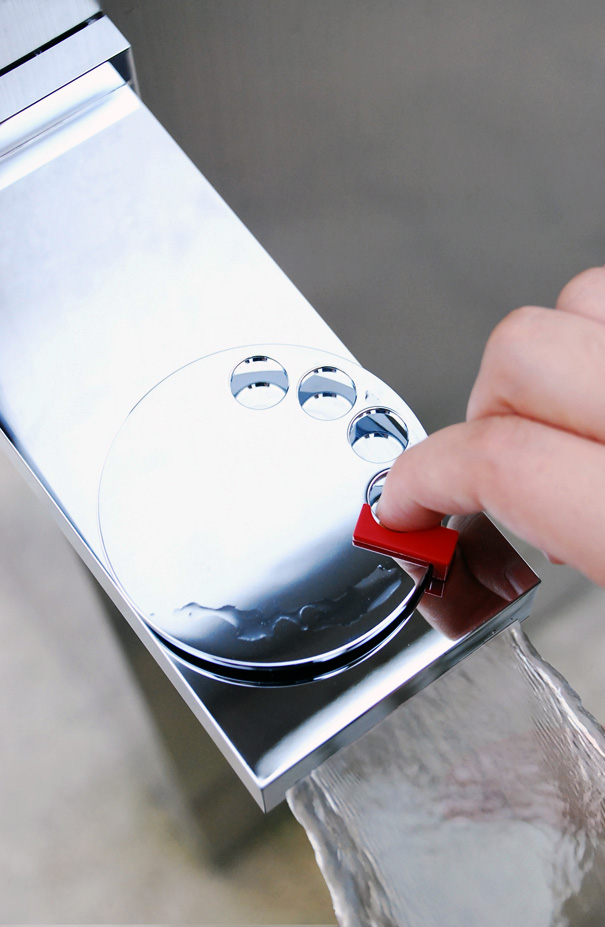
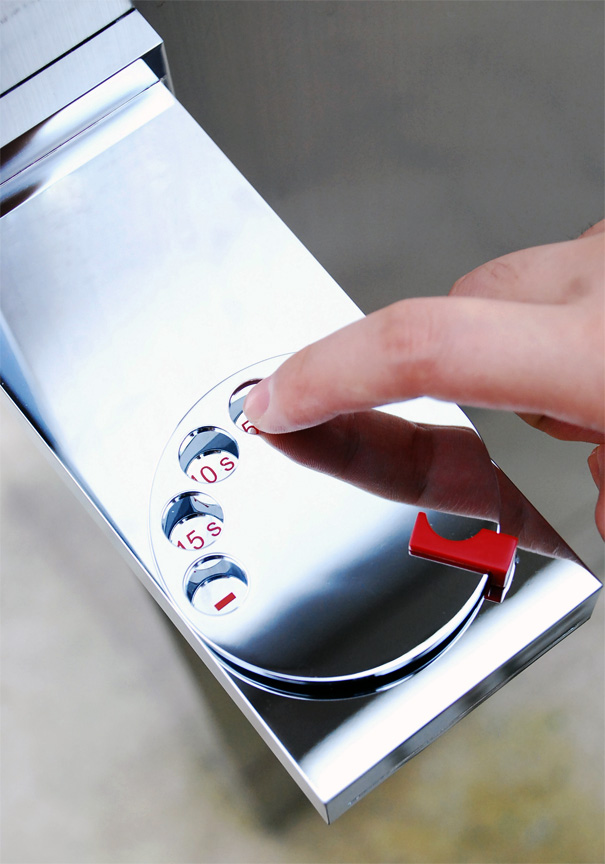
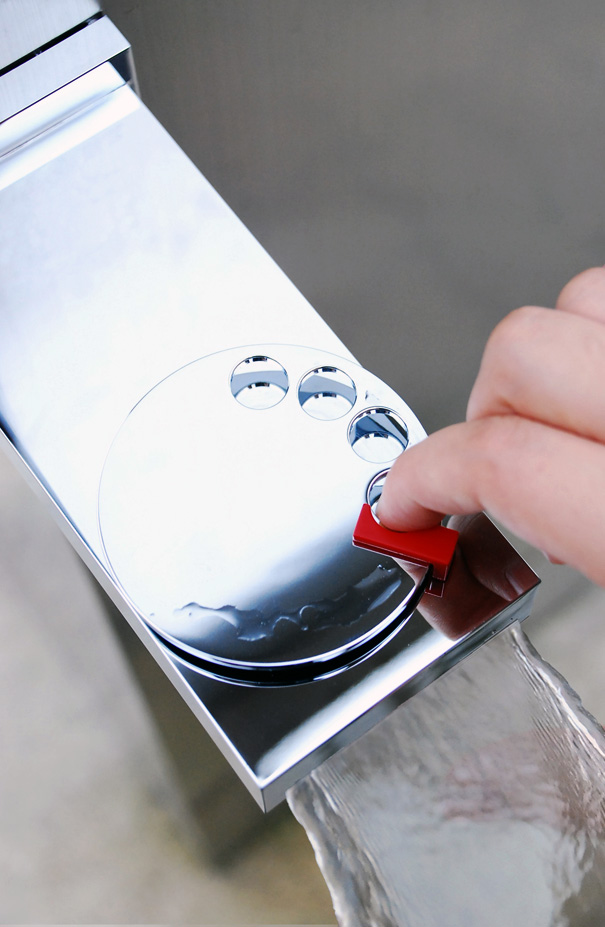
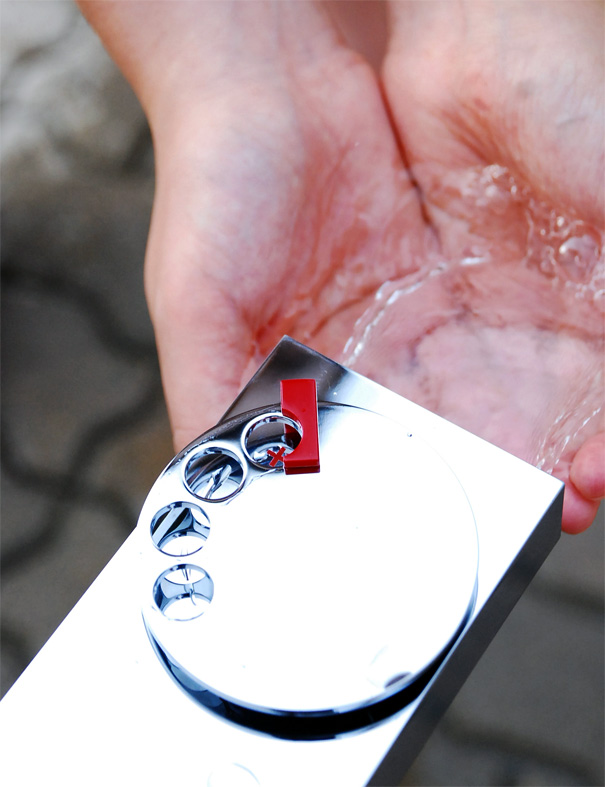
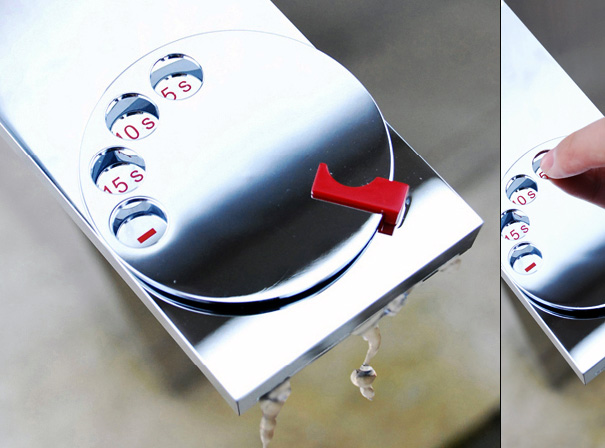
No, this is not a phone/faucet combo. This faucet features a rotary dial that allows you to choose the number of seconds you want the water to run. It’s kinda eco-friendly if you think about it.
This past week Microsoft revealed more details surrounding its brand new mobile phone platform, Windows Phone 7 Series. During their WP7S launch event last month, Microsoft showed off all the UI basics and promised more information to come this month at their annual conference held for developers and web designers called MIX. And boy did they deliver. MIX’10 proved to be a highly informative conference, focusing on how developers will get their applications onto WP7S devices.
Technical details. Third-party developers will have access to XNA and Silverlight tools to create applications for WP7S devices. Microsoft is offering free dev tools, providing Visual Studio 2010 Express for Windows Phone and Expression Blend for Windows Phone, to get things started. In addition to these programs, developers also have access to many services like Microsoft Location Service, allowing devs to make their apps location-aware, and Microsoft’s Notification Service, a push notification system much akin to Apple’s that allows devs to send notifications to users of their apps, regardless of the app being open. Notifications slide down in a tray at the top of the screen (less obtrusive than Apple’s pop up way of doing it). Other prominent services that devs are given include multitouch, accelerometer, and camera & microphone support. If you are a developer or know someone who is a developer, Microsoft is offering free beta versions of the dev tools today at developer.windowsphone.com.
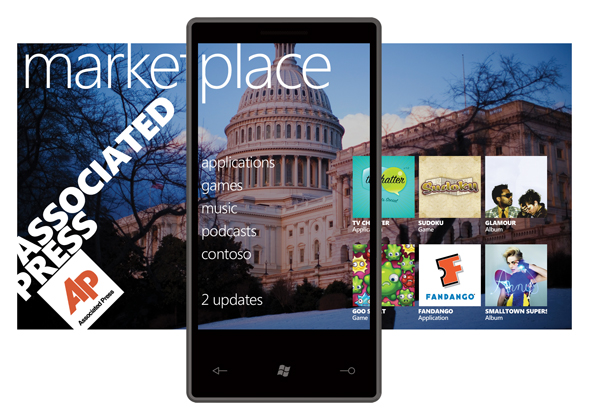
Where will all the apps be sold, you ask? In the Windows Phone Marketplace, of course! Just like the rest of the hubs, the Marketplace hub will be “panoramic,” meaning menus are opened with left and right slide gestures. Microsoft is encouraging all developers to create trial versions of their full apps. The Marketplace supports credit card purchases, operator billing, and ad-supported content. Purchased apps can be pinned to the user’s home screen for easy access. Finally, the revunue split: 70% goes to the publisher, 30% to Microsoft.
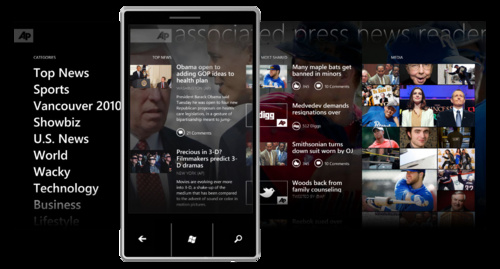
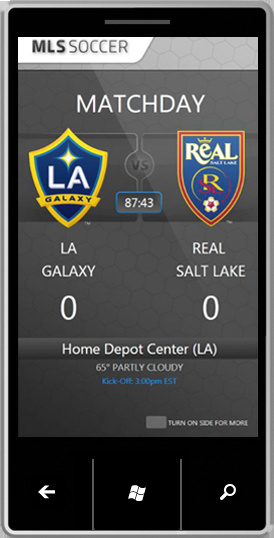
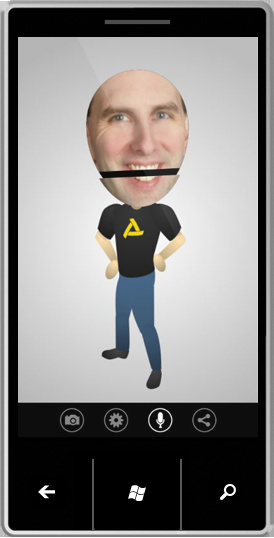
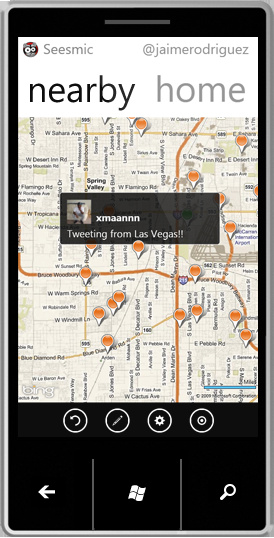
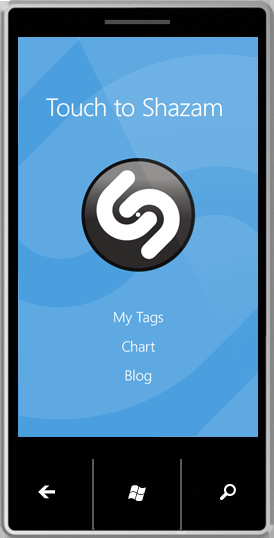
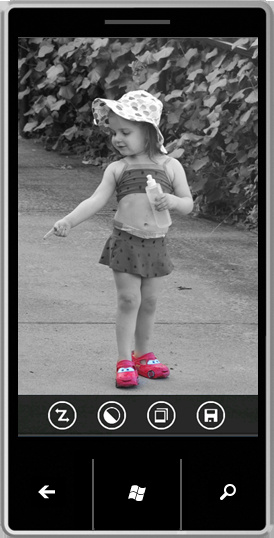
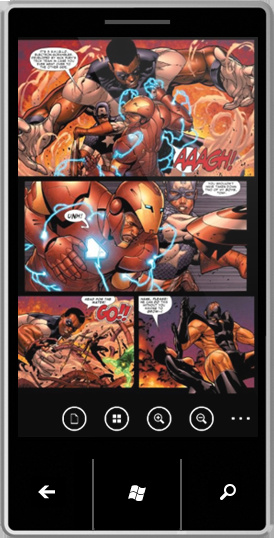
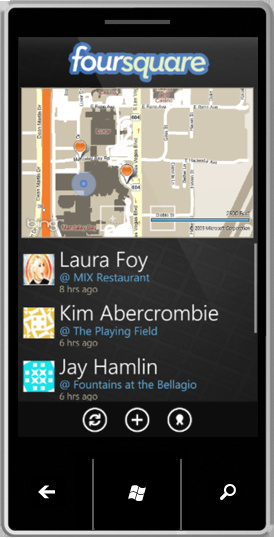
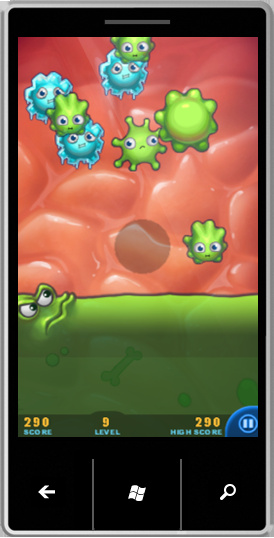
Marketplace partners. Microsoft announced the first slew of app partners and they include exciting picks like Pandora, Sling, Shazam, EA Mobile, Namco, Foursquare, and the Associated Press. Look after the break for a full listing of all partners. A majority of the demos show that at least this initial batch of apps will deeply integrate with the WP7S look and feel (think panoramic views and shiny, sleek interfaces). Many of them show off 3D animations, incorporate images and video, and they can reach into your local content (like a photo editing app opening up a picture you took). The most interesting app demo came from Netflix. They demoed a prototype app that supports Watch Instantly, allowing a subscriber to browse and watch their Netflix collection on the go. Unfortunately this was being pushed as a concept, and we likely won’t see anything like it for some time. Another exciting app demo showed off the gaming capabilities of WP7S devices. The Harvest is a 3D Xbox Live-supported title that excited developers with its gorgeous graphics, destructable environments, and Xbox Live in-game leaderboard, gamerscore, and acheivement support. Look in the gallery below for screenshots from some apps.
Multitasking: WP7S will not support true multitasking. Microsoft’s first-party applications will run in the background when exited, but third-party apps will remain in a suspended state until the device needs additional resources. For example, Microsoft apps like Internet Explorer and the Zune music player will run in the background, but other apps like Yelp will be forced to quit when not in direct use at any point without notification when you start opening other apps and the device needs to access more resources. This “intelligent app management” is also purportedly found in Google’s Android OS.
Copy & paste: Following in the footsteps of its big competitor, WP7S will not support the copy & paste function at launch. Apparently this was a conscious decision made by Microsoft; they believe cell phone users do not use this function very often. Instead, Wp7S devices will use a data detection service that recognizes text input like phone numbers and addresses. Hopefully they won’t take as long as Apple did with bringing clipboard functionality to its mobile OS.
What’s contoso?: Contoso is the placeholder name Microsoft added to the Marketplace UI, and now we know its purpose for being there. Microsoft has alloted a space in the Marketplace for phone carriers to put their own branded store. So this is a separate place where Verizon Wireless can sell their content to users, for instance.
Hardware minimum requirements: capacitive touch; A-GPS, accelerometer, compass, light and proximity sensors; 5 megapixel camera with flash and an independent camera button; 256MB RAM, 8GB Flash; DirectX 9 & codec acceleration; an ARMv7 Cortex/Scorpion CPU; and Back, Start, and Search face buttons. Initially Microsoft will require all handsets to boast a 800 x 480 (WVGA) resolution screen. An update will allow for 320 x 480 (HVGA) screens at a later undisclosed date.
Exsisting WP7S devices: At Mobile World Congress, we were introduced to the Asus model. At MIX, two new devices were unveiled–a Samsung slate and LG slider (the first with a keyboard).
All in all, MIX’10 was a huge invitational for all developers and Microsoft welcomed them with open arms. Microsoft is making it extremely easy for developers to jump into Windows Phone 7 Series by offering free dev tools. With their stringent hardware minumim requirements and terriffic initial batch of app partners, the apps out of the gate should look great and function well. With graphics-intensive games like The Harvest linking Xbox Live to cell phones, Microsoft could very well raise the bar for mobile gaming, giving the App Store and its growing number of sub-par games (and even the likes of DS and PSP) a tremble in their boots. I am really digging Microsoft’s start-from-the-ground-up mentality and I am excited to see what developers can do with their brand new mobile platform. However, as many have pointed out, Microsoft is stuck in a classic case of Catch-22: Microsoft wants customers to choose WP7S phones and developers to write programs for them. But developers won’t bother pushing their apps into the Windows Phone Marketplace if customers aren’t attracted to WP7S phones, and customers won’t purchase WP7S phones if they don’t offer a wide-ranging marketplace of apps! Microsoft still has more work to do. Priority number one? Come up with a good marketing campaign.
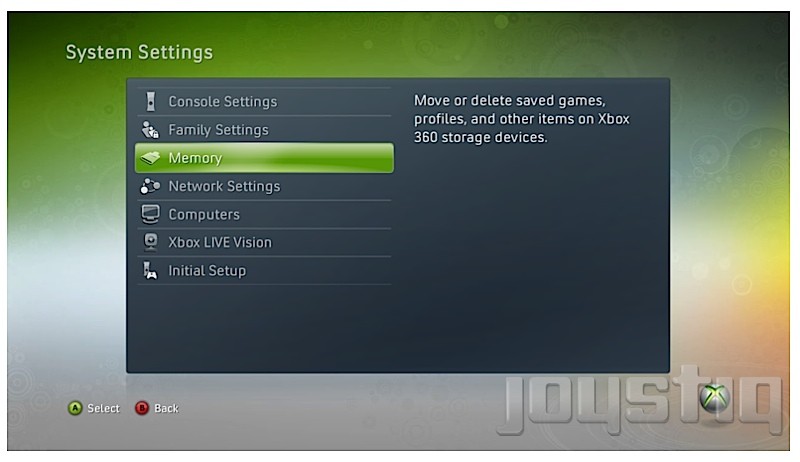
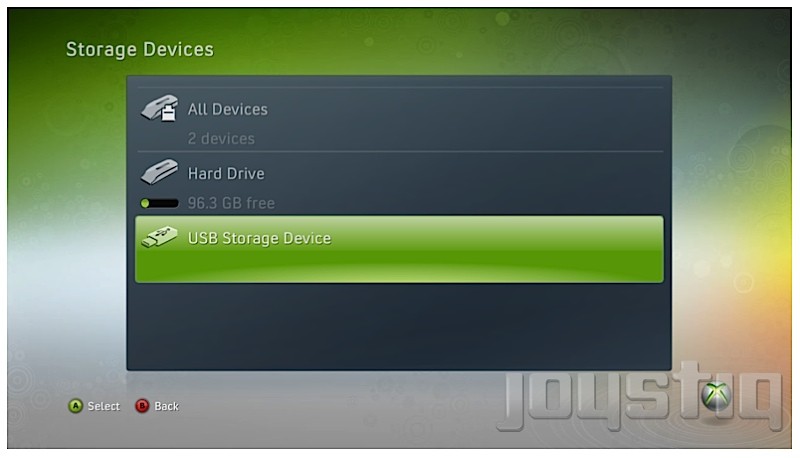
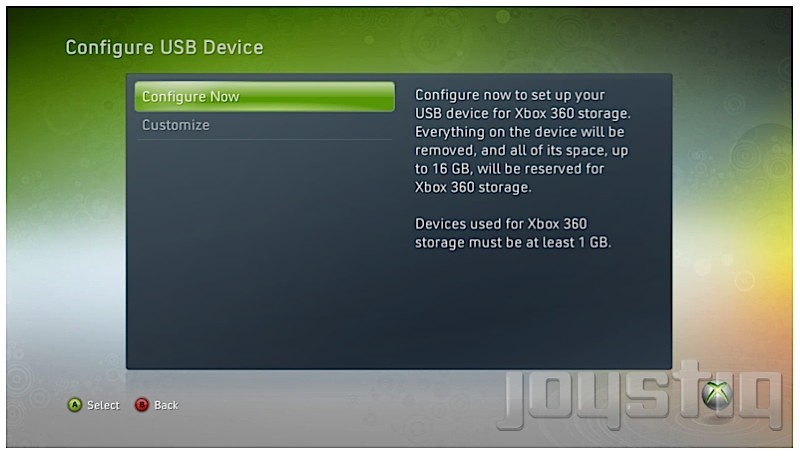
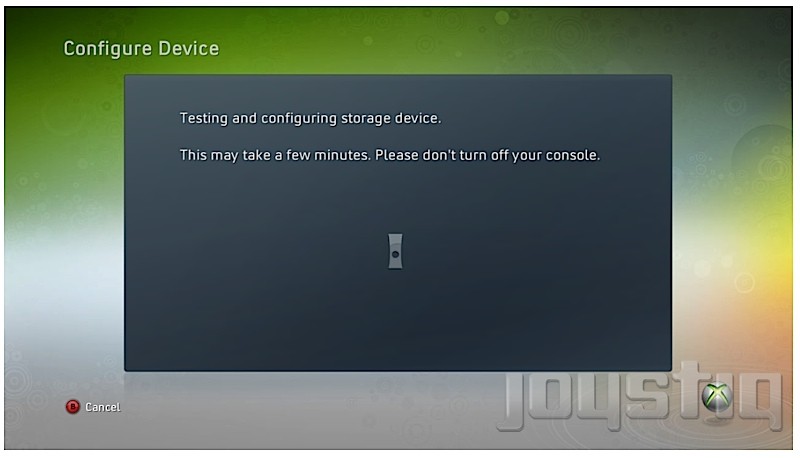
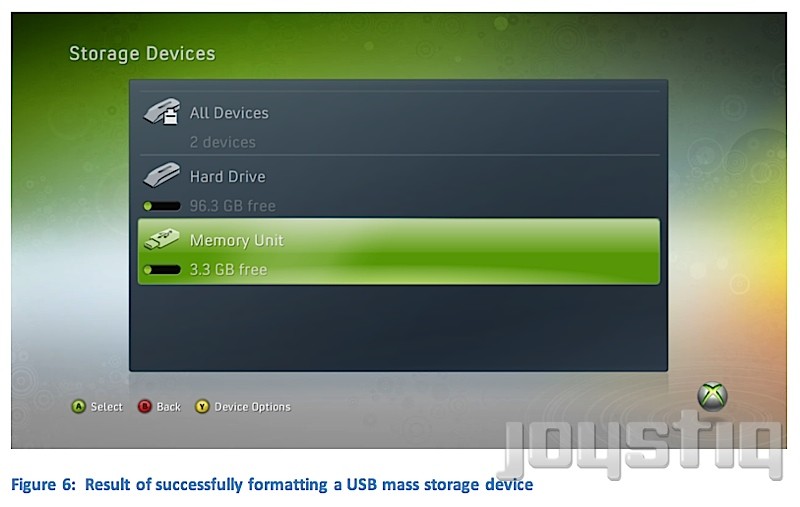
The fine folks at Joystiq have corroborated with two outside sources, confirming that “USB Mass Storage Device Support on Xbox 360” is coming this spring via a firmware update. The update will allow Xbox 360 users to transfer Xbox Live Arcade games, Xbox Live Indie games, Games on Demand, DLC, and game updates to an external storage device. According to the leaked Microsoft documentation, the external device must be at least 1GB in size with space for a 512 MB system partition. After you insert the storage device into the 360, a prompt will give you two options: “configure now,” which completely wipes the device and caps 16GB of space for game file content and “customize,” which readies the device for game files and allows you to keep non-game files on it such as music. So what can we deduce from all this? It looks like the Xbox team is willing to pull out of the Memory Unit (MU) business and finally allow its customers to use their own external storage devices, an ability PS3 users have had since that console’s introduction in 2006. Also, with recent chatter that a slimmer Xbox 360 is in the works, the design team may opt to remove the MU slots entirely. Sure, 16GB of external space (or 32GB if you choose to insert two USB devices) isn’t much, but at least it’s a step in the right direction. Hell, that much space allows for “previously infeasible operations such as installation of a full disc-based title.” Full games on the go sounds nice, now doesn’t it? (Disc-in-tray authentication is necessary, of course.)
UPDATE: Microsoft’s Major Nelson has confirmed USB mass storage support is coming to Xbox 360 via a system update on April 6.
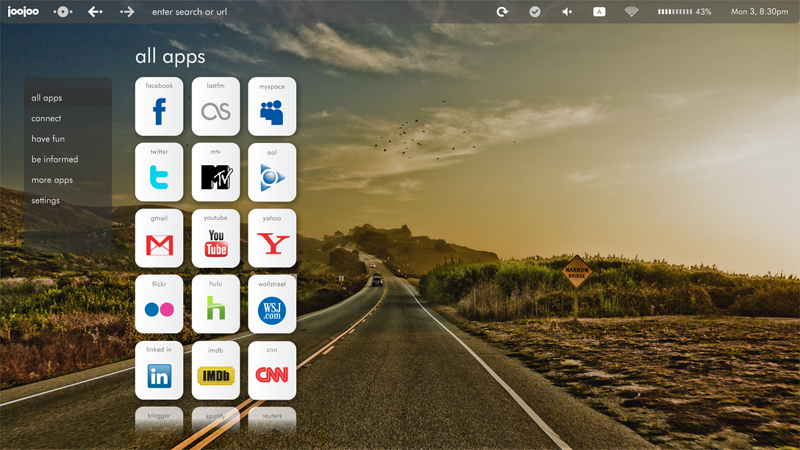
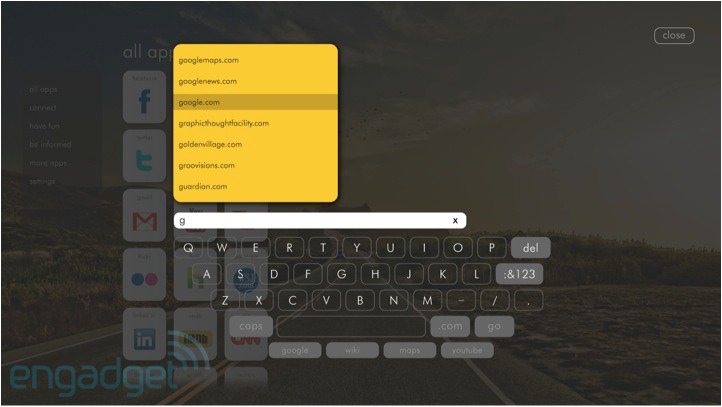
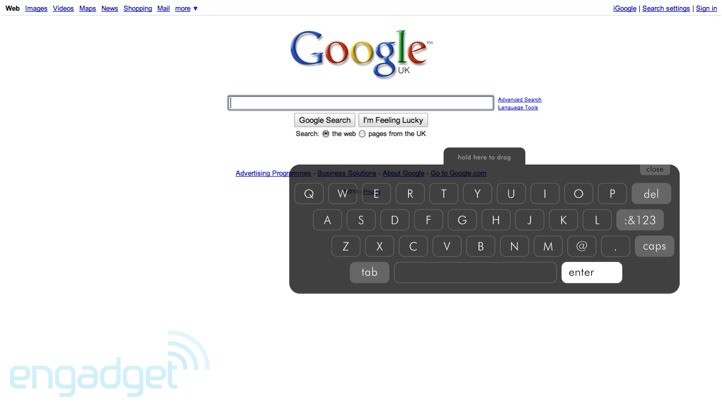
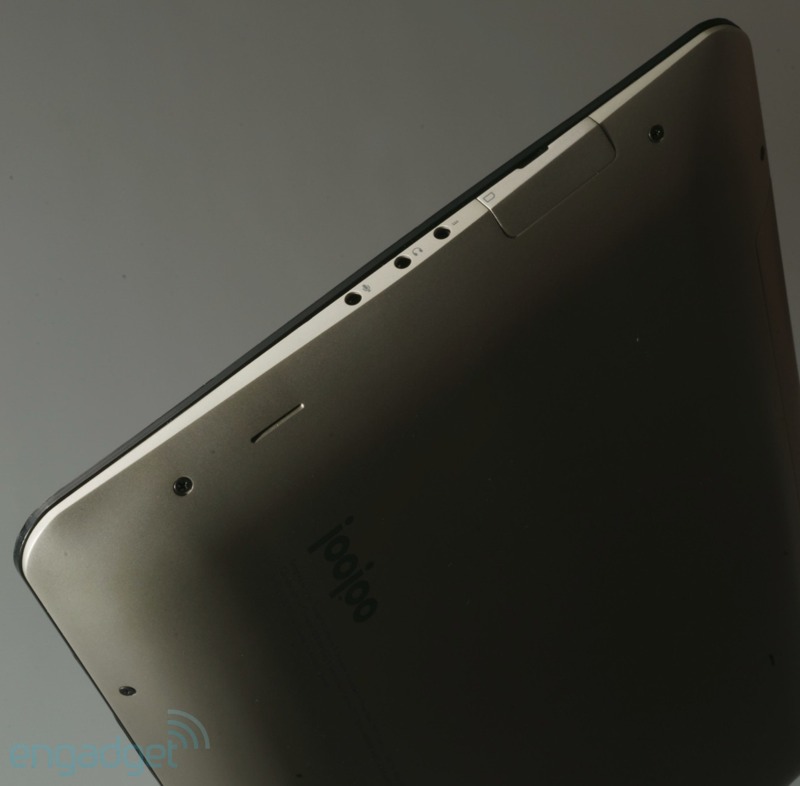
We first got wind of the JooJoo tablet back when Michael Arrington of TechCrunch was calling it the Crunchpad. Flashforward to present day, and through a heated legal battle, one Chandra Rathakrishnan of Fusion Garage has taken over leadership of the forthcoming device. When a product delay was announced in February due to capacitive touchscreen issues, Fusion Garage wasted little time to revamp the JooJoo’s user interface. The most significant change can be found in the home screen (see above). Instead of being limited to a solid color background, you can now customize it with a high-resolution image of your choice. Navigation gestures have been updated, too. The pinch-to-go-back gesture has been replaced with “a vertical swipe that brings down a status bar containing the home button, status indicators, browser navigation controls, and a combination address bar/search field.” Also, there’s two new ways to scroll: “a two-finger scroll that works like a scroll wheel, and a single finger “pan” that works like a mouse arrow.” You can choose from two on-screen keyboards–a standard, large keyboard and a smaller one designed for one hand that is less obstrusive. In previous video demos, Flash video playback was questionable and Fusion Garage was quick to fix that. Now Flash video plays fine, supporting a standard player, a “custom H.264 HD breakout player” and a wide range of codecs. One more change, and it has to do with the hardware shell. Fusion Garage has gone ahead and changed the backplate casing color from black to “champagne” (silver-ish). Check out the gallery below for a few more images of the new UI and casing from Engadget.
The JooJoo device was our dream tablet coming to life back in December. With the introduction of the coveted iPad, however, the spotlight has shifted to Camp Apple. Although the iPad has captured the mindshare of most tablet buyers, the JooJoo still looks like a solid device with an impressive UI and I am looking forward to its release into the wild. With HP cowering behind the secretive Slate, the iPad and JooJoo will be the first to market with sleek and shiny new tablets, vying for consumer’s hearts. The JooJoo is available for preorder today at $500, and Fushion Garage expects them to ship within 8-10 weeks.
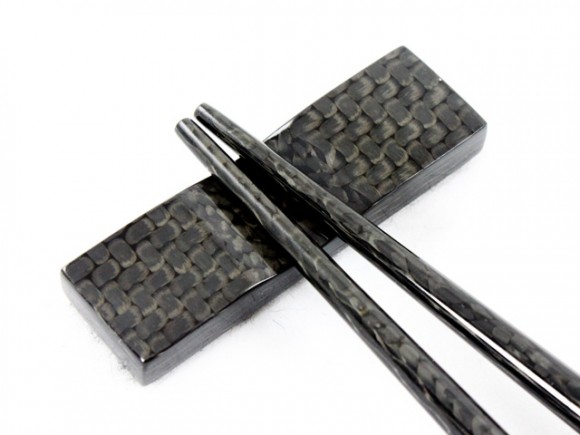
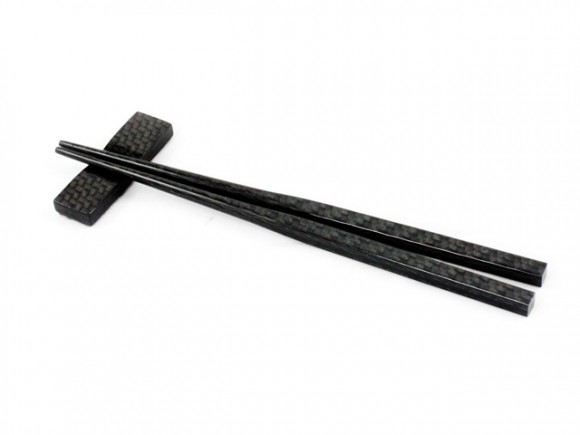
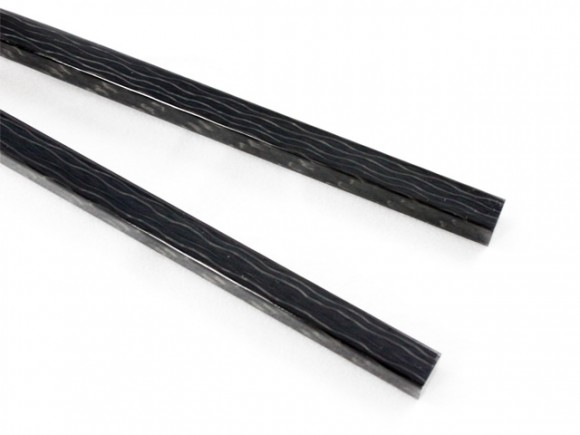
Positives: They’re non-toxic and dishwasher-safe. Negative: The set costs $150. I think I’ll stick with the plain ol’ wooden chopsticks, thank you very much.
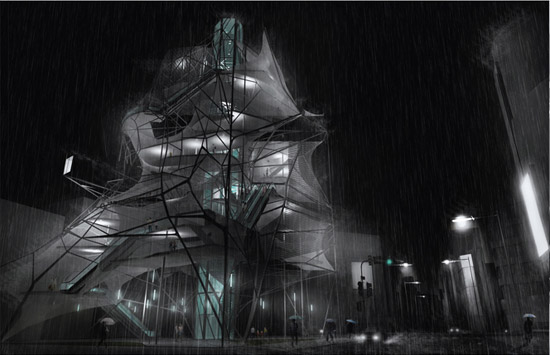
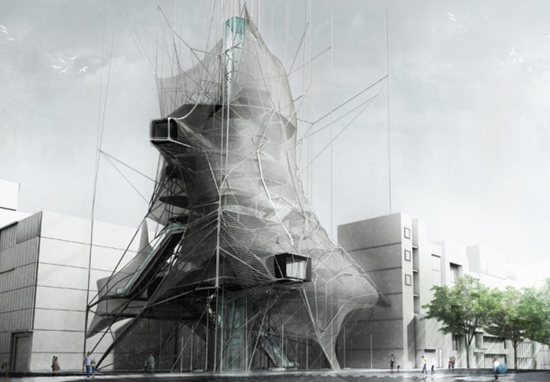
‘Nested’ Skyscraper, designed by American architects Ryohei Koike and Jarod Poenisch.
Projected to be situated in Tokyo, the architects observed that this location is known for its extreme climate changes, densities, earthquakes and flows. ‘Nested’ skyscraper looks to counteract these extremes with lightness, flexibility and transparency. Using primarily composite materials and a dual layer fascade composed of ETFE (ethylene tetrafluoroethylene), the entire building can be lightweight and flexible, while the construction process uses far less energy.
Speaking of the construction process…
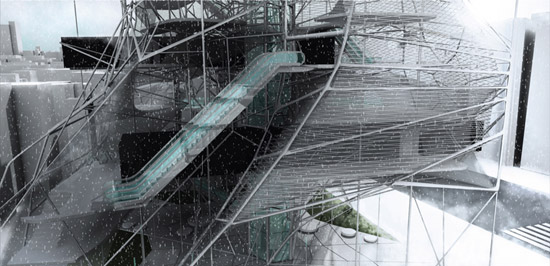
Building this structure involves a series of robots that stretch over a network of carbon sleeves sprayed with fiber-laced concrete. A second set of robots wraps the structure with a steel mesh to allow for lateral movements and can increase or decrease its density according to structural and programmatic needs.
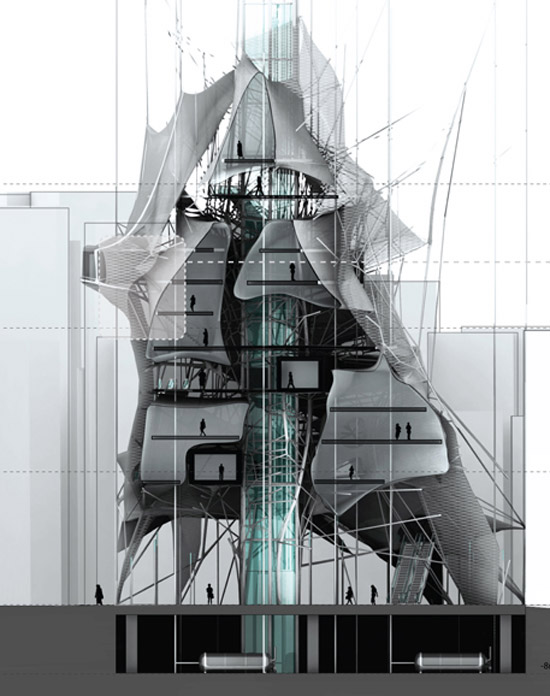
And what makes it a “nested” skyscraper? “The building acts as a series of nests that stretch between and around compressive elements as the vertical circulation wraps around and pierces through the entire project. Together the materials and volumes create a hybrid relationship between compressive and tension elements, public and private spaces, and static and dynamic forms.”
I would totally live in this concept skyscraper of the future. Wouldn’t you?
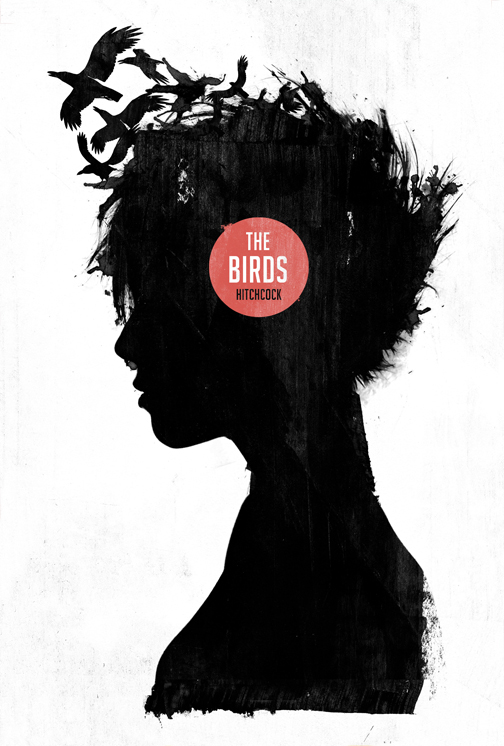
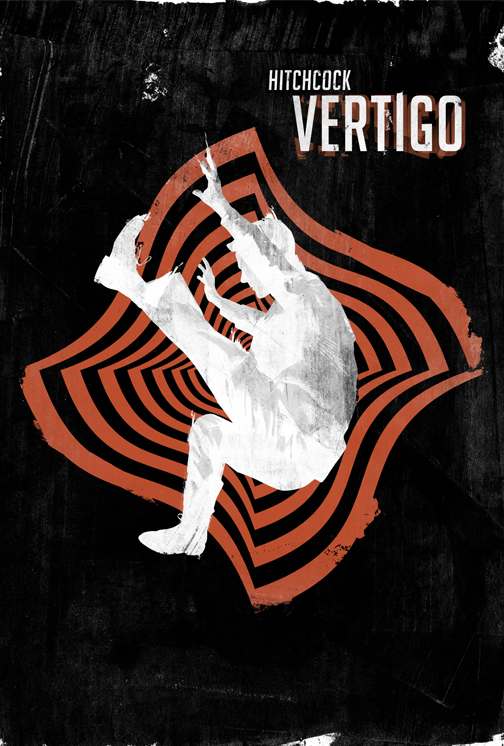
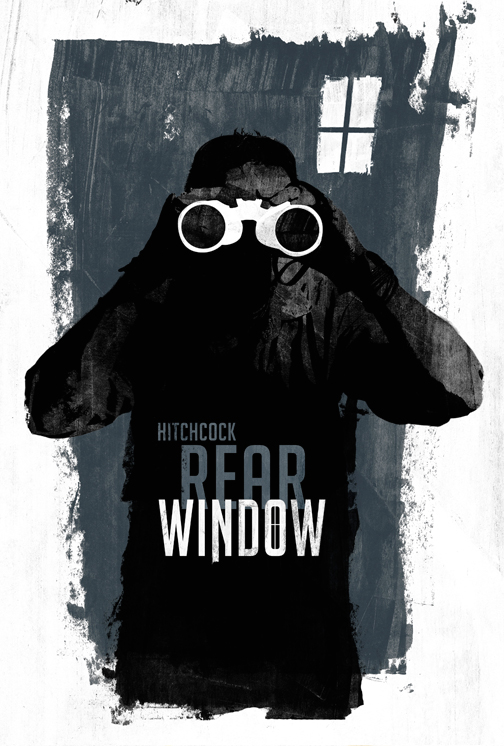
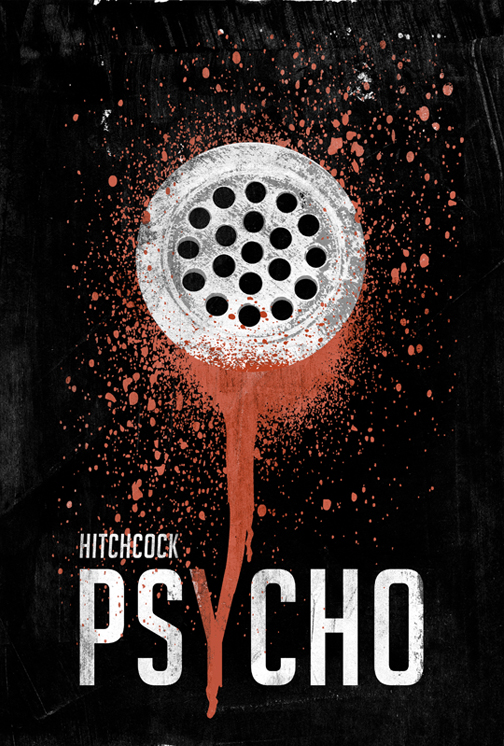
Graphic designer Laz Marquez has recreated the movie posters of four popular Hitchcock movies using his own imagination and input from designers Saul Bass and cinematographer Robert Burks. They really came out great; he managed to capture the original essense of each movie injected with modern aesthetics. Marquez on his Hitchcock poster design series:
“Since I’ve started this project, I’ve had such an amazing time taking each piece of cinematic history and re-imagining it on my own terms. It’s been spontaneous, challenging and overall fulfilling. In addition, it’s been amazing to put some of the process in the hands of my followers and see what they’ve wanted the project to evolve into. Overall, I couldn’t be happier!”
Check out larger images of each poster (The Birds, Vertigo, Rear Window, Psycho) in the gallery below.