Category Archives: News

Microsoft Kin: the device for “Generation Upload”

On Monday Microsoft finally lifted the covers off ancient rumored devices dubbed “Microsoft Pink” by introducing their next foray into the mobile space called Microsoft Kin.  Microsoft recently aquired Danger, the company behind the Sidekick; created with Sharp, the Kin devices are essentially next-generation Sidekicks.  At its core, and well all around it, Kin is a social networking phone aimed at tweens.  Microsoft is calling its target market “Generation Upload”, 15-30 year olds who are all about chatting, texting, taking and sharing photos, and constantly updating their favorite social networks like Facebook and Twitter.  Note that Kin is not a smartphone; smart dumbphone is more like it.  Although it’s built upon Windows Phone 7 and shares similar UI aesthetics, it can’t run apps and it’s closed off to many other WP7 features like Xbox Live.  This is all by design, really, since Microsoft is really pushing it strcitly as a social networking device.  Kin contains two family members, Kin One and Kin Two.  Both devices contain three unique features: Kin Loop, Kin Spot, and Kin Studio.

Kin Loop: This is your home screen.  It’s the place where all your social network content gets aggregated and displayed.  Loop aggregates information from four selected services: Facebook, Twitter, MySpace, and Windows Live.  Information is updated in real time (well, every fifteen minutes unless you manually hit refresh).  So what you need to understand is this: the device does not run apps for these services; they live on the phone at all times.  Your profile picture and current status is visible at the top of the screen.  The rest of Loop is covered in recently updated statuses from the friends you converse with most often.  If you want to delve deeper into their page, simply tap their picture and you’ll be transported to their standard profile page.

Kin Spot: There’s a small green spot located at the bottom center of the screen at all times.  This dot allows you to collate all kinds of stuff and share it all with your friends.  For example, if there’s a picture, video website, status update, or map you want to share with one of your contacts, simply drag and drop the content into Spot and you’re one tap away from sending it off to your friends.  Enter Spot by tapping it and select the contact and content you want to share.  Content can be shared over SMS, email, or social networks.

Kin Studio: This is where all your device’s content is stored online.  Everything that you have on your Kin (contacts, pictures, videos, etc.) is backed up to “the cloud.”  In this case the cloud is Kin Studio, a website based on Silverlight that can be accessed on any computer.  So if you lose your Kin, all the data that’s on it continues to thrive online at Studio.  Also, Studio makes for a great way to watch and enjoy your Kin’s content on a larger display.  Studio’s UI is impressive; it features a visual timeline and supports geotagging in a map, allowing you to pinpoint exactly when, say, a photo was taken, and where it was taken, respectively.  It’s a very seamless experience; if you update something in Studio (for example, add a video), the change will take effect on your Kin device, and vice versa.

Kin also comes loaded with a custom IE web browser.  The display is capacitive with multitouch support, enabling pinch-to-zoom in the browser, but there is no Flash or Silverlight functionality.  Also included is a fully functional Zune player (hrm, minus Zune gaming), allowing for music,video, and radio playback.  Zune on Kin will provide the same experience found on Zune HD players and (soon) WP7 devices.  You can stream music over WiFi and 3G and there’s full support for Zune Pass, meaning you will always have access to your entire Zune library.  For Mac users, Microsoft will be providing software to sideload your iTunes music and iPhoto pictures to a Kin device.  Note, this is not a Zune client for Mac, it just a way to get a Mac user’s content from Mac to Kin; no Zune Marketplace access for you!  Now let’s distinguish between the two members of the family. Continue reading Microsoft Kin: the device for “Generation Upload”

Opera Mini browser lands in the App Store

Shock!  Awe!  Surprise!  That’s right, Apple has actually approved the Opera Mini web browser to co-exist alongside its coveted Safari mobile browser on iPhones, iPod touches, and iPads.  After playing around with Opera Mini, I think it’s safe to say it is definitely a worthy contender to Safari and a welcome addition to the App Store.  It loads pages super fast “by compressing data by up to 90 percent before sending content to the device”; it features a unique tabbed browsing experience; booksmarks can be added and managed within the app; it has the “find in page” feature that allows you to search for specific keywords within web pages (very handy!); and it supports a tab & hold gesture to select, copy, and paste text and save images.  The default Opera Screen provides a great place to start; you can customize it with your most frequently vistited sites.  It comes preloaded with Facebook, Twitter, New York Times, and more.  The only downside is that it does not support pinch-to-zoom.  To zoom into text you double tap the screen, and you tap again to zoom back out.  But you know what, the blazing speed at which it can load web pages sorta knocks that disadvantage down a notch.  You can download Opera Mini today, it’s free!  Full PR and a demo video are waiting after the break.

[Via Engadget]

Continue reading Opera Mini browser lands in the App Store

House finale shot entirely with Canon 5D Mark II

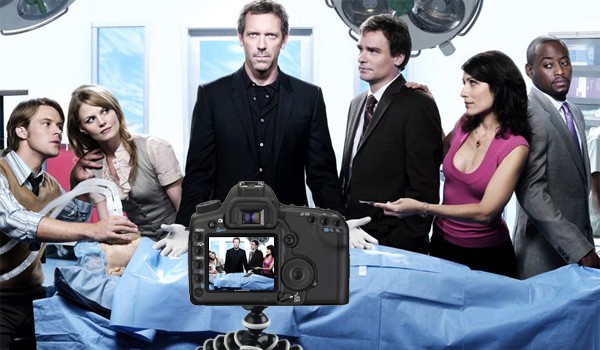
Director Greg Yaitanes has informed House fans ’round the world that the upcoming season finale of House will filmed using a Canon 5D Mark II, a DSLR that shoots great HD video.  Yaitanes shared the news on Twitter and began fielding questions about the experience.  The meat of the feedback tells us the production team had a spendid time using the camera.  He shot in “24fps and wanted it for ease of use in tight spaces”; he used “all the Canon primes and the 24-70 and the 70-200 zoom” lenses;  he “mostly gave it a hand held feel…or [used it] on a small tripod; and lastly he “loved it and feel it’s the future” of TV filmmaking.  We already know how well the 5D Mark II can shoot; this episode is going to be gorgeous.  The finale airs May 17 at 8PM on FOX.

[Via Petapixel; Engadget]

Conan O’Brien heading to TBS in November

It’s official: late-night comedian Conan O’Brien is heading back to the late-night arena this November on TBS.  The show will air from 11PM to midnight (Monday-Thursday), pushing Lopez Tonight to the midnight spot.  George Lopez couldn’t be happier about the new addition: “I can’t think of anything better than doing my show with Conan as my lead-in.  It’s the beginning of a new era in late-night comedy.”

So what happened with FOX?  Well, we’re not entirely sure at the moment. Deadline points out that Team Conan was looking “outside the network box” for quite some time now.  In fact, at one point Conan was in talks with Microsoft about bringing the show to Xbox!  But in the end, Conan decided to go with TBS.  The executives at TBS apparently impressed Conan on a level no other network could come close to.  Then George Lopez sealed the deal with a simple and convincing phone call.

According to Deadline, Conan will own his yet-to-be-named show, just like David Letterman owns his show and Craig Ferguson’s under Worldwide Pants.  Reruns of Family Guy and The Office will lead into Conan’s new show and likely continue to garner a young audience for the ex-Tonight Show host.  How does the competition look?  Since he’s moving from network to cable TV, he won’t be in the same ratings ring as Letterman, Leno, and the others.  However, there will be tough competition at the 11PM spot in cable world, as he’s pitted directly against Comedy Central’s Daily Show with Jon Stewart and The Colbert Report.  On cable, Conan will be able to get away with, let’s say, more risqué material, and this creative freedom will fuel the show with laughs.  Something tells me he’ll do just fine.

With his nation-wide comedy tour starting today in Eugene, Oregon, today is a great day for Conan O’Brien.  “In three months I’ve gone from network television to Twitter to performing live in theaters, and now I’m headed to basic cable.  My plan is working perfectly.”  Look after the break for the full PR announcement.

[Via Deadline]

Continue reading Conan O’Brien heading to TBS in November

Ferris Bueller’s Ferrari up for auction

So remember in Ferris Bueller’s Day Off when Cam accidently pushed the car out his father’s enclosed glass garage and destroyed it?  Well, that didn’t really happen.  See (above)?  It’s fine.  It was all movie magic.  On April 19 the same Ferrari 250GT Spyder California will go up for auction at Bonhams Collectors’ Motor Cars and Automobilia.  Besides being an awesome collectors item from a classic American film, what also makes this car special is that “only around one hundred genuine 250GT Spyder California’s were created by Ferrari between 1958 and 1963.”  It’s rare.  So rare in fact that director John Hughes and Paramount had to commission this special replica model.  In other words, the buyer won’t be getting one of the original 250GT Spyder California’s…but it’s looks just like it and it was used in the movie!  The car is “ready to drive” and estimated to go for £30,000-£40,000 (or about $46,000-$61,400).  Happy bidding.

[Via Bonhams; Gizmodo]

Twitter aquires Atebits, Tweetie becomes ‘Twitter for iPhone’, free

Since its inception Twitter (the company) ran its website at www.twitter.com and left Twitter applications for desktop and mobile clients to third party developers.  On Friday Twitter announced a significant change in its overall game plan.  Twitter is no longer taking a backseat to developers when it comes to running Twitter in applications outside the main Twitter website.  Twitter has aquired Atebits, the company behind one of the most popular Twitter clients for Mac desktops and iPhones, Tweetie.  Loren Brichter, the man behind Atebits, is part of the deal and will become a vital member of Twitter, helping the company retool the app for the iPhone, other mobile devices, and eventually the iPad.  Twitter’s reasoning behind the move: “People are looking for an app from Twitter, and they’re not finding one. So, they get confused and give up. It’s important that we optimize for user benefit and create an awesome experience.”  Tweetie will be renamed Twitter for iPhone and its price tag will fall from $2.99 to free.  A release date was not disclosed.

So what do we think about this?  It’s great!  Now there’s going to be an “official” Twitter app that all iPhone (and other mobile device) users can download and share similar experiences with.  If you’re new to Twitter, this will likely be the go-to app.  If you’ve been part of the community for some time, third party Twitter apps aren’t going anywhere, so dipping your toe into different user experiences will always be an option.  What this merger of sorts does is give Twitter a major boost against naysayers who believe Twitter is a fragmented service with too many varying apps for it.  Now the company can say there’s a streamlined Twitter experience waiting for those who want to take that route.  It’s a win-win for all of us.

[Via Twitter]

Green Day: Rock Band tracklist revealed

green-day-rock-band

EW’s Music Mix blog’s got the scoop on the latest band-specific Rock Band game, Green Day: Rock Band.  Developer Harmonix had a fun time choosing the venues and songs for the game.  You journey through three venues throughout the course of the game: the National Bowl in Milton Keynes, England; the Fox Theater in the band’s home of Oakland, California; and The Warehouse, a fictional location that’s based on where they used to play before they hit the big leagues.  The game includes 47 songs from three Green Day albums, and they each correspond to the three venues.  Dookie (1994) and American Idiot (2004) are loaded on the disc in their entirety and they’ve included 12 tracks from 21st Century Breakdown (2009).  The remaining six will be made available as downloadable content.  Note that these 6 missing tracks were previously made available for download for Rock Band and Rock Band 2, so if you already own them you can import them into Green Day: Rock Band at no charge.  There’s also a handful of popular singles from Warning (2000), Nimrod (1997), and Insomniac (1995) included.  Look after the break for the full tracklist.

Besides venue and tracklist information, EW reports that the visuals are quite good, and the avatars of Billie Joe Armstrong, Mike Dirnt, and Tré Cool look great thanks to advanced motion-capture technology.  Harmonix spent a lot of time researching the band to make sure everything is historically accurate, even the types and number of tatoos the band members added over the years.  And since MTV Games is part of the project, rare performances and interviews will be included on-disc as unlockabled achievements.  If this game is anything like Harmonix’s last band-specific game, The Beatles, I have no doubt it’s going to ROCK.  Green Day: Rock Band lands in stores June 8.

[Via EW-Music Mix]

Continue reading Green Day: Rock Band tracklist revealed

Tron: Legacy already has its sights set on a sequel

Although there is still eight grueling months left until Tron: Legacy hit theatres, Disney is already looking way into the future.  Edward Kitsis and Adam Horowitz (Lost writers and the duo who penned the script for Legacy) have been hired to write a new script for a sequel to the sequel.  There is no word if Legacy director Joseph Kosinski and cast members (Jeff Bridges, Garrett Hedlund and Olivia Wilde) will return, though their contracts stipulate sequel options, so we should find out soon enough.  Tron: Legacy opens December 17.  Watch the trailer again.  Just do it.

[Via DigitalSpy]

AMC’s The Walking Dead casts Andrew Lincoln as Rick Grimes

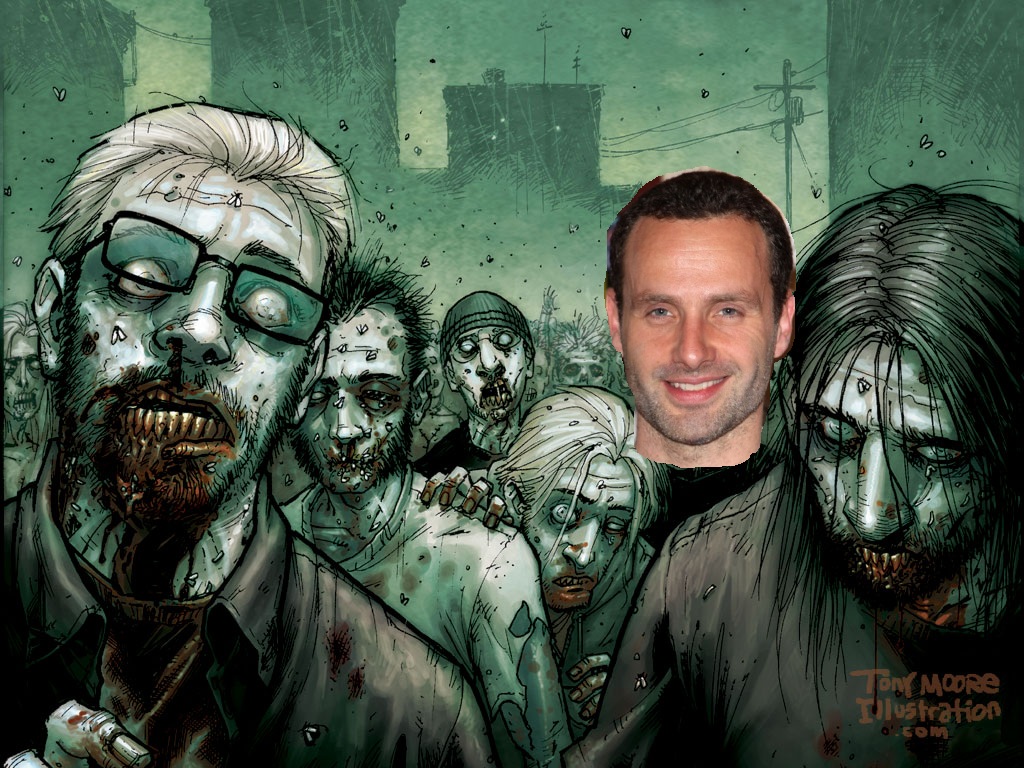
Last month, AMC announced a new show based on Robert Kirkman’s The Walking Dead, a highly acclaimed comic book series about a world run by zombies.  Actor Andrew Lincoln (Love, Actually) has been given the lead role in Rick Grimes, a “small-town police officer who leads a group of survivors of a zombie apocalypse.”  Says Kirkman: “Andrew Lincoln, wow–what an amazing find this guy is.  Writing Rick Grimes month after month in the comic series, I had no idea he was an actual living breathing human being and yet here he is.  I couldn’t be more thrilled with how this show is coming together.”  His partner Shane had already been cast; Jon Bernthal (The Pacific) got the part.  Together they will fight off zombies when The Walking Dead premieres on AMC this October.

[Via IGN]

TSA says netbooks, e-readers, & iPads do not have to be removed from your bag at security checkpoint

As far back as I can remember, the rule regarding laptops at airport security checkpoint goes as follows: “electronics the size of a standard laptop or larger, full-size DVD players, and video cameras that use video cassettes must be removed from their carrying cases and submitted separately for x-ray screening.”  If you forget to remove these electronics from your bag, a security officier could hold you up for such a long time that you might miss your flight.  Today I bring you some good news from the American Transportation Security Administration. “E-readers, Net Books and other small gadgets” are now exempt from the rule.  You can leave these smaller electronics in your bag when passing through the security checkpoint.  The TSA lists the following examples of these types of electronics: “iPads, Kindles, Neos, Nooks, Sony Readers etc.”  However, the TSA reminds us that “if something needs a closer look, it will receive secondary screening.”  And now you know.

[Via TSA; Engadget]

Apple details iPhone OS 4: Multitasking! & more

Today Apple unveiled the developer preview of iPhone OS 4, the next major release of the iPhone operating system.  OS 4 includes over 1500 new APIs for developers and over 100 new user features.  Of these new features, Apple CEO Steve Jobs and Senior VP of iPhone Software Scott Forstall talked about seven “tentpole” features.  Let’s dive right in, shall we?

1. Multitasking: Apple has finally figured out a way to implement multitasking for third-party apps that preserves battery life and overall performance of the iPhone.  The user interface for multitasking is simple.  When you are inside an app, just double tap the home button to raise the window and reveal a new dock at the bottom of the screen.  This dock houses all of your running apps, and you can jump in and out of them by clicking on them.  When asked about how to close applications, Forstall replied, “You don’t have to.  The user just uses things and doesn’t ever have to worry about it.”  Though that sounds nice and cheery, there actually is a way to close out of an app if you are not using it.  Tap and hold an app in the multitask dock and tap the minus button that appears; this confirms the app is now closed.  Seven multitasking services were detailed:

Background audio – Now you can listen to third-party music players in the background just like you could with iPod.  At the keynote, Pandora was demoed and worked without a hitch.  While listening to your custom playlist in Pandora you can jump into Safari to browse a site or jump into Mail to check your inbox for new messages.  Also, if you are in the lock screen you can double tap the home button and use the audio buttons to control Pandora.

VoIP – Now you can receive and hold onto VoIP conversations even if you jump out of the VoIP third-party app.  At the keynote, Skype was demoed.  Once a call is initiated, you can leave the app and jump into another without losing the call.  A double-high status bar appears at the top of the screen that shows your still on the call.  Also, you can still receive Skype calls even if you are in the lock screen; a notification bubble alerts an incoming call.

Background location – Apple says there are two classes of applications that like to use your location in the background:  turn-by-turn direction apps (like TomTom) and social networking apps (like Loopt).  With an app like TomTom becoming location-aware in the background, now you can leave the app and still receive turn-by-turn directions.  For example, you can set and begin your route, jump into iPod to select a song, and TomTom will still read aloud the directions using GPS.  Turn-by-turn direction apps are fairly power intensive apps, but most users have them running in the car when their device is connected to a power source.  An app like Loopt, which is used more often when an external power source is not charging the device, will use cell towers rather than GPS to find your location.  Privacy concerns are also addressed.  Today, whenever an app wants to use location services, a notification bubble asks you to approve the service.  In OS 4, a new status icon (shaped like an arrow) will appear in the status bar at the top of the screen to inform you exactly when an app is tracking your location.  In the settings menu you can enable or disable location services per app.  Also, an icon will appear next to the app name in the settings menu if that app has tried to access location services within the last 24 hours.

Push notifications – We already know all about Apple’s Push Notification service.  A third-party sets up a server, they send their notification to Apple’s Push Notification server, then Apple sends it to the phone.  Building on push notifications is a new service called…

Local notifications – These are just like push notifications except you do not need a server.  The notifications can come right from the phone.  For example, a TV Guide app can alert you to the premiere of a new TV program you wanted to be reminded of, and all this can be done right on the phone instead of going through back-end servers.

Task completion – This service works just like Xbox’s Active Downloads feature.  Say you are uploading photos to your Flickr account.  Today if you were to exit the Flickr app, the upload would stop immediately.  With OS 4, if you leave the app the photos will continue to upload in the background.

Fast app switching – This is what allows an app to pause and save its state in the background when you leave it for another app.  When you return to it, the app will resume exactly where you left off.  So if you are playing a game of Tap Tap Revenge and decide to check your missed calls, when you return to the game it will start right where you left off.  All this is done without using any CPU power. Continue reading Apple details iPhone OS 4: Multitasking! & more

Apple sells over 300,000 iPads on launch day

On Saturday, April 3 Apple sold over 300,000 iPads.  According to the official PR, these sales include “deliveries of pre-ordered iPads to customers, deliveries to channel partners [Best Buy/Apple Authorized Resellers], and sales at Apple Retail Stores.  In addition, iPad users downloaded over 1 millon apps from the App Store and over 250,000 eBooks from the iBookstore that day.  Impressive!  Steve Jobs had this today about launch day: “It feels great to have the iPad launched into the world—it’s going to be a game changer.  iPad users, on average, downloaded more than three apps and close to one book within hours of unpacking their new iPad.”  Keep in mind that the WiFi+3G iPad does not release until “late-April.”  This second launch will certainly rack up high sales figures, too.  Can’t you feel the magic in the air?

[Via Apple]