Category Archives: Technology

Nintendo 3DS to ship March 2011 in US, Wiimote with built-in MotionPlus coming soon

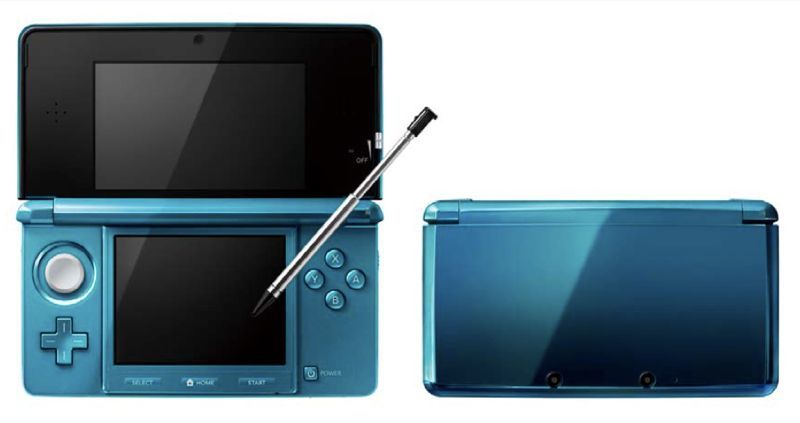
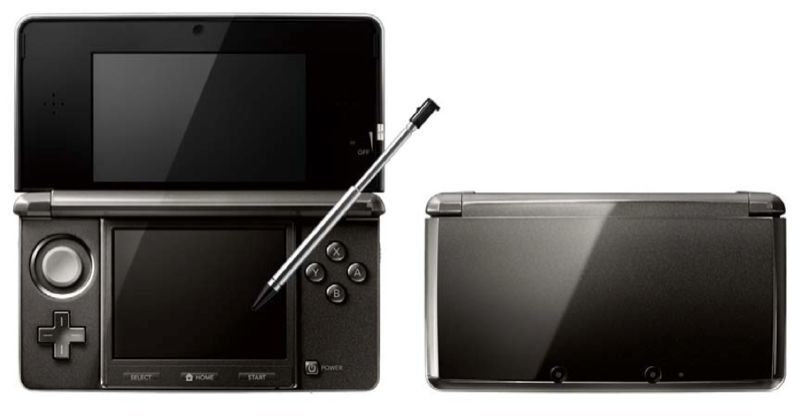
Earlier this week at a company event in Japan, Nintendo revealed the release date and price of the Nintendo 3DS.  It will sell for ¥25,000 (about $299 USD) when it hits the Japanese market on February 26, 2011.  Not from Japan, huh?  Ninty only hinted at a US and Europe release date: March 2011; they did not disclose US pricing details, but several industry analysts are pegging a $249-$299 price point.  When it ships in Japan, the 3DS will be available in two color variants, aqua blue and cosmo black.  The portable game console will come bundled with a charging dock and a 2GB SD card.

At the company event Nintendo detailed a number of software enhancements.  The Mii Studio app magically transforms a still image of yourself (taken with one of the 3DS’ cameras) into a customizable Mii avatar.  The Mii Plaza app takes advantage of the 3DS’ ability to recognize other 3DS handhelds in close proximity.  Whether you’re actively playing a game or walking the streets with your 3DS in standby mode tucked away in a bag, the system will recognize and pull information from nearby 3DS users.  At any time you can hop into Mii Plaza to discover a growing community of Miis from all the 3DS owners you pass by throughout the day.  Similarly, a new wireless “tag mode” featured in the upcoming Super Streetfighter IV game will quietly seek out other 3DS owners to battle against.  A minigame will pit one of your in-game collectable action figures against a nearby opponent when your 3DS is in standyby mode; and standard wireless 3DS to 3DS battle royales with in-game characters is supported, too.  Other 3DS apps include a web browser, an ebook reader, notes, and support for augmented reality gaming.

Remaining loose ends.. The final 3DS hardware is very similar to what we saw at E3; the only noticable exterior change is that the analog nub no longer matches the handheld’s color scheme–it remains gray in each color variant.  The 3DS software lineup was shared in a brief video preview.  Upcoming titles include Animal Crossing 3DS, Mario Kart 3DS, The Legend of Zelda: Ocarina of Time 3DS, Paper Mario 3DS, Dead or Alive Dimensions, Super Street Fighter IV 3D Edition, Resident Evil: Revelations, and Resident Evil: The Mercenaries.  It’s also been reported that Game Boy & Game Boy Color games are coming to the 3DS’ virtual console store.  Look after the break to see the software lineup video in addition to demonstrations of Mii Studio, wireless “tag mode”, and a 3DS introductory video–all in Japanese, of course!

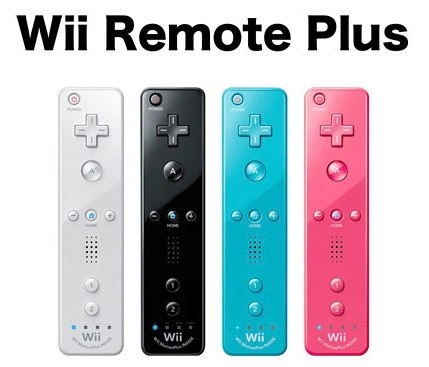
On a separate topic, Nintendo also used the company event to formally announce the Wii Remote Plus.  It had been rumored for some time, but now it’s official: the Wii MotionPlus accessory (that grants greater 1:1 motion capability) will soon come permanently built into a Wiimote.  Nintendo showed off the newly redesigned controller in four colors, white, black, light blue, and pink.  Launch date and price have not been disclosed for any country.  Check ’em out in the gallery below.

[Via Engadget, here, here & here; Joystiq]
Continue reading Nintendo 3DS to ship March 2011 in US, Wiimote with built-in MotionPlus coming soon

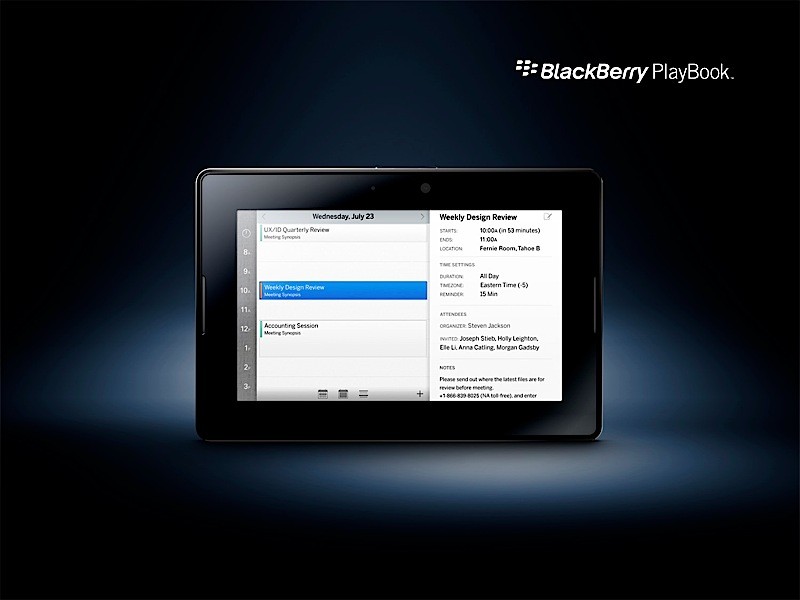
RIM unveils a tablet of its own, the BlackBerry PlayBook

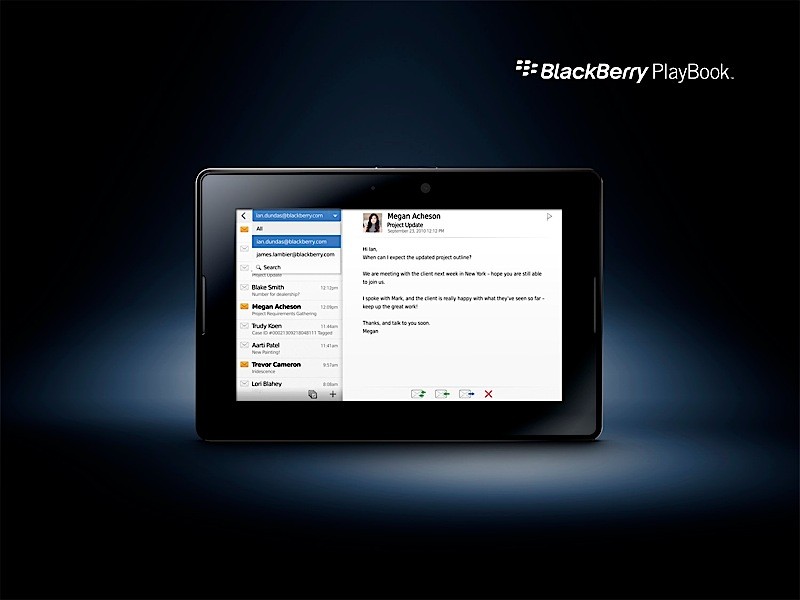
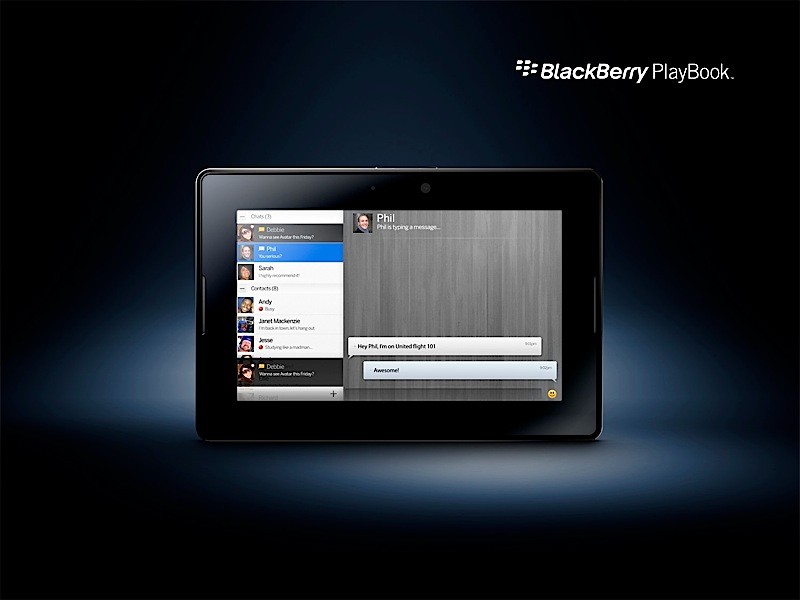
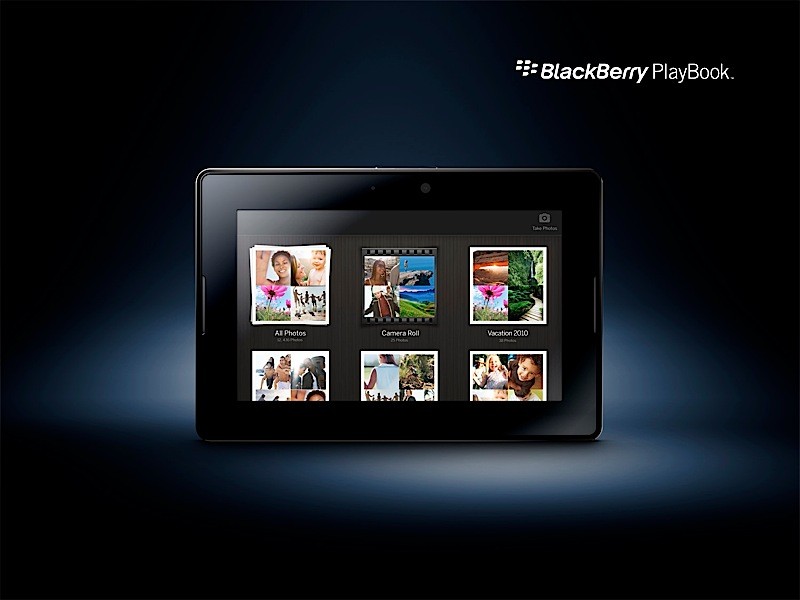
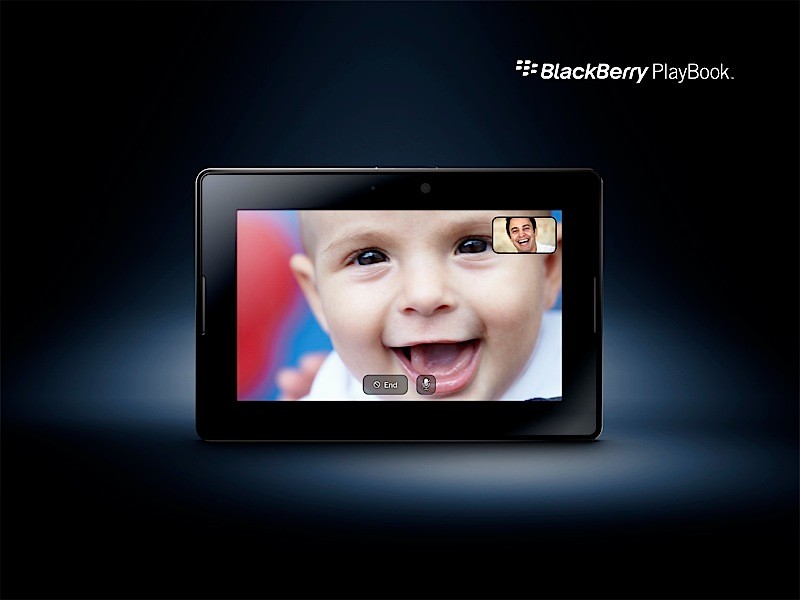
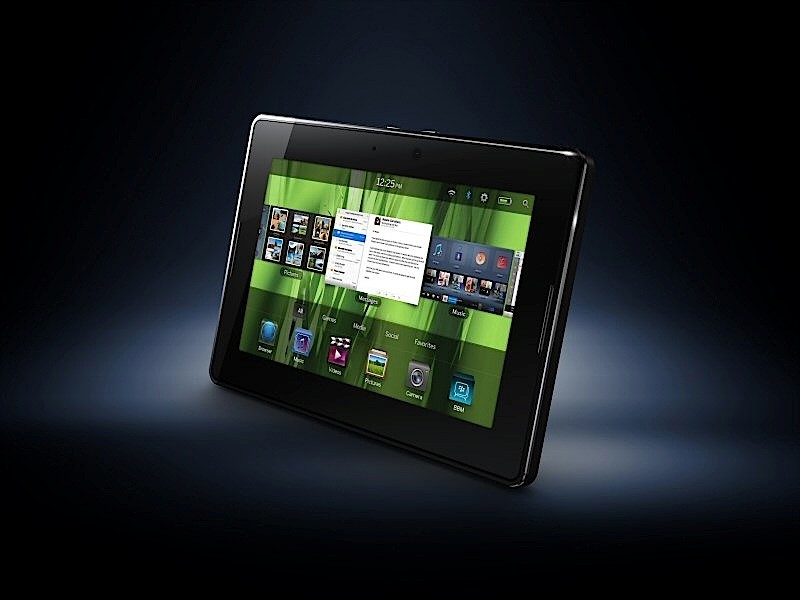
On Monday Research In Motion (RIM) CEO Mike Lazaridis unveiled a BlackBerry tablet device called the BlackBerry PlayBook at the 2010 BlackBerry Developer Conference.  So what exactly is the PlayBook, you ask?  Let’s start with the hardware specifications.  The 7-inch LCD display (1024 x 600, WSVGA) dominates the device in a form factor we’ve all come to know and love in the Apple iPad.  It’s a capacitive touch screen with full multitouch and gesture support.  For a modern tablet, this thing is a beast.  It packs a Cortex A9-based 1GHz dual-core processor and 1GB of RAM.  Ports around the edges include microHDMI, microUSB, and charging contacts.  802.11 a/b/g/n WiFi and Bluetooth 2.1+EDR support is there as well.  Various video (1080p HD Video, H.264, MPEG, DivX, WMV) and audio (MP3, AAC, WMA) playback formats are supported, as is HDMI video output.  There are two HD webcams, a 3MP cam on the front and a 5MP cam at the rear; the back-facing cam supports 1080p HD video recording.  The PlayBook measures at 5.1″x7.6″x0.4″ and weighs less than one pound, making it smaller and lighter than the iPad.  3G & 4G models will be issued, and although capacity was not formally announced, 16GB & 32GB units were on display.

Next let’s talk software.  No, the PlayBook does not run the recently announced BlackBerry 6 operating system.  Instead it runs BlackBerry Tablet OS, an operating system built with a touch-based interface in mind.  It’s built upon the QNX Neutrino microkernel architecture.  QNX is a software company RIM bought earlier this year, and they are respected in the industry for their reliable, secure, and robust operating system architectures known for powering planes, trains, automobiles, medical equipment, and large core Internet routers.  In other words, RIM is messing around with Tablet OS.  So what’s RIM pushing with their new OS?  The combination of the 1GHz dual-core processor software-based symmetric multiprocessing promises “true multitasking” and a highly responsive, fluid user experience.  You can look forward to “uncompromised web browsing” thanks to support from Adobe Flash Player 10.1, Adobe Mobile AIR, and HTML5 in the mobile WebKit browser.  The PlayBook also touts BlackBerry integration and enterprise-ready support.  This is where RIM is really looking to stand out in the competition.  If you have a BlackBerry smartphone you can pair it to your PlayBook over a Bluetooth connection to view “email, BBM, calendar, tasks, documents and other content” on the larger tablet display, no syncing required.  The PlayBook comes BlackBerry Enterprise Server-ready and compatible out-of-the-box, so this’ll surely make the suits a happy bunch.

Lastly it’s time to bring up developer and app support.  The PlayBook will have access to the BlackBerry App World.  RIM claims that the Tablet OS is “built for developers” and wants the app-makers to start pumping out consumer and business-friendly apps ASAP.  Apple has one leg up on the competition due to the uber-success of the App Store and all its contents and RIM is ready and willing to heat up the competition.  “The [Tablet] OS is fully POSIX compliant enabling easy portability of C-based code, supports Open GL for 2D and 3D graphics intensive applications like gaming, and will run applications built in Adobe Mobile AIR as well as the new BlackBerry WebWorks app platform.”  In addition to announced the PlayBook, RIM pleased developers in attendance with the announced of the WebWorks platform and other dev tools.  In short, WebWorks will allow devs to quickly and efficiently write code for a BlackBerry app that’s tightly integrated with BB 6 and Tablet OS functionality.  A new Advertising Service allows “simple” and “rich media” ads to be easily transposed into an app.  The Payment Service SDK will allow for in-app purchases for third-party devs over over credit card, PayPal, and carrier billing.  Last, RIM is finally opening up BMM to the devs with the BlackBerry Messenger Social Platform.  App devs will have the ability to use BBM to relay messages, files, user profiles, and invitations to end users.

Besides letting loose details about the hardware specifications, glossing over the software capabilities, and getting developers excited to produce content for a new platform, RIM unfortunately did not give an in-depth preview of the the Tablet OS, so it’s hard to say how simple or intuitive the device actually runs.  Definitely peek after the break to watch a preview video that hints at a CoverFlow/WebOS hybrid UI.  It’s interesting to look at how RIM wants to market the PlayBook.  They are calling it a “professional-grade” tablet that is “perfect for either large organizations or an “army of one.””  They are certainly distancing themselves from King iPad by touting the Flash/ HTML5 Webkit browser and true multitasking from the start.  I get it–business suits love their BlackBerrys for the phenomenal enterprise support and the PlayBook would make a sensible companion.  Thing is, I’m not so sure if BlackBerry can bank on the “professional” demographic to gain much market (and more importantly) mind share with the PlayBook.  (What? Is Apple’s approach too fun and playful for serious buyers? I think not.)  Two things need to happen for the PlayBook to become a breakout hit.  The device needs to be competitively priced (pricing has yet to be disclosed) and the App World needs a big backing from developers.  The latter requirement is essential; super resourceful apps make all devices (cell phones, tablets, etc.) enticing for consumers and business professionals alike.  RIM has to prove the worthiness of the PlayBook, devs need to jump onboard the platform, and consumers will respond when it comes time to buy.  The PlayBook has tons of potential and people are excited; Twitter was beeming with positive feedback after the announcement was made.  If RIM can properly execute on this, a worthy competitor to the iPad might finally arrive.  The PlayBook is expected to release in “early 2011” in the US; international rollouts will begin in Q2 2011.

[Via Engadget, here & here]

Continue reading RIM unveils a tablet of its own, the BlackBerry PlayBook

Droid R2-D2 on sale September 30 for $249

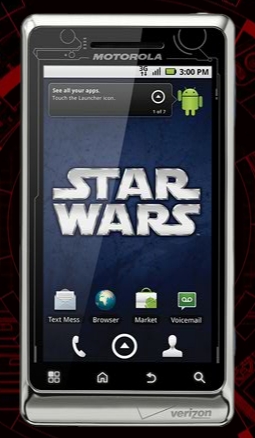
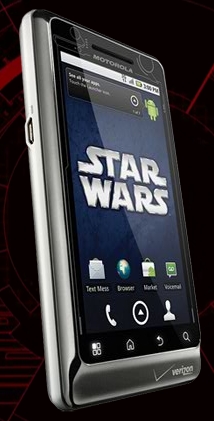
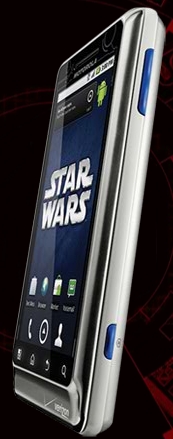
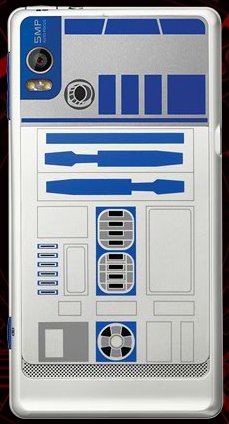
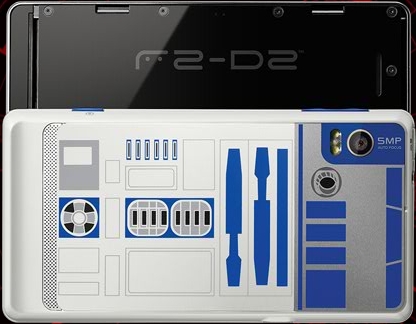
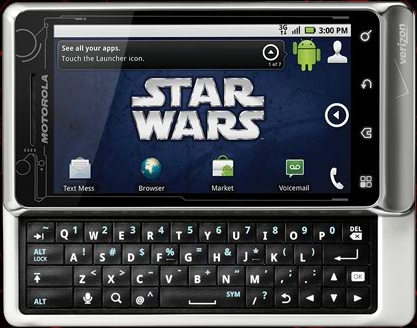
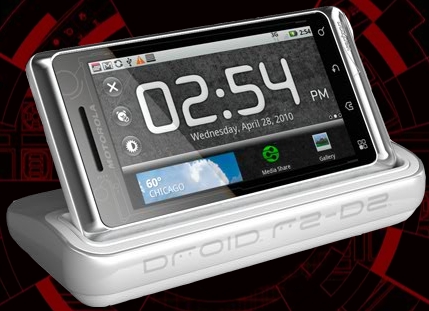
We knew it was coming, so now it’s time to makes things official.  The limited edition Star Wars branded Droid 2, dubbed Droid R2-D2 by Motorola, goes on sale this Thursday, September 30 for $249 after a $100 mail-in rebate and a new two-year contract on Verizon Wireless.  Besides the new exterior aesthetics, the device has the same features as the standard Droid 2.  Its got the 3.7-inch multitouch display, slideout QWERTY keyboard, 5 megapixel camera, and it runs Android 2.2.  So why the $50 price hike?  The phone comes preinstalled with the following exclusive content: · R2-D2 notification sounds and ringtones; four live wallpapers; R2-D2 clock widget; “The Best of R2-D2” video with the original Cantina music; and an exclusive binoculars app.  The phone is bundled with a Star Wars media dock and wired stereo headset inside custom packaging “resembling carbonite.”  Look in the gallery below for a closer look at the phone and media dock.  Full PR after the break.

In related news, VZW also announced a new Star Wars app for all Android 2.1 or higher phones.  The VZW exclusive Empire Strikes Back app includes a sound and photo gallery, live wallpapers, a trivia challenge game, and widgets all related to Star Wars: Episode V The Empire Strikes Back in celebration of the film’s 30 year anniversary.  The app will be made available in the Android Marketplace for a cool $2.99.

[Via Engadget; DroidR2D2]

Continue reading Droid R2-D2 on sale September 30 for $249

Mozilla Seabird is the smartphone of your dreams

Journey to a distant future with me, will you?  This is the Mozilla Seabird imagined by concept designer Billy May.  The smartphone’s specifications will make your eyes pop out.  Dual pico projectors can project images on virtually any surface.  When laid down on a flat surface or placed in a dock, the projectors can illuminate a QWERTY keyboard to provide content and interface simultaneously.  The embedded Bluetooth dongle doubles as a Bluetooth earpiece and IR pointer (with 1:1 IR tracking and haptic clicking) for manipulation of on-screen items in 3D space.  And isn’t the curved, ergonomic design to die for?

Now don’t get too excited there, partner.  Mozilla (yes, the company behind Firefox) has no plans to develop the Seabird, or any smartphone for that matter.  Billy May conceptualized the Seabird in this 3D rendering to support the Mozilla Labs Concept Series, a Mozilla-backed project that fosters the brainstorming of new ideas that “push the boundaries of the Web and the browser.”  The Seabird is May’s second attempt at an “open web concept phone.”  Since early 2009 he’s been listening to community feedback, and what you see in the 3D rendering above is the final result.  Salivating yet?

[Via MozillaLabs; Engadget]

HP Slate prototype gets handled on YouTube

YouTuber x313xkillax somehow managed to get his hands on a protoype model of the HP Slate.  As you can see in the video embedded above the Slate has a myriad of ports and switches around the edges (including one that reveals an on-screen keyboard) and it boots fairly quickly into a full-fledged copy of Windows 7.  IE8 seems to run Flash content without hiccup (advantage HP, iPad).  Since Windows 7 isn’t all that optimized for touchscreen implementation I am anticipating a future HP tablet running multitouch-friendly WebOS.  HP bought Palm so they can do that, you know.

Want more deets on the Slate?  A second video surfaced that previews the tablet in greater detail.  The back of the product box lists the following specs: 1.86GHz Intel Atom Z540 with GMA500 and Broadcom Crystal HD Enhanced Video accelerator, 8.9-inch WSVGA screen, 2GB DDR2 RAM, about 60GB storage capacity, Windows 7 Home Premium, 802.11b/g/n, Bluetooth, SD card reader, 2-Cell 30WHr Lithium-ion Polymer battery.  There are also back and front-facing cameras.  Apparently the Slate will ship with a dock that comes complete with a kickstand, two USB ports, HDMI out, and a headphone jack.

Update: Both videos have been “removed by the user” due to obvious reasons.  However I was able to find another copy of the original preview video and it’s embedded above; the more extensive preview is nowhere to be found, unfortunately.

[Via Engadget, here & here]

Adobe details its new plenoptic lens; out-of-focus, be gone!

At NVIDIA’s GPU Technology Conference, Adobe detailed a direction in photography.  With a plenoptic lens and advanced rendering software, a future you will have the ability to take a picture with a digital camera and change the precise area of focus after the image is taken.  As the post title exlaims, out-of-focus imagery be gone!

But how does it all work?  A plenoptic lens is made of hundreds of very tiny lenses placed together; it gets fitted between a camera’s standard lens and image sensor.  When you snap a picture with a plenoptic-aided camera, the captured photons are recorded from multiple perspectives, allowing for an “infinite” depth of field.  Transfer the data-filled image to your computer and a simple slider can be used to determine an exact area of focus within the image.

Watch Adobe’s presentation in the video above to see a demonstration of this future technology.

[Via LaptopMag]

Spinning lights atop a vinyl record player groove along with the Tron theme

In this time-lapse stop motion video, one Kim Pimmel managed to control a series of lights spinning on top of a vinyl record player to the fast-paced electro beat of the new Tron: Legacy theme.  Pimmel explains:

The video is stop motion, so every frame is an individually shot photograph. Each photograph is a long exposure photo, with exposures reaching up to 20 seconds in some cases.  To control the lights, I used an Arduino controlled via bluetooth to drive a stepper motor. The stepper motor controls the movements of the lights remotely from Processing [computer software].  The light sources include cold cathode case lights, EL wire, lasers and more.

Daft Punk would be proud.

[Via Gizmodo; Vimeo]

Teeny tiny Dot stars in the world’s smallest stop motion video

UK-based animators Aardman were recently entered into the Guinness Book of Records for creating the world’s smallest stop motion video.  Dot, a tiny 0.35 inch model figurine, struggles through a microscopic world made of fabric in this fun one minute thirty-seven second short film.  The video was shot using a Nokia N8, a smartphone that boasts a 12 megapixel camera and Carl Zeiss optics, attached to a CellScope microscope.  Yeah, this is technically a viral marketing stint by Nokia, but that does not take away the sheer magnitude of awesomeness surrounding this record-worthy feat.  Peek after the break to watch a making-of video.

[Via Gizmodo; TechRadar] Continue reading Teeny tiny Dot stars in the world’s smallest stop motion video

You can now watch 3D Blu-ray movies on PS3

Yesterday PlayStation 3 system software update version 3.50 started to roll out to PS3 users, bringing with it 3D Blu-ray playback support.  Way back in February SCEA’s John Koller announced that the PS3 would receive 3D gaming and movies support.  It took four months to make good on the 3D gaming promise, and a bit longer to unleash 3D Blu-ray support.  Now that it’s here, fire up your PS3 and search for the new firmware update in the settings menu.  Remember, you need a 3D-compatible TV for the full effect (for any effect, for that matter).  In addition to 3D movie playback, version 3.5o also brings better Facebook integration and a new greif reporting function.

[Via PlayStationBlog]

Dell’s Inspiron Duo is a netbook/tablet hybrid with swivel design

At this year’s Intel Developer Forum (IDF) in San Francisco, Dell unveiled a brand new super cool laptop design with the Inspiron Duo.  The Duo doubles as a netbook and tablet thanks to a swiveling 10.1 inch capacitive multitouch display.  What looks like a standard netbook at first glance can instantly be transformed into a tablet device by swiveling the screen from within the frame.  It’s powered by a dual-core Intel Atom N550 chip and runs Windows 7.  Additional specs and pricing have yet to be disclosed.  Dell says the unconventionally designed hybrid will be released into the wilds later this year.  Look after the break for a brief video showing off the swivel action and signs of capacitive touch in Microsoft Surface Globe software.

Update: A new video sufaced today featuring Dell Product Marketer Dave Zavelson handling the Inspiron Duo and showing off photo and video touch-based applications.  It’s sitting after the break for your viewing pleasure.

[Via Engadget, here, here & here] Continue reading Dell’s Inspiron Duo is a netbook/tablet hybrid with swivel design

Twitter homepage redesign on the way

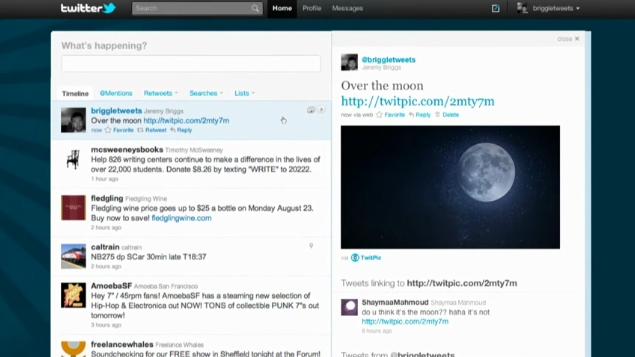
Earlier this week Twitter announced that a homepage redesign is coming to a browser near you.  The new design is built around a two column style, a look that is reminiscent of many Twitter apps for mobile devices.  On the left side resides your timeline of tweets.  The timeline features infinite scrolling, meaning you won’t have to click a “more” button to view older tweets.  @mentions, retweets, searches, and lists are housed directly above the timeline “creating a single, streamlined view on the left of the screen.”  And above all that sits the “what’s happening now” status bar.  On the right side you can view personal account information such as tweet count, your most recent tweet, your list of followers and who you are following, favorite tweets, the lists you are on, suggestions for who to follow, and the trending topics.  Along the very top of the site is the search bar and links for home, profile, messages, compose a new tweet, and account settings.

Other than showing your personal information, the right column is also used to present contextual info and embedded media from tweets.  When you click a tweet from your timeline, additional information related to the author and subject of the tweet shows up in the right column.  Twitter has teamed up with a bunch of social media sites (including DailyBooth, DeviantART, Etsy, Flickr, Justin.TV, Kickstarter, Kiva, Photozou, Plixi, Twitgoo, TwitPic, TwitVid, USTREAM, Vimeo, yfrog, and YouTube) so that when you click a person’s tweet in your timeline, an attached image or video will instantly appear in-line in the right column; no more clicking links and being forced to view media content in a separate portal.  And if a tweet is geotagged with a location, a miniturized map will show up in the column too.

Now don’t go too crazy.  The 140 character limit and all integral aspects of Twitter are staying the same.  This is purely a relaunch of the site design to make things more streamlined and accessable.  The new Twitter is currently being rolled out as a preview to limited number of users.  The redesign will be pushed out to all users “eventually.”  It shant be too long I presume.  Look after the break to watch an introductory video.

[Via TwitterBlog; NewTwitter] Continue reading Twitter homepage redesign on the way