Freddie Wong is back with another out-of-this-world video. This time a futuristic version of Rock Band takes centerstage. Augmented reality meets rhythm gaming! Me likey a lot.
[Via Gizmodo]
Freddie Wong is back with another out-of-this-world video. This time a futuristic version of Rock Band takes centerstage. Augmented reality meets rhythm gaming! Me likey a lot.
[Via Gizmodo]
YouTuber BlobVanDam used 3DS Max and Adobe After Effects to recreate the Mushroom Hill Zone level from the classic Sega Genesis game Sonic & Knuckles. Unfortunately for us this is simply a pre-rendered video; it is not a playable game. Still, doesn’t it look fantastic?! Sonic the Hedgehog 4: Episode 1, a 2D side-scroller using pre-rendered 3D character models, is currently being developed by Sonic Team and is the closest we are going to get to something like BlobVanDam’s creation for now. The game is expected to hit all major consoles later this year.
[Via Joystiq]

This week at PAX 2010 2K Games announced that developer Gearbox Software (makers of Borderlands) is currently developing Duke Nukem Forever. Let’s begin with some background information for those of you not in the know. DNF is a game that was originally announced in April of 1997 as the sequel to 1996’s Duke Nukem 3D. Almost every year since 1997 then-developer 3DRealms teased promotional material from the game promising that a final version was on its way. 3DRealms took so long to come out with actual gameplay that publisher Take-Two Interactive sued them in 2009; since then a settlement has been reached. And now, 13 years after its originally announcement, DNF is very real thanks to a new development team backing the improved graphics engine. Publisher 2K Games (a subsidiary of Take-Two Interactive) pegs a 2011 release for Xbox 360, PlayStation 3, and Windows PC.
Still don’t believe that Duke is making his long-awaited comeback? To prove that he is no longer vaperware for the video games industry to make fun (though they likely always will), 2K Games offered 15 minute playable–I said playable–demo at PAX 2010 for those in attendance (17 years of age or older) in addition to a trailer. Head over to Joystiq to read their account of all things DNF; it includes screenshots from the game. 2k Games even issued a press release to provide further proof that Duke is well and alive. It’s sitting in full after the break, but here’s an excerpt that briefly details the first-person shooter:
Put on your sunglasses and prepare to step into the boots of Duke Nukem, whose legend has reached epic proportions in the years since his last adventure. The alien hordes are back and only Duke can save the world, again. Pig cops, alien shrink rays and enormous alien bosses won’t stop our hero from accomplishing his one and only goal: to save the world, save the babes and to be a bad-ass while doing it. The King of All Shooters is back with over-the-top weapons, massive aliens and unprecedented levels of interactivity. This game puts pedal to the metal and tongue firmly in cheek, among other places. Shoot hoops, lift weights, read adult magazines, draw crude messages on whiteboards or ogle one of the many beautiful women that populate Duke’s life; that is if you can pull yourself away long enough from kicking ass and taking names. Duke Nukem was and will forever be immortalized in gaming history, and this is his legend.

Fellow rock gods, the Guitar Hero: Warriors of Rock setlist is here. Aerosmith, Alice Cooper, Anberlin, Avenged Sevenfold, Black Sabbath, Blue Öyster Cult, Children Of Bodom, Def Leppard, DragonForce, Foo Fighters, Foreigner, KISS, Megadeth, Muse, R.E.M., Rush, Styx, Third Eye Blind. And the list goes on and on. Check out the full 93 track setlist after the break. With Rock Band 3 and Guitar Hero (this is the sixth major game in the series) packing some amazing tracks, this holiday season promises to be the best one yet for music game lovers. Guitar Hero: WoR releases September 28 for Xbox 360, PlayStation 3, and Wii.
[Via Joystiq] Continue reading Guitar Hero: Warriors of Rock full 93 track setlist revealed

On September 2 Google celebrated Chrome’s second birthday by releasing version 6.0.472.53. The faster and more streamlined version of Chrome features an even more minimalist and stripped down user interface. “We combined Chrome’s two menus into one, revisited the location of the buttons, cleaned up the treatment of the URL and the Omnibox, and adjusted the color scheme of the browser to be easier on the eyes,” reads the Google Chrome Blog.
It’s hard to believe that so much has changed since Chrome was introduced in August 2008. Back then JavaScript was 10 times slower and HTML5 support was pretty much non-existent. In fact, Chrome’s JavaScript performance is three times faster than what it was in 2008. Google boasts all of the handy features they’ve introduced over the years: a more customizable New Tab page, browser themes, side-by-side view, password manager, better privacy controls, built-in Adobe Flash Player, Autofill, automatic translation, HTML5 capabilities and synchronization of various settings such as bookmarks, themes, extensions and browser preferences.
Wow, that was a mouthful. Go ahead and download the new version of Chrome here.
[Via GoogleChromeBlog]

The warring atmosphere between Apple (backer of HTML5) and Adobe (Flash) over the Internet video standard is about to heat up once again. Developer Skyfire submitted to the App Store the first mobile browser capable of running Flash content on Apple mobile devices. The Skyfire browser for Apple devices embeds the Safari browser, meaning that the browser will look and run similarly to the built-in mobile Sarari browser and it will incorporate new features from Skyfire. One major new feature is the ability to run Flash-based content within in the brower. Skyfire has done their homework:
Skyfire for iPhone was built in tight accordance to Apple guidelines, including the use of a WebKit browser core shared with Safari, and h.264 adaptive streaming. Skyfire’s famed cloud-computing technology translates Flash video on the fly from millions of web sites into HTML5 formats, and supports iOS devices via Apple’s HTTP live streaming standard. Skyfire also avoids the concerns raised in Steve Jobs’ recent essay regarding Flash on mobile devices. By optimizing Flash for iPhones and network conditions in the Cloud, Skyfire improves performance and maximizes battery life while playing video. The browser also avoids alternate runtime environments and other security vulnerabilities.
In other words, the Skyfire browser technically does not run Flash content; it “translates” the content in the cloud (it talks to Skyfire’s servers) from Flash to HTML5. And thanks to H.264 adaptive streaming, the browser will compress video data by an average of 75% so as not to create network congestion. Adaptive streaming also promises a reduction in buffer time and enhanced battery life. So cross your fingers and let’s hope Apple doesn’t destroy our dreams of watching more delicious content on our iPads, iPhones, and iPod touches. Check out the video sitting after the break to see an iPhone play an episode of The Daily Show (Flash video) without hiccup. Official PR is there, too.
[Via Engadget] Continue reading Skyfire attempting to bring Flash to the iPhone

Today Apple CEO Steve Jobs took the stage to announce a new lineup of iPods, the next version of iTunes, and a refreshed Apple TV. He also talked about the next two iOS4 software updates. Let’s dive right into it, shall we?
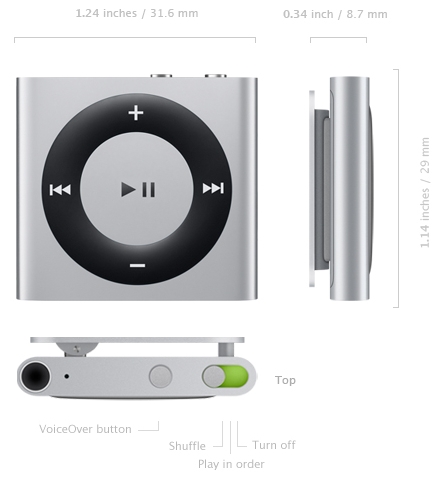
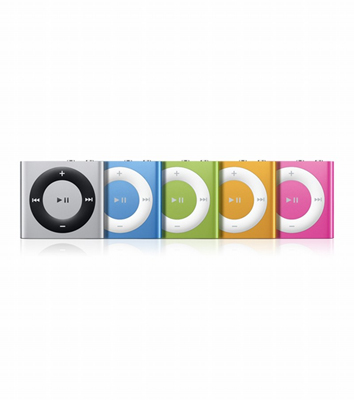
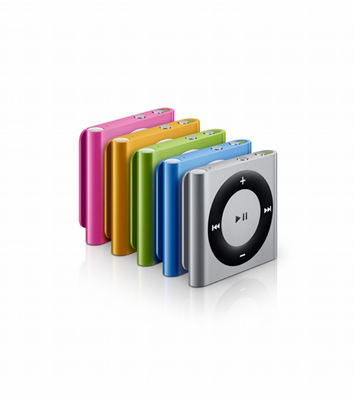
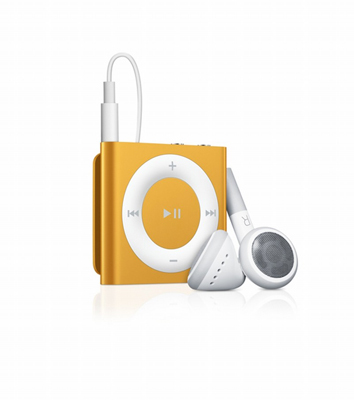
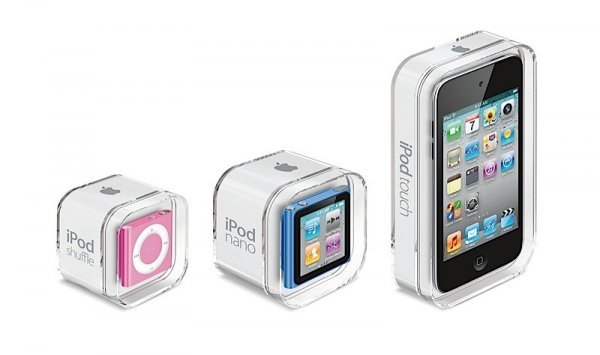
iPod shuffle: The redesigned fourth generation iPod shuffle brings back the clickable front-facing ring buttons (play/pause, previous, next, volume up, volume down) and keeps VoiceOver control (it speaks artist and song name, multiple playlists, and battery status in 25 different languages) and the back clip. It now supports playlists and Genius Mixes. The tiny sqaure casing includes the on/off/play in order/shuffle switch, a VoiceOver button, and a 3.5mm headphone jack for audio and USB charging. The battery holds up to 15 hours of audio playback. The shuffle will be available in 5 different colors (grey, blue, green, orange, and pink). A 2GB model will start shipping in one week for $49.
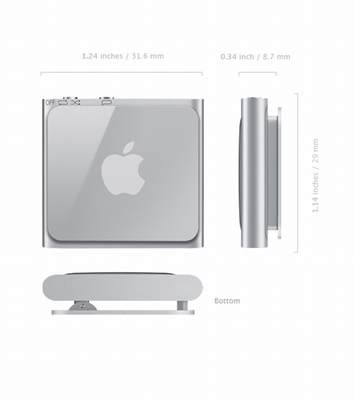

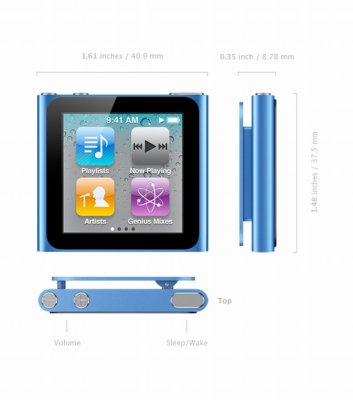
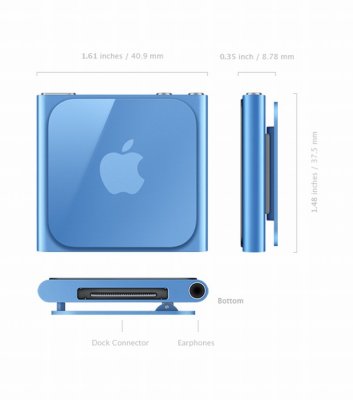
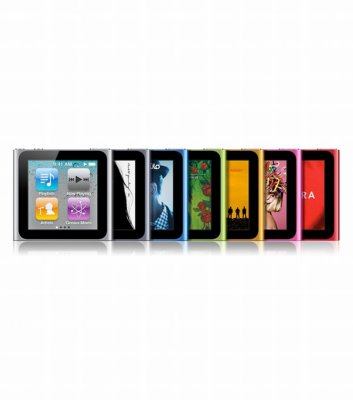
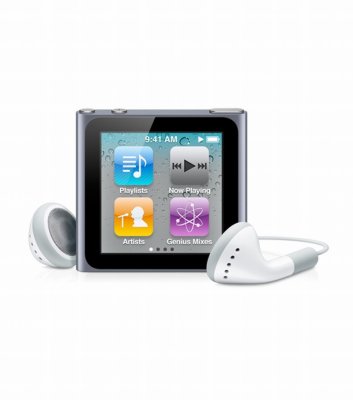
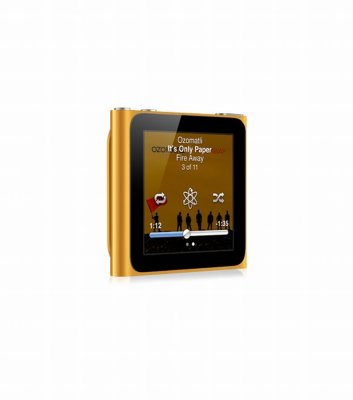
iPod nano: The redesigned sixth generation iPod nano does away with the click wheel and adds a 1.54 inch (240×240) multitouch display. It adopts the tiny iPod shuffle aesthetic; it’s even got the built-in back clip. It is 46 percent smaller and 42 percent lighter than the previous nano model. To navigate around the iOS-like touch interface, swipe left and right to access different pages of icons, up and down to scroll through lists, double tap to zoom in on photos (there is no pinch-to-zoom), and tap to access other areas. Any time you want to go back to the home screen simply tap and hold anywhere on the screen (there is no home button). You can even rotate the screen using two fingers. You can customize the pages of icons by touching and holding an icon down until it jiggles then dragging it to the desired position. Everything here should be very familiar to iPhone and iPod touch users; it’s all just miniturized. The home screen gives you access to playlists, now playing, artists, and Genius Mixes. Also available is an FM radio, Nike+, a clock, Voice Memo, and access to Photos, Podcasts, Settings, and music categorized by song, album, genre, and composer. The small enclosure includes a sleep/wake switch and volume up and down buttons on top and the 30-pin dock connector and 3.5mm headphone jack on bottom. It also has a built-in accelerometer and supports VoiceOver in 29 different languages. The battery holds up to 24 hours of audio playback. The nano will be available in 7 different colors (grey, blue, green, orange, pink, charcoal, and Product (RED)). 8GB ($149) and 16GB ($179) models will start shipping in one week.

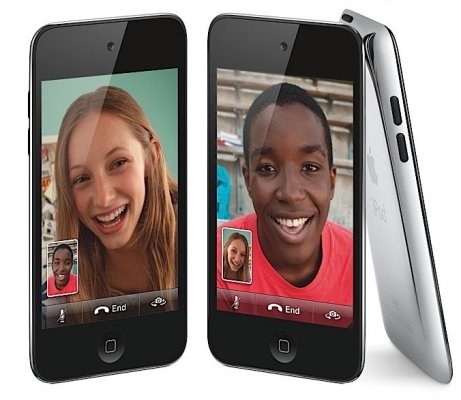
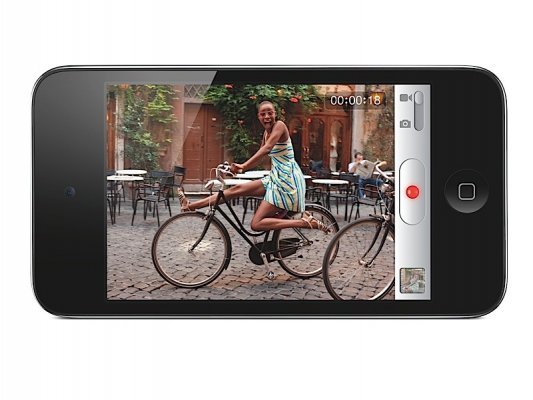
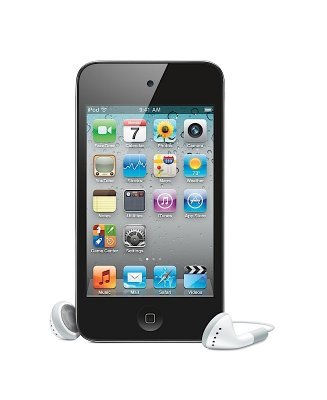
iPod touch: The fourth generation iPod touch gets even closer in design and functionality to its iPhone cousin. The new touch features the same 3.5 inch (960×640) Retina Display, Apple A4 processor, back camera, and front-facing camera, and three-axis gyro sensor as the iPhone 4. The back camera shoots HD (720p, up to 30fps) video that can be edited on the device with simple trimming (included) or with more advanced editing (the $4.99 iMovie app now supports the iPod touch); it can also shoot stills. The front-facing camera can shoot stills and supports FaceTime chats over WiFi with other iPod touches and iPhone 4s. The external buttons and input/output holes remain the same: sleep/wake switch, volume up and volume down, the home button, 30-pin dock connector, 3.5mm headphone jack, build-in speaker and microphone. 802.11n WiFi, Bluetooth 2.1, Nike+, accelerometer, ambient light sensor are still there as well. The battery holds up to 40 hours of audio and 7 hours of video playback. The touch will be available in polished aluminium on black only. 8GB ($229), 32GB ($299), and 64GB ($399) will start shipping in one week.
iTunes 10, Apple TV, iOS4 after the break :: Continue reading Apple September event roundup: New iPods, iTunes 10, refreshed Apple TV, iOS4 updates

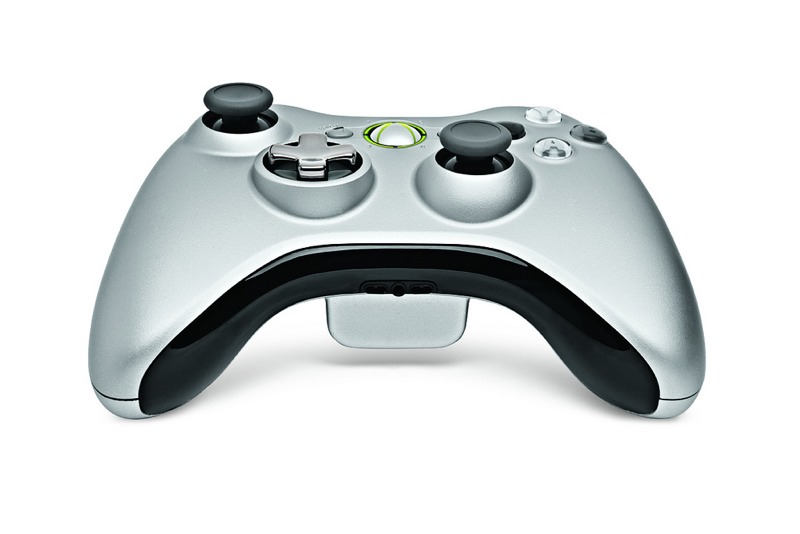
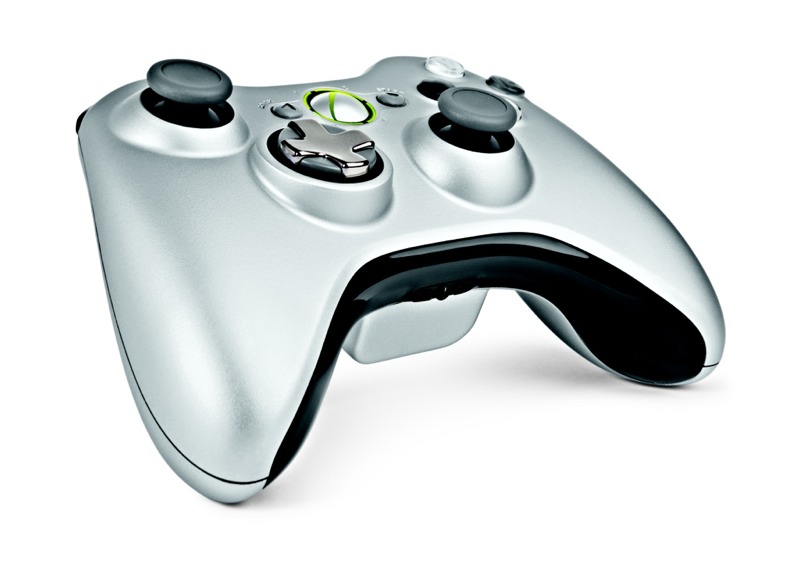
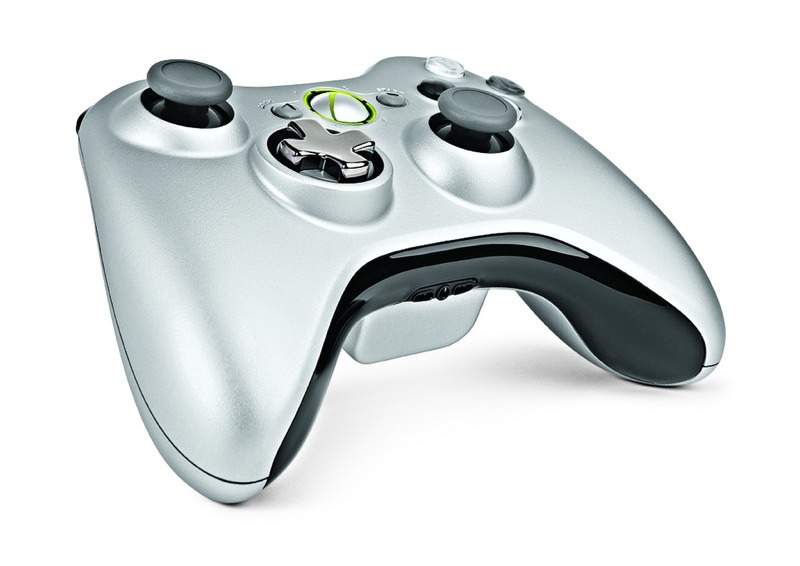
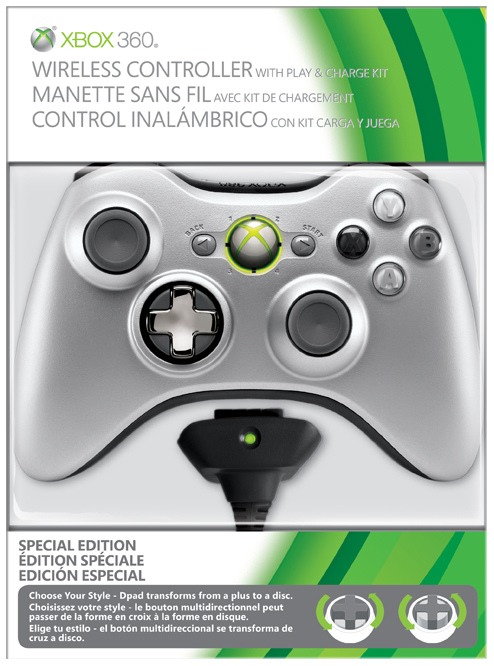
Today Xbox’s Major Nelson showed off a newly designed Xbox 360 wireless controller. Right off the bat you will notice the new color scheme. The controller is now colored matte silver and the ABXY buttons have lost their vibrant colors (green, red, blue, yellow) to match the controller body. The two analog sticks are slightly more concave now, too. What you might not notice instantly in the pictures but you certainly will when the controller is in your hands is the brand new D-pad. For years Xbox gamers have complained about the lack of a raised D-pad, but now this issue can be put to rest. Microsoft has patented a “transforming D-pad”. In the standard configuration the D-pad is a disc (that’s what we’re sued to). With the new controller you can now twist the D-pad to raise the plus sign about a quarter-inch making it a whole lot more usable (especially for gamers who play boxing games where D-pad use is of the utmost importance).
 —–>
—–>
The new controller will be available November 9 and will only be found inside the $64.99 Play & Charge Kit. Microsoft has not stated if/when the new controller will replace the old model outside of the P&C Kit and whether or not it will ever be bundled in the new 250GB Xbox 360 package. Look after the break to watch Major Nelson hold up the controller in all its gray glory.
[Via MajorNelson; Engadget]

Continue reading New Xbox 360 wireless controller features new D-pad, matte silver looks
If you’re the kind of person who is constantly receiving vast amounts of email from all over the place (friends, family, special offers, subscription renewals, junk and spam) and having a hard time organizing it all, you are going to jump for joy when Priority Inbox for Gmail hits your account. Here is the problem Google is attempting to solve with Priority Inbox. You receive so many emails every day and sometimes it is hard to sort and find what’s important and what isn’t. Google prides itself for doing a pretty decent job of filtering out all the junk email into the spam folder. Priority Inbox takes things one step further:
As messages come in, Gmail automatically flags some of them as important. Gmail uses a variety of signals to predict which messages are important, including the people you email most (if you email Bob a lot, a message from Bob is probably important) and which messages you open and reply to (these are likely more important than the ones you skip over). And as you use Gmail, it will get better at categorizing messages for you. You can help it get better by clicking the (+) or (-) buttons at the top of the inbox to correctly mark a conversation as important or not important. (You can even set up filters to always mark certain things important or unimportant, or rearrange and customize the three inbox sections.)
Neat, huh? That last part there is the most promising. Over time Priority Inbox gets better at predicting what messages are important to you. The new feature will automatically sort your messages into these three folders: important and unread, starred, and everything else. You have the option to customize and rename these folders if you like. Priority Inbox is currently in beta and is being rolled out to all Gmail users over the course of this week. Once you see the “New! Priority Inbox” link at the top right corner of your Gmail window, click it to give it a try. The video embedded above will help explain this new Gmail feature to you in a brief animation.
[Via GoogleBlog]

Arcade Fire, the indie rock band from Canada, just pushed out their latest music video for the song “We Used to Wait” off their recently debuted third studio album The Suburbs. I’m gonna tell you right now, this music video is unlike anything you’ve seen before. The band and director Chris Milk collaborated with Google to design a “Chrome Experiment” that showcases the power of HTML5 inside a browser. Before the music video begins, you are prompted to enter the address of the home where you grew up. After submitting that information multiple browser windows open up and the music begins. These windows open and close at different intervals along with the music and at certain parts your childhood home and surrounding neighborhood become an integral part of the music video (thanks to the power of Google Maps and HTML5 rendering). There is more to the interactive experience, but I don’t want to spoil it for you. Head over to www.thewildernessdowntown.com (preferably within the Google Chrome browser) and check it out!
[Via EW-MusicMix]

The media has been invited to attend a “special event” hosted by Apple on September 1 in San Fransisco. Every September in recent memory sees a refresh to Apple’s iPod line and sometimes an update to iTunes. The upcoming music-centric event might tackle Apple rumors that have been swirling in the mill lately. These include iPod touches with back and front-facing cameras with FaceTime capability; smaller iPod shuffles with multitouch screens; a redesigned Apple TV box at a cheaper price point ($99?) with 1080p playback, app support, and cloud storage; 99 cent TV show rentals; iTunes content-in-the-cloud support. It would also makes sense for Apple to update their music programs like GarageBand and Logic. Whatever is going to go down you can expect excitement to be in the air when Steve Jobs takes the stage. The “one more thing” being a CDMA iPhone heading to Verizon? Don’t hold your breath. The death of iPod classic? That may very well be imminent.
Check back here after the event is completed to catch a full rundown of all the new/updated products and services that are revealed.
Update: An Apple press release states that Apple will be providing live video streaming of the event. However there are requirements to access the HTTP Live Streaming-based video: “Viewing requires either a Mac running Safari on Mac OS X version 10.6 Snow Leopard, an iPhone or iPod touch running iOS 3.0 or higher, or an iPad.” No love for Windows and Android users, huh?
[Via Engadget]
