Category Archives: Technology

WarGames IMSAI 8080 for sale

“Shall we play a game?”

That’s the eerie question this aged personal computer asked David Lightman (Matthew Broderick) in the classic 1983 film WarGames.  The IMSAI 8080 is the computer Broderick used to connect to the defense department’s W.O.P.R. supercomputer.  He thought he was playing a game about global thermonuclear war, but in reality he was bringing the world ever so close to nuclear devastation.  The IMSAI 8080 has been perfectly preserved since it was used as a prop in the movie.  Currently appraised at over $25,000 it is about to be sold on the market.  Whoever manages to win the Ferrari from Ferris Bueller should try to snag the IMSAI 8080 and create a next-generation KITT.  Wouldn’t that be something?  Check out a recent photograph of the device after the break.

[Via Imsai.net; Engadget]

Continue reading WarGames IMSAI 8080 for sale

Are you a Gleek? There’s an app for you.

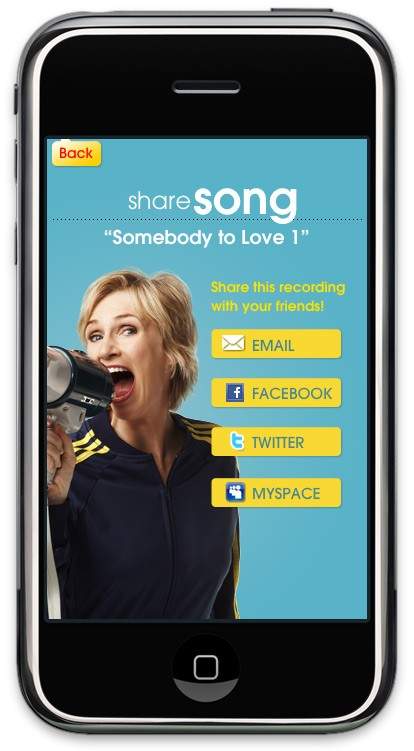
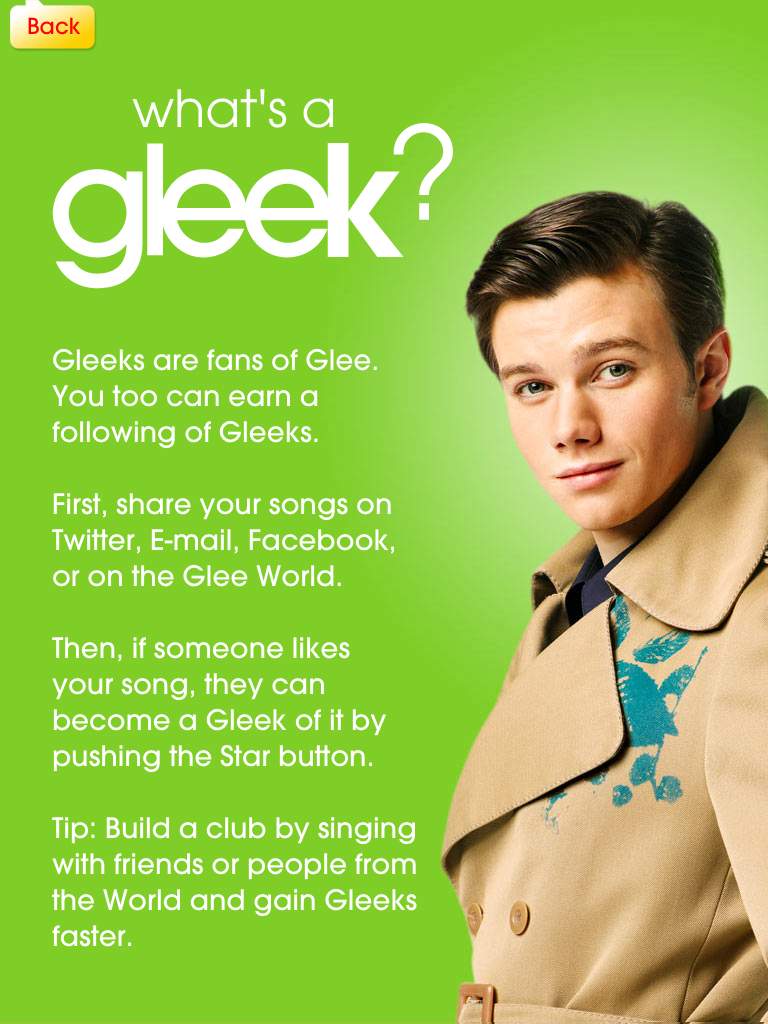
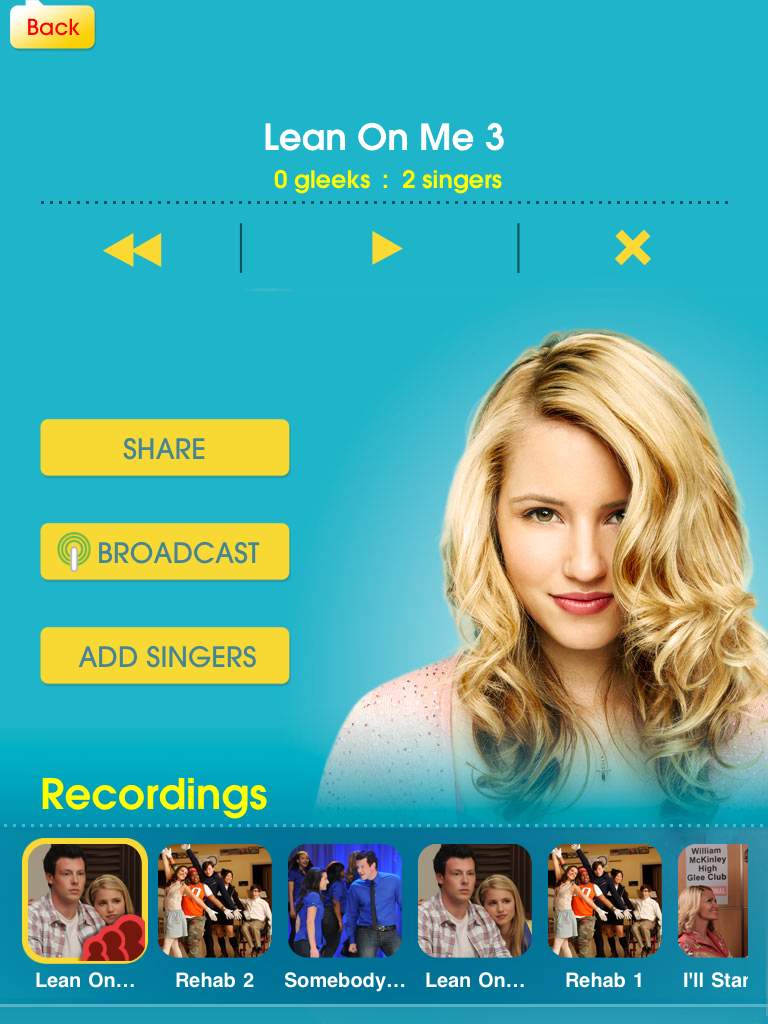
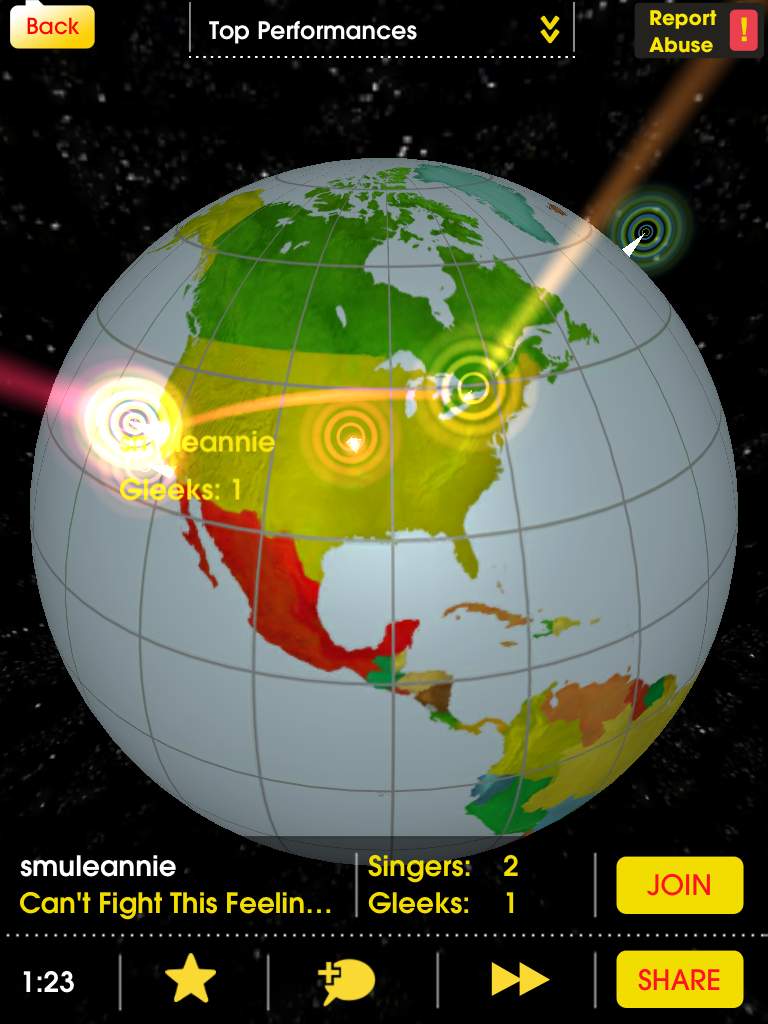
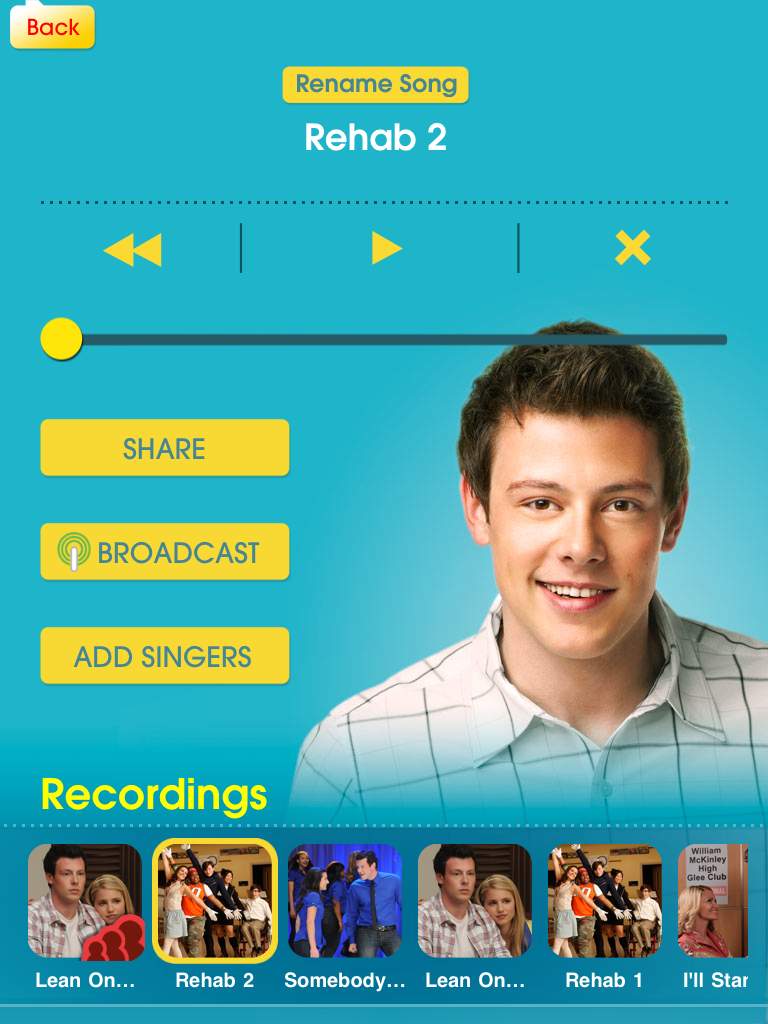
Designed by Smule (the musical geniuses behind Ocarina, Leaf Trombone, I Am T-Pain, and Magic Piano apps), the Glee music app puts you behind the mic and lets you belt out your favorite songs from the FOX hit show.  Here’s how it works.  You got your iPhone or iPad, right?  Plug in some headphones to get the background music pumping.  Hit start and music plays in the ‘phones while the lyrics scroll across the screen.  Now sing.  There’s a live pitch meter that let’s know if you’re in tune or not.  But it doesn’t end there.  Say you can’t sing all-natural and need some help.  The app automatically auto-tunes your voice and generates harmonies from your voice.  Neat-o, right!?  Once you’re done recording a song, you can share it with friends on Facebook, MySpace, Twitter, or email (or the entire Glee app network) and listen to other Gleeks rocking out.  Everything is stored on Smule’s servers for easy access right from the app.  If you choose to “broadcast” your recorded song, other app users can find the track and sing on top of it, creating a band-like experience.  A world-wide Glee Club, if you will.

The Glee app is available at the App Store today for $2.99.  It comes with three tracks (“Rehab”, “Somebody to Love”, and “You Keep Me Hanging On”) and Smule promises to add new tracks every week.  They will appear as in-app purchases.  So far, the Glee “music store” includes the following additional songs: “Can’t Fight This Feeling”, “Imagine”, “I’ll Stand By You”, “Lean On Me”, and “No Air”.  The social aspects work over WiFi and 3G.  Well, what are you waiting for!? Gleek out!  (See how it’s done after the break.)

[Via TUAW; Gizmodo]

Continue reading Are you a Gleek? There’s an app for you.

Droid welcomes new family member: Droid Incredible by HTC

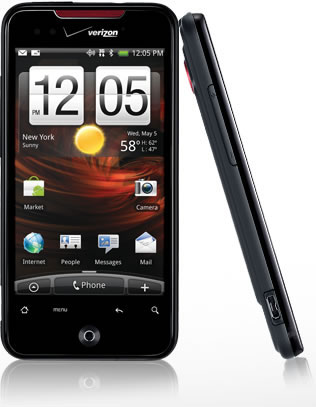
Say hello to Droid Incredible.  It joins the Motorola Droid and HTC Droid Eris on Verizon Wireless.  And it packs quite the punch: it’s powered by a 1GHz Snapdragon processor, features a 3.7 inch WVGA (480×800) AMOLED capacitive touch display, its got an 8 megapixel camera with dual LED flash, and it runs Android 2.1 with the latest HTC Sense overlay.  Besides that, you’ll find the usual suspects like GPS, 3G, WiFi, and a 3.5mm headphone jack.  It goes on sale with VZW on April 29 for $199.99, after a $100 mail-in rebate and a 2-year agreement.

Essentially the Droid Incredible is an updated version of the Nexus One, a phone that is currently only available for T-Mobile (but it’s supposedly come to Verizon later this month).  Its got the same processor but a better camera.  The significant difference lies in the software.  While both phones are 100% Android, the Droid Incredible’s got the HTC Sense UI built on top of it, allowing for a bit more UI customization.  If you’re a VZW customer, the Droid Incredible just became the best Android phone to get; that’s of course if you don’t mind the lack of a physical keyboard.  If that’s a necessity, the orignal Droid (which was recently upgraded to Android 2.1) is the one for you.  Full PR after the break.

[Via Engadget]

Continue reading Droid welcomes new family member: Droid Incredible by HTC

Macbook Pros get a refresh: faster Intel processors, NVIDIA graphics

On Tuesday Apple refreshed their Macbook Pro line, at long last.  The 15.4 inch and 17 inch models now have 2010 Intel processors; the 13 inch model is sticking with Intel Core 2 Duo (2.4GHz/2.53 GHz).  The 15.4 inch MBP can be puchased with a Core i5 (2.4 GHz/2.53 GHz) or Core i7 (2.66 GHz) processor, while the 17 inch MBP can be configured with this i5 (2.53 GHz) and i7 (2.66GHz).  The 15 and 17 inch models got fitted with the NVIDIA GeForce GT 330M (256MB/512MB); the 13 incher’s got the NVIDIA GeForce 320M integrated graphics.

The GeForce GT 330M features “automatic graphics switching technology” a process whereby the computer automatically switches between using the integrated and discrete graphics.  Apple describes how it works: it “switches graphics processors on the fly to give you performance when you need it (when you’re playing the latest 3D game, for example) and better battery efficiency when you don’t (such as when you’re reading email). MacBook Pro transfers the workload between the powerful discrete NVIDIA GeForce GT 330M graphics processor and integrated Intel HD Graphics so seamlessly, you won’t even notice.”  That last part there is key; the user never has to worry about toggling on/off a graphics card.  Depending on what type of application you’re using, it’s all done on the fly.

All MBPs come standard with 4GB of RAM and a hard drive (250GB for 13 inch, 320GB/500GB for 15 & 17 inch).  There’s an option to swap out the HD for a solid state drive (128GB/256GB/512GB) on all models.  Battery life on the 13 inch remains at 10 hours, while the 15 & 17 inch models will manage 8 to 9 hours on a single charge.  There are three display options for the 15 inch: Glossy Widescreen (1440×900), Hi-Res Glossy Widescreen (1680×1050), and Hi-Res Antiglare Widescreen (1680×1050).  The 17 inch comes with a 1920×1200 display, with glossy and antiglare options.

The unibody enclosure, ports and all, have stayed the same.  The only new addition is one that cannot be seen, only touched: the multitouch trackpad now supports inertial scrolling, “an intuitive way to scroll through large photo libraries, lengthy documents and long web sites” just like you’re used to on the iPhone.

The 13 inch MBP starts at $1,199; the 15 inch base price has jumped $100 to $1,799; and the 17 inch starts at $2,299.  They are all available to purchase today.  Apple’s online store says all 15 & 17 inch models ship within 24 hours, but give the 13 inch 2-3 days to ship.

Long overdue, but they’re finally here.  Faster processors, better graphics chips, new customizations.  Here’s the deal: if you purchased a MBP within the last year, stick with that you got; if it’s been longer than that and you’ve been waiting for the new Intel processors to hit the MBP with bated breath, go for it.  Look after the break for the full  list of specs and customization options.

[Via Apple]

Continue reading Macbook Pros get a refresh: faster Intel processors, NVIDIA graphics

Microsoft Kin: the device for “Generation Upload”

On Monday Microsoft finally lifted the covers off ancient rumored devices dubbed “Microsoft Pink” by introducing their next foray into the mobile space called Microsoft Kin.  Microsoft recently aquired Danger, the company behind the Sidekick; created with Sharp, the Kin devices are essentially next-generation Sidekicks.  At its core, and well all around it, Kin is a social networking phone aimed at tweens.  Microsoft is calling its target market “Generation Upload”, 15-30 year olds who are all about chatting, texting, taking and sharing photos, and constantly updating their favorite social networks like Facebook and Twitter.  Note that Kin is not a smartphone; smart dumbphone is more like it.  Although it’s built upon Windows Phone 7 and shares similar UI aesthetics, it can’t run apps and it’s closed off to many other WP7 features like Xbox Live.  This is all by design, really, since Microsoft is really pushing it strcitly as a social networking device.  Kin contains two family members, Kin One and Kin Two.  Both devices contain three unique features: Kin Loop, Kin Spot, and Kin Studio.

Kin Loop: This is your home screen.  It’s the place where all your social network content gets aggregated and displayed.  Loop aggregates information from four selected services: Facebook, Twitter, MySpace, and Windows Live.  Information is updated in real time (well, every fifteen minutes unless you manually hit refresh).  So what you need to understand is this: the device does not run apps for these services; they live on the phone at all times.  Your profile picture and current status is visible at the top of the screen.  The rest of Loop is covered in recently updated statuses from the friends you converse with most often.  If you want to delve deeper into their page, simply tap their picture and you’ll be transported to their standard profile page.

Kin Spot: There’s a small green spot located at the bottom center of the screen at all times.  This dot allows you to collate all kinds of stuff and share it all with your friends.  For example, if there’s a picture, video website, status update, or map you want to share with one of your contacts, simply drag and drop the content into Spot and you’re one tap away from sending it off to your friends.  Enter Spot by tapping it and select the contact and content you want to share.  Content can be shared over SMS, email, or social networks.

Kin Studio: This is where all your device’s content is stored online.  Everything that you have on your Kin (contacts, pictures, videos, etc.) is backed up to “the cloud.”  In this case the cloud is Kin Studio, a website based on Silverlight that can be accessed on any computer.  So if you lose your Kin, all the data that’s on it continues to thrive online at Studio.  Also, Studio makes for a great way to watch and enjoy your Kin’s content on a larger display.  Studio’s UI is impressive; it features a visual timeline and supports geotagging in a map, allowing you to pinpoint exactly when, say, a photo was taken, and where it was taken, respectively.  It’s a very seamless experience; if you update something in Studio (for example, add a video), the change will take effect on your Kin device, and vice versa.

Kin also comes loaded with a custom IE web browser.  The display is capacitive with multitouch support, enabling pinch-to-zoom in the browser, but there is no Flash or Silverlight functionality.  Also included is a fully functional Zune player (hrm, minus Zune gaming), allowing for music,video, and radio playback.  Zune on Kin will provide the same experience found on Zune HD players and (soon) WP7 devices.  You can stream music over WiFi and 3G and there’s full support for Zune Pass, meaning you will always have access to your entire Zune library.  For Mac users, Microsoft will be providing software to sideload your iTunes music and iPhoto pictures to a Kin device.  Note, this is not a Zune client for Mac, it just a way to get a Mac user’s content from Mac to Kin; no Zune Marketplace access for you!  Now let’s distinguish between the two members of the family. Continue reading Microsoft Kin: the device for “Generation Upload”

Opera Mini browser lands in the App Store

Shock!  Awe!  Surprise!  That’s right, Apple has actually approved the Opera Mini web browser to co-exist alongside its coveted Safari mobile browser on iPhones, iPod touches, and iPads.  After playing around with Opera Mini, I think it’s safe to say it is definitely a worthy contender to Safari and a welcome addition to the App Store.  It loads pages super fast “by compressing data by up to 90 percent before sending content to the device”; it features a unique tabbed browsing experience; booksmarks can be added and managed within the app; it has the “find in page” feature that allows you to search for specific keywords within web pages (very handy!); and it supports a tab & hold gesture to select, copy, and paste text and save images.  The default Opera Screen provides a great place to start; you can customize it with your most frequently vistited sites.  It comes preloaded with Facebook, Twitter, New York Times, and more.  The only downside is that it does not support pinch-to-zoom.  To zoom into text you double tap the screen, and you tap again to zoom back out.  But you know what, the blazing speed at which it can load web pages sorta knocks that disadvantage down a notch.  You can download Opera Mini today, it’s free!  Full PR and a demo video are waiting after the break.

[Via Engadget]

Continue reading Opera Mini browser lands in the App Store

Trailer: Gears of War 3

Last night Epic lead designer Cliff Bleszinski unveiled the first trailer for the next installment in the Gears of War series.  Using Late Night with Jimmy Fallon as a platform, Bleszinski debuted a trailer called “Ashes to Ashes” which “outlines the world you’re going to see in Gears of War 3.”  Protagonist Marc Fenix makes an appearence, along with Dom, a female soldier, and of course tons of Locust baddies.  Bleszinski confirms that double barrel shotguns and playable female soldiers will be featured in the game.  Gears of War 3 is slated to release on April 8, 2011.  Starting the hype a bit early there, aren’t you Cliffy B?  Look after the break to watch the full interview.

[Via IGN]

Continue reading Trailer: Gears of War 3

Pixels take over NYC in visually spectacular fashion

PIXELS, produced by Patrick Jean at OneMoreProd.

This video is really making the rounds all over the Internet.  And deservedly so.  In PIXELS, New York City gets taken over by 8-bit pixels that come in the form of classic retro video games like Pacman, Space Invaders, and Donkey Kong.  The amazing visual effects combined with Naïve New Beaters “L.A. trumpets” music makes PIXELS one of the coolest animated videos I’ve seen in a while.

[Via Walyou]

Droid does bra size, underwear detection, & more

A few weeks back Motorola started a viral video campaign called  “SECRET MOTOROLA DROID UNLOCK CODES.”  In the videos a group of guys enter a series a numbers into a Motorola Droid to enable hidden features.  Some of the new videos have picked up in popularity and are actually quite entertaining.  In the video above, one of these special unlock codes turns the Droid into a bra size and underwear detector.  Look after the break for two more videos featuring the Droid as a taser and animal translator.  Man, what can’t Droid do?

[Via Android&Me; Gizmodo]

Continue reading Droid does bra size, underwear detection, & more

A 2.5 year old uses the iPad for the first time

What happens when you give a two and a half year old one of the most technologically advanced gadgets to come out in quite some time?  Telstar Logistics founder Todd Lappin decided to find out for himself by conducting this fun experiment.  Here are some of his findings:

As you can see, after geeking out on my Sutro Tower homescreen, she took right to it — including figuring out how to enlarge some of her favorite iPhone-legacy apps to 2x to display full-size on the iPad screen. If you’re good at understanding kid-speak, you’ll also notice that she immediately saw its potential as a video-display device. She lamented the lack of a camera, and wondered about its potential for playing games.

On the downside, she had the same frustration as many adults, where touching the screen-edge with your thumb while holding the iPad blocks input to all home screen icons. Notice also that she was confused by the splash page for FirstWords Animals, her favorite spelling game: Because the start button looked like a graphic, rather than a conventional button, she couldn’t figure out how to start the game.

Oh, here’s one he forget to mention: She’s so freakin’ cute!

[Via LaughingSquid]

Lost case mod is detailed to fandom perfection

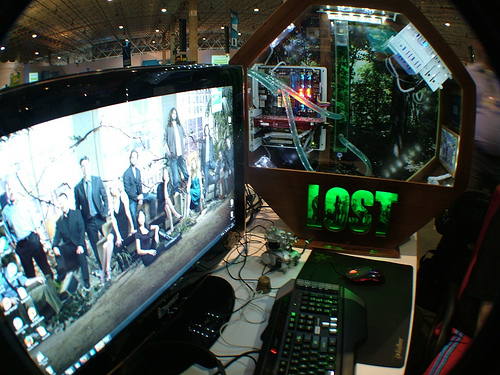
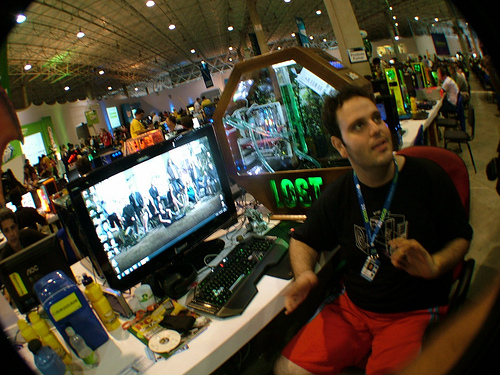
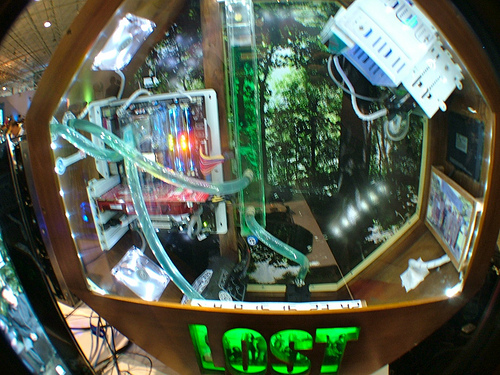
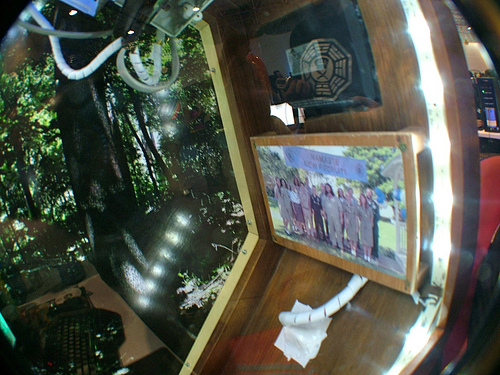
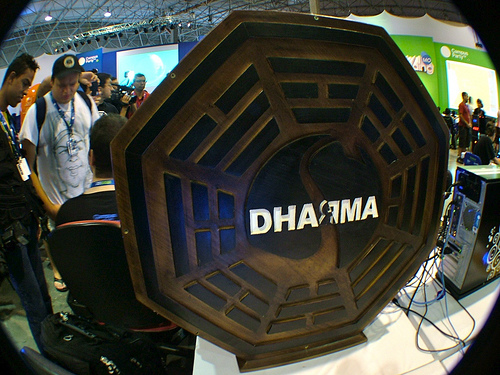
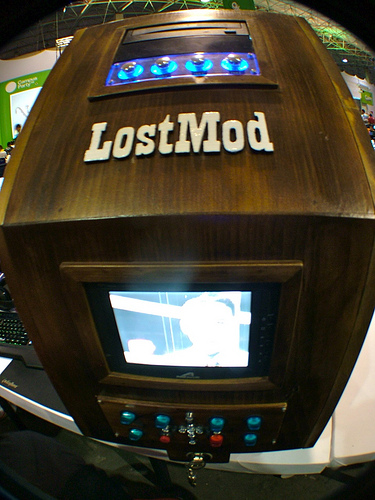
A bunch of Brazillian Losties have gone ahead and created this awesome Lost mod case.  The amount of detail is tremendous, really.  The PC case is octagonal shaped, a la the Dharma Initiative logo; it has a green and is decorated in a jungle theme; it’s got the 1977 Dharma Initiative team photo stored inside, along with plastic tubes and other instricases; and there’s even a video screen on the outside that plays loops of Dr. Marvin Candle/Pierre Chang’s Dharma orientation films.  The only thing that’s missing is the requirement to type in The Numbers every 108 minutes to save the world from destruction by an electromagnetic force.  Take a closer look at this beauty in the gallery below.

[Via Gizmodo; Flickr]

Twitter aquires Atebits, Tweetie becomes ‘Twitter for iPhone’, free

Since its inception Twitter (the company) ran its website at www.twitter.com and left Twitter applications for desktop and mobile clients to third party developers.  On Friday Twitter announced a significant change in its overall game plan.  Twitter is no longer taking a backseat to developers when it comes to running Twitter in applications outside the main Twitter website.  Twitter has aquired Atebits, the company behind one of the most popular Twitter clients for Mac desktops and iPhones, Tweetie.  Loren Brichter, the man behind Atebits, is part of the deal and will become a vital member of Twitter, helping the company retool the app for the iPhone, other mobile devices, and eventually the iPad.  Twitter’s reasoning behind the move: “People are looking for an app from Twitter, and they’re not finding one. So, they get confused and give up. It’s important that we optimize for user benefit and create an awesome experience.”  Tweetie will be renamed Twitter for iPhone and its price tag will fall from $2.99 to free.  A release date was not disclosed.

So what do we think about this?  It’s great!  Now there’s going to be an “official” Twitter app that all iPhone (and other mobile device) users can download and share similar experiences with.  If you’re new to Twitter, this will likely be the go-to app.  If you’ve been part of the community for some time, third party Twitter apps aren’t going anywhere, so dipping your toe into different user experiences will always be an option.  What this merger of sorts does is give Twitter a major boost against naysayers who believe Twitter is a fragmented service with too many varying apps for it.  Now the company can say there’s a streamlined Twitter experience waiting for those who want to take that route.  It’s a win-win for all of us.

[Via Twitter]