Category Archives: Technology

Latest PS3 ads feature Nazis, Joan of Arc [Updated]

And I thought we had seen the creepiest, strangest ads from Sony already for it’s Playstation 3.

These latest ads feature a “gamer” giving a blood transfusion to a Nazi soldier and a heart transplant to Joan of Arc.  Sony PR, you might have gone a wee bit too far this time.

Update: Apparently this was a “mock campaign” and Sony never officially signed off on these outlandish creations.  Check out what Cristián Lehuedé B., the president of BBDO Chile (the advertisement company behind these ads) has to say on the matter after the break.

[Via Gizmodo]

Continue reading Latest PS3 ads feature Nazis, Joan of Arc [Updated]

Phoenix’s Instant Boot loads Windows 7 in 10 ticks

Here we have a Lenovo T400s laptop running a clean version of Windows 7 and Phoenix’s Instant Boot BIOS.  Note: The laptop is not coming out of sleep mode; it is in the off-state at the start of the video.  It “boots in about one second and will get you to the Windows 7 desktop in less than eleven seconds.”  That is speedy!  However, as Gizmodo points out, it must be taken into consideration that this quick boot time is helped by a solid-state hard drive and a bloatware-free copy of Windows with Areo visualizations turned off.

[Via Gizmodo]

Netbooks to run all versions of Windows 7

I hate to use the phrase “all versions” in the a sentence that is about an operating system, but the geniuses at Microsoft leave me no choice.

Windows 7 will come in six different editions: Windows 7 Starter, Home Basic, Home Premium, Professional, Ultimate, and Enterprise.  Of these six editions, four of them will be available to the general public in the US: Starter, Home Premium, Professional, and Ultimate.  (The others were developed for different countries.)  If you would to know “which one is right for you,” take a look at what Microsoft has to say on the decision-making process.

Up until this point Microsoft made it clear that all netbooks would be restricted to the Windows 7 Starter Edition, meaning that all netbooks would be limited to running at most three applications at a time.  That stinks, I know.  Fortunately, though, Microsoft has given it some thought and has decided to remove this restriction from the Starter Edition, andallow netbooks to run any version of Windows 7.  In other words, you can run the dumbed down Starter Edition or you can rock the Ultimate Edition with Areo Peek features and all.  As the release of the new OS dawns upon us (October 22), it looks like Microsoft is trying to do anything and everything to ease the transition from the troubled Vista to what may be its savior, Windows 7.

[Via Engadget]

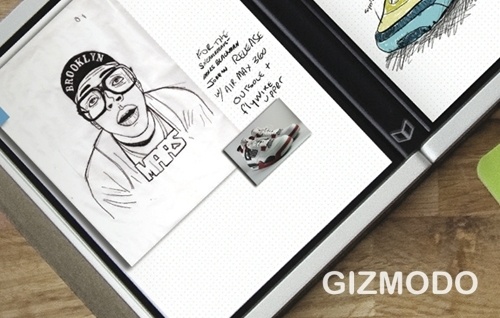
Microsoft Courier: UI tour, additional details in the rumor mill

In addition to this revealing video picked up at Gizmodo, ZDNet’s Mary Jo-Foley reported on new speculation from a “more verifiable source” that sheds some more light on the still unannounced Microsoft Courier booklet device.  Her source claims that the Courier is currently running on top of the Windows 7 operating system.  However, the consumer will not be able to install Windows 7 apps on the device: Microsoft tablets of the past “failed because the applications were not tailored to a tablet form factor – that is, Word still had toolbars and menus and scollbars. So, a tablet needs to be like an iPhone – a UX that is specific for the form factor.”  The source mentions that the development team at Microsoft is creating this device like they did the Xbox video game console; Microsoft will handle the hardware and software so as to speed up the development process.  The source also says that the Courier is on track for a “mid-2010” release.

Very interesting tidbits of information, yes.  As Apple is currently in the process of manufacturing their own tablet, I am excited to see how all of this will play out.  Will it be the MS Courier vs. the Apple tablet in the near future?  Only time (and potential surfacing FCC filings) will tell.

[Via Gizmodo; ZDNet]

AT&T gives in, MMS on the iPhone for all!

The day has finally come, people.  AT&T has enabled MMS, the ability to send and receive pictures and video, on the iPhone.  (iPhone 3G & 3GS customers only, sorry original iPhone owners.)

The steps to getting MMS running on your iPhone are simple.  First open up iTunes and make sure you are running iTunes 8.2 or later.  Next, connect your iPhone to your PC or Mac.  The update window should pop up automatically after iTunes recognizes the connection.  If it does not, go to the iPhone device tab and select “Check for Update.”  If you have not updated your iPhone to version 3.1 you must do this first.  The actual MMS update is installed via a “carrier settings” update; this means that it is not an iPhone software update, and it should install on the phone within seconds.

[Update Settings Screenshot]

Once you’ve completed the update, disconnect the phone from your computer and RESTART the phone.  The MMS feature will not show up until the phone has been restarted by holding down the power button.  After the phone turns back on, check that the update installed by opening the Messages application and looking for the small camera button next to the text input bar.  It looks like this:

[Text Field Screenshot]

And there you have it.  MMS on the iPhone.  One small step into the 21st century, one giant leap for AT&T.

[Via Apple]

MS creates Windows 7 Launch Party ad; the parody makes it worthwhile

With the release of Windows 7 just around the corner (October 22), Microsoft has created an instructional video about how to make the perfect launch party to celebrate the new operating system.  It is so lame it’s kinda funny.  (Can you say awkward actors interacting in the most awkward of ways?)  It is a six minute video, and you should not watch it in it’s entirety.  However, you should at least scrub through it.  Why, you ask?  YouTube user “cabel” has created a parody of the video, and it is funny, in the inappropriate kind of way.  So funny, in fact, that it makes the effort of the Microsoft advertisers who made the original worthwhile!  Check out the parody video after the break. Continue reading MS creates Windows 7 Launch Party ad; the parody makes it worthwhile

OS boot-up and USB transfer times like you’ve never seen them before–super fast!

This first video shows a Windows 7 PC booting up in under one second.  Phoenix’s Instant Boot BIOS combines with Windows 7’s optimized startup procedure to start up the OS in a very quick manner.  Engadget witnessed “a retrofitted Dell Adamo hit the Windows desktop in 20 seconds, while a Lenovo T400s with a fast SSD got there in under 10.”  Phoenix plans on releasing their Instant Boot software in the near future.

This next video shows the power of SuperSpeed USB 3.0 at work.  USB 3.0 is boatloads faster than current USB modules.  Embedded.com gives an example: “HD TV and movies can be downloaded in seconds, limited only by the storage device’s transfer rate.  A flash drive using USB 3.0 can move 1 Gbyte of data to a host device in 3.3 seconds, compared to 33 seconds with USB 2.0 (according to the USB Implementers’ Forum).”

Imagine this:  You sit down at your computer and hit the power button.  A few seconds later everything is fully loaded and you’re at the desktop.  Your friend gave you a USB thumb drive that contains some MP3 and MOV files you want to transfer to the desktop.  After plugging in your drive to a USB 3.0 compatable module you will be watching movies and listening to music within just a few minutes rather than in a number of hours.  Look out for the Phoneix instant-on software and USB 3.0, coming your way very soon, but not soon enough.

[Via Engadget, here & here; Embedded]

Nintendo announces Wii price cut

After Microsoft and Sony decided to slash the price of their video game consoles,  Nintendo wanted in on the fun.  Effective September 27, the Nintendo Wii will become $50 cheaper and will sell for $199.99.

So, where does this leave us?  Xbox 360 = $299.  PS3 Slim = $299.  Wii = $199.  Prices are dropping and games and content are getting better.  This is a win-win situation for the consumers!

In related Nintendo news, the ever-popular sequel to Wii Sports, Wii Sports Resort, is packing a second WiiMotionPlus in its bundle.  Starting October 12, Wii Sports Resort will include the game, two MotionPlus accessories, and will cost $60.  Yes, that is $10 more than what it cost before, but now it has a second MotionPlus; don’t complain.

[Via Joystiq; Gizmodo]

PlayStation Motion Controller announced for Spring 2010 release; more details

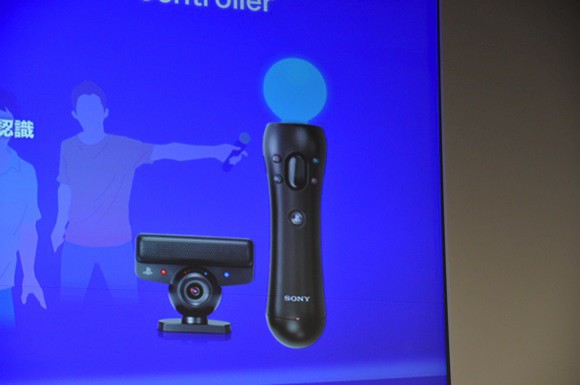
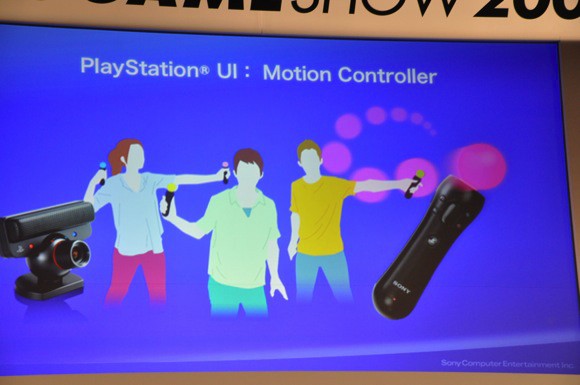
At this year’s Tokyo Game Show (TGS), Sony’s Kaz Hirai has split the details of a launch window and initial game launches that surround the newest PS3 accessory, the PlayStation Motion Controller.  Sony plans on releasing the controller this Spring with the following games ready for launch: Ape Escape (Working Title), Echochrome 2 (Working Title), Eccentric Slider, Sing and Draw, Champions of Time, Motion Party, The Shoot, and Tower.  Note that these are all working titles.  Also announced was a new edition of RE5 called Resident Evil 5: Director’s Cut; this title will revamped so it can take advantage of the motion controller.  Sony stated that there will be a number of current PS titles that will receive motion control support via software updates; one of these games includes LittleBigPlanet.

For those of you who want a refresher about the PS3 Motion Controller’s tech and for some information, look after the break for the official Sony press release.  The gallery has a few images from the TGS below.

[Via Engadget; Gizmodo]

Continue reading PlayStation Motion Controller announced for Spring 2010 release; more details

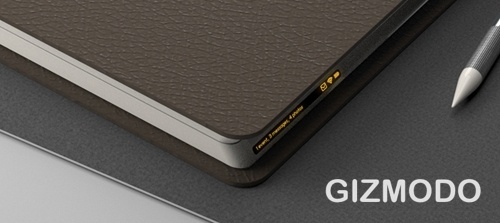
Microsoft Courier booklet device

The awesome dudes at Gizmodo picked up this story earlier this week, and boy is it a fascinating one.  What was a big secret for Microsoft has now been reveiled to the public–a MS-hardware and software designed booklet.

Gizmodo has the details:

Until recently, it was a skunkworks project deep inside Microsoft, only known to the few engineers and executives working on it.

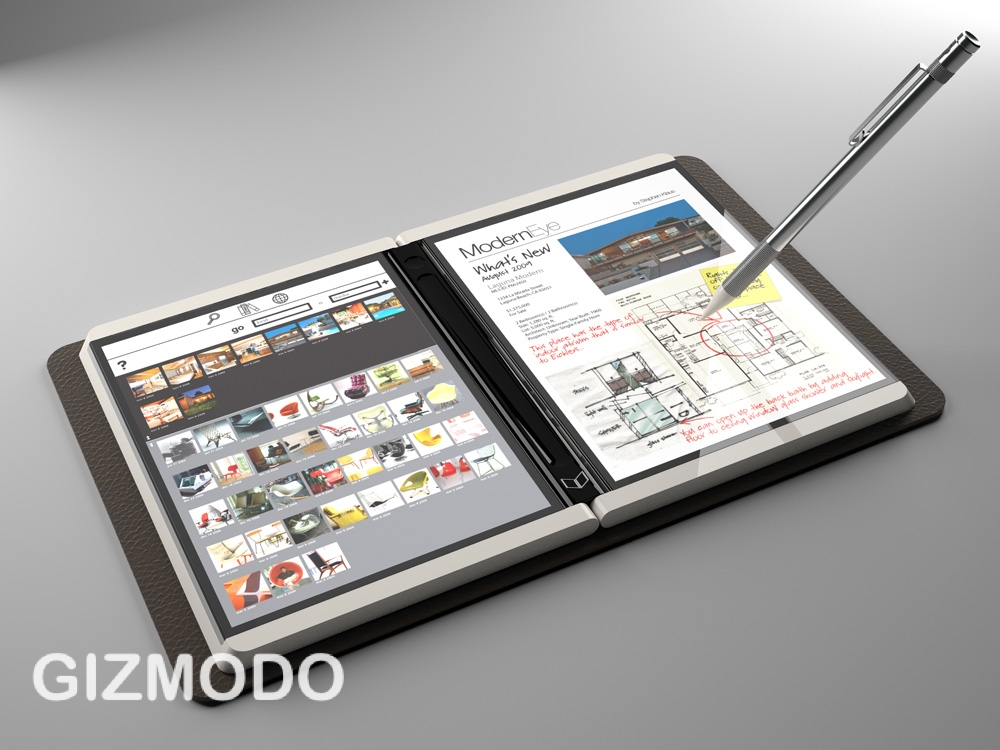
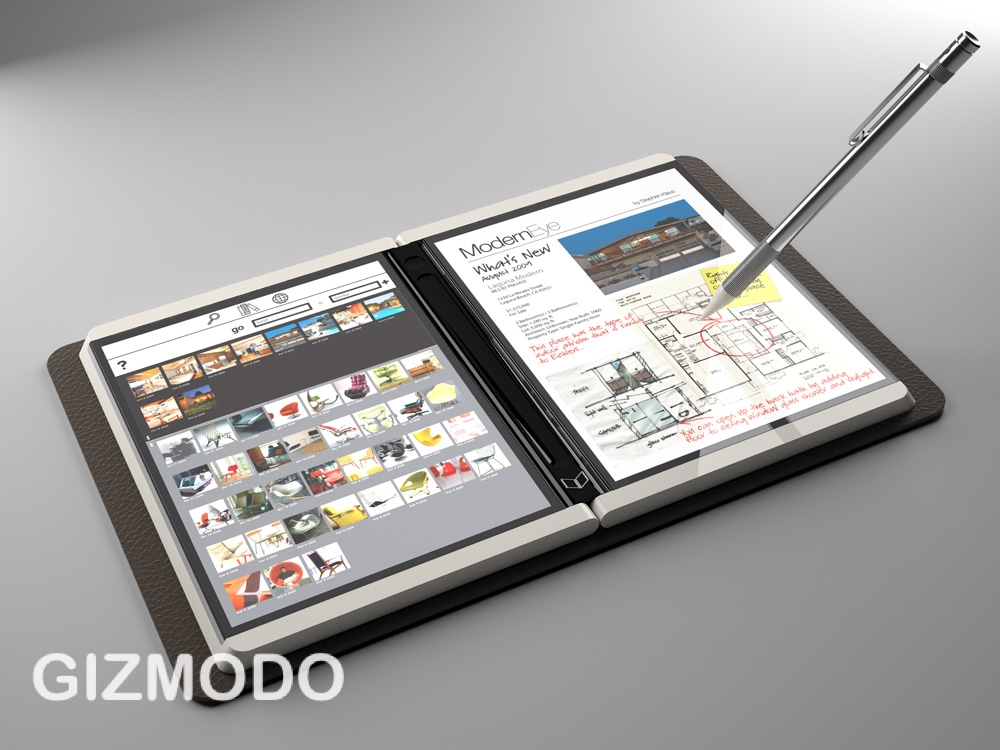
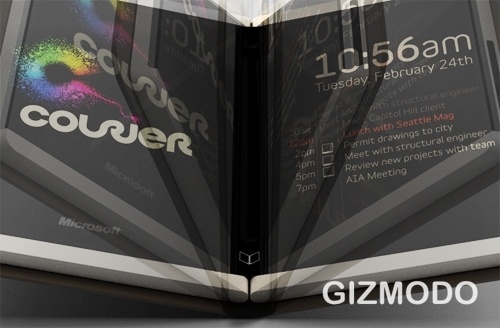
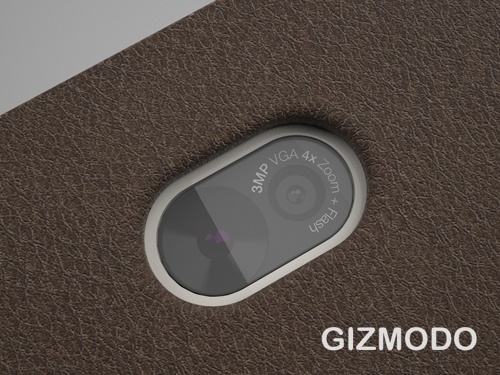
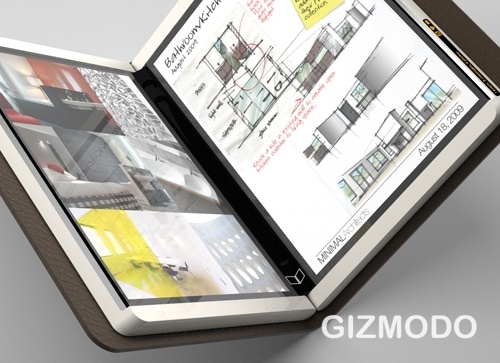
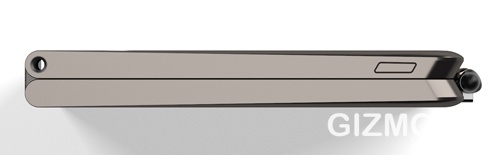
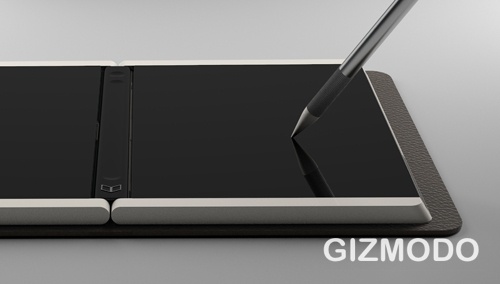
Courier is a real device, and we’ve heard that it’s in the “late prototype” stage of development. It’s not a tablet, it’s a booklet. The dual 7-inch (or so) screens are multitouch, and designed for writing, flicking and drawing with a stylus, in addition to fingers. They’re connected by a hinge that holds a single iPhone-esque home button. Statuses, like wireless signal and battery life, are displayed along the rim of one of the screens. On the back cover is a camera, and it might charge through an inductive pad, like the Palm Touchstone charging dock for Pre.

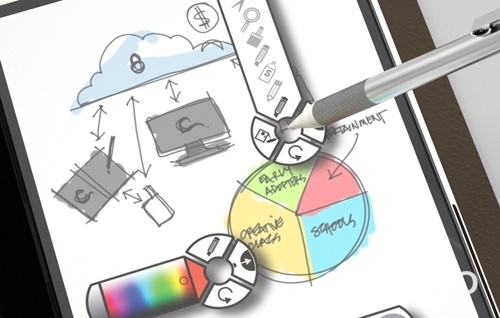
So, the MS Courier is in fact a real device, it packs two 7-inch multitouch displays and an integrated camera, and has a UI design that looks sleek, organized, and most importantly, simple.  For more on the UI, check out the video below for a quick tour of the Courier user interface, still in development.  One question: What’s with the stylus?  That’s so 1990s!

[Via Gizmodo]